

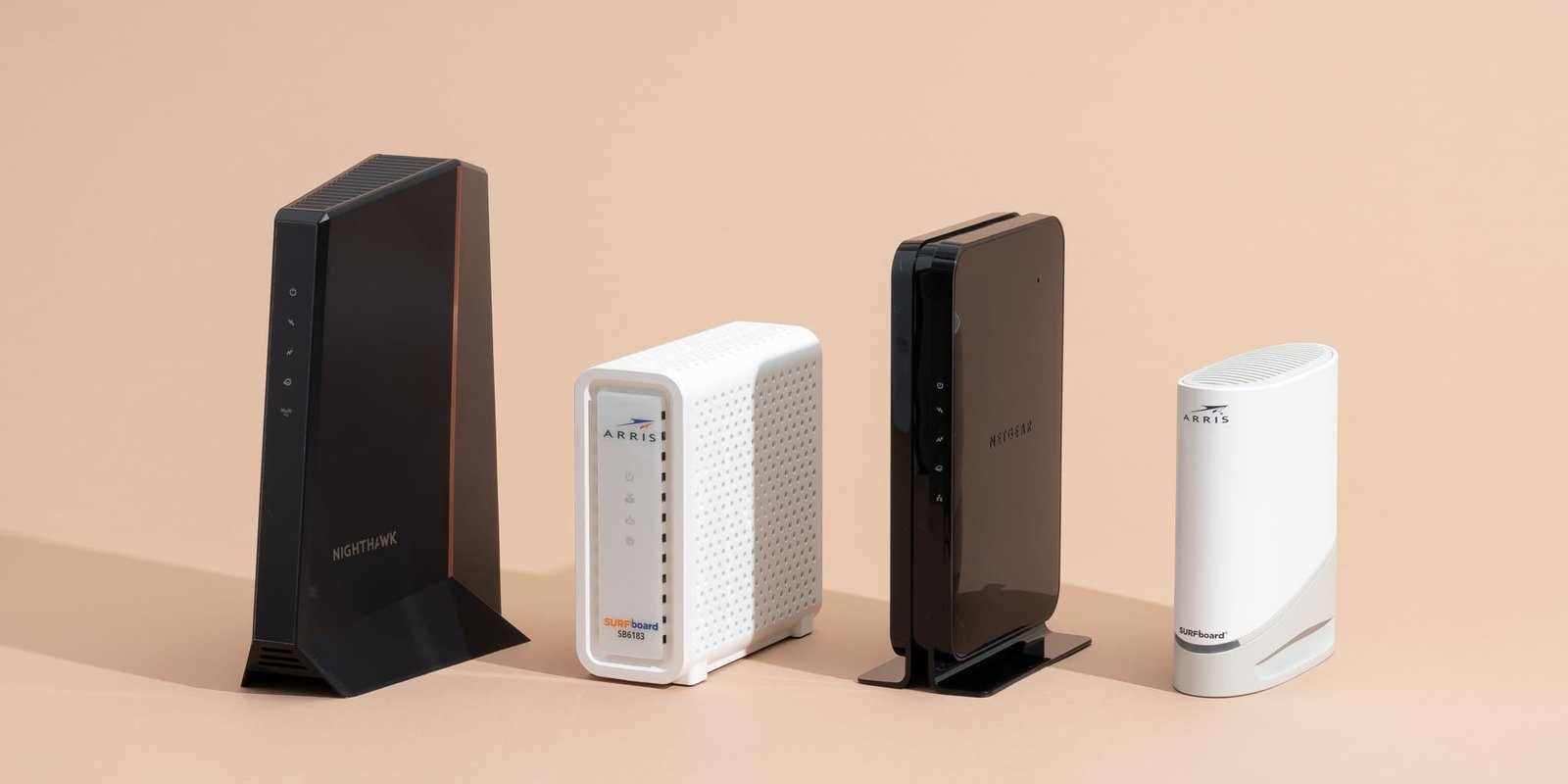
Netgear leads in DOCSIS 3.1 speed, while Motorola offers strong value with simple cable networking.
You need reliable internet for work, streaming, gaming, or school, yet your modem may slow down your whole home. Choosing between Motorola and Netgear cable modems can feel hard because model names, DOCSIS versions, plan speeds, and ISP rules all matter. I compared the listed products by speed class, modem design, ports, wireless features, phone support, and value. This Motorola Vs Netgear Cable Modems guide can help you choose the right match for your internet plan without paying for features you will not use.
See the differences between my top picks at a glance.
NETGEAR CAX30 Wi-Fi 6 Cable Modem Router

The NETGEAR CAX30 combines a DOCSIS 3.1 cable modem with a Wi-Fi 6 router. That design can replace two separate boxes in a small or medium home. The listing states support for speeds up to 2.7 Gbps and includes four gigabit Ethernet ports. It also lists compatibility with Xfinity, Spectrum, and Cox, but I still recommend checking your provider’s approved-device list before buying.
In daily use, a combo unit feels simple because one device handles the cable connection and home Wi-Fi. Wi-Fi 6 can help newer phones, laptops, and smart devices share the network with less strain. The guided setup may help buyers who do not want to manage advanced network settings. However, the four wired ports are gigabit ports, so a single wired device may not use the full 2.7 Gbps cable capacity.
Pros:
- Combines a DOCSIS 3.1 modem and Wi-Fi 6 router
- Reduces cable clutter and saves shelf space
- Lists support for up to 2.7 Gbps service
- Includes four gigabit Ethernet ports
- Useful for homes with many newer wireless devices
- Guided setup can make installation easier
Cons:
- Not a good fit if you already own a preferred router
- Gigabit Ethernet ports may limit wired device speeds
- ISP approval can vary by plan and location
What Amazon Buyers Are Saying
Buyer experiences with modem-router combos often focus on easy setup, fewer devices, and stable home Wi-Fi. Some customers also value the built-in Wi-Fi 6 feature and the number of wired ports. Common complaints with this type of product can include activation trouble, firmware behavior, or problems caused by ISP settings. Since customer reviews can change over time, I suggest checking recent reviews for your internet provider and reading both positive and critical comments.
My Recommendation
I recommend the CAX30 for buyers who want one box instead of a separate modem and router. It makes the most sense for a compatible plan and a home with several Wi-Fi 6 devices. It is less appealing for users who want a high-end standalone router or more than gigabit speed on one wired connection. Overall, this is my strongest all-in-one choice in this Motorola Vs Netgear Cable Modems comparison.
NETGEAR CM1200 DOCSIS 3.1 Cable Modem

The NETGEAR CM1200 is a modem-only unit built for buyers who want to use their own router. It uses DOCSIS 3.1 and is listed for cable plans up to 1 Gbps. Four 1-gigabit Ethernet ports give you useful wired flexibility, although the exact way those ports work depends on your network setup and provider support. The listing names Xfinity, Spectrum, and Cox as compatible providers.
This modem suits a home that already has a mesh system or a strong Wi-Fi router. It does not create wireless service on its own, so you need a separate router for Wi-Fi. That separation gives you more control and makes future router upgrades easier. Before activation, confirm that your provider supports this exact model and speed tier.
Pros:
- DOCSIS 3.1 design for modern cable service
- Works with a separate router or mesh system
- Four gigabit Ethernet ports provide setup flexibility
- Good match for plans up to 1 Gbps
- Can reduce monthly modem rental costs over time
- Compact modem-only approach keeps networking parts separate
Cons:
- Requires a separate router for Wi-Fi
- Not the best choice for buyers seeking a one-box system
- Its listed 1 Gbps target may not suit faster plans
What Amazon Buyers Are Saying
Reviews for modem-only devices often praise reliable activation, steady wired service, and the freedom to choose a personal router. Buyers who understand the difference between a modem and a router tend to find this setup easy to manage. Some reported issues in this category involve provider activation, old firmware, or confusion about the need for a separate router. I would read current comments that mention your exact ISP before placing an order.
My Recommendation
The CM1200 remains a practical choice for a standard gigabit cable plan and a separate router setup. I like it most for users who already own a mesh kit and want a dependable DOCSIS 3.1 base. I would not choose it for a new multi-gig plan when a faster modem offers better headroom. It earns a solid value score for simple, focused home networking.
Motorola MT7711 Cable Modem Router
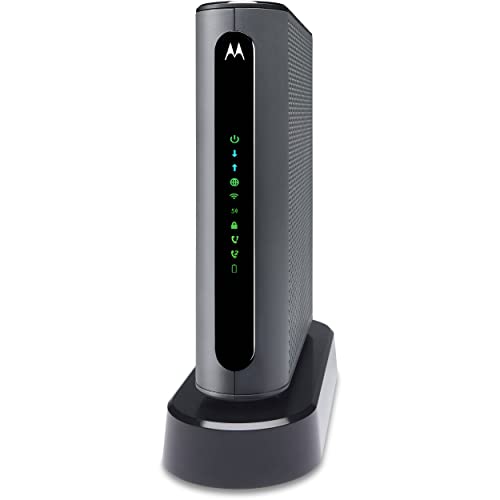
The Motorola MT7711 is a modem, router, and voice device in one unit. It uses a 24×8 DOCSIS 3.0 modem and includes AC1900 dual-band Wi-Fi. The listing also highlights two phone ports and support for Comcast Xfinity. This model targets buyers who need traditional cable internet with compatible voice service.
Its main appeal comes from its built-in phone support. You do not need a separate router for basic wireless access, which may make it a useful replacement for an older rental gateway. The DOCSIS 3.0 platform is not as future-ready as DOCSIS 3.1. Also, this listing identifies the unit as renewed, so condition, warranty, and return terms deserve careful review.
Pros:
- Combines modem, router, and voice functions
- Includes two phone ports for supported service
- AC1900 dual-band Wi-Fi supports common home devices
- 24×8 channel layout can suit compatible plans
- Useful for Xfinity customers with voice service
- Can replace several older networking devices
Cons:
- DOCSIS 3.0 has less future headroom than DOCSIS 3.1
- Listed for Comcast Xfinity rather than broad provider use
- Renewed condition may vary from a new product
- May not suit faster modern cable plans
What Amazon Buyers Are Saying
Buyers who choose this type of gateway often like the built-in phone ports and the simple one-device setup. Reviews may also mention good value when the unit activates without trouble. The most common concerns for renewed networking products include cosmetic wear, missing accessories, and differences in warranty coverage. Voice service can also require provider approval, so review recent customer comments and confirm activation details first.
My Recommendation
I recommend the MT7711 only for a narrow use case: a compatible Xfinity customer who needs cable internet, Wi-Fi, and voice in one renewed device. It can save money when the plan matches its DOCSIS 3.0 limits. I would choose a DOCSIS 3.1 model for a new purchase, faster plan, or longer upgrade cycle. Its value depends heavily on the seller condition and return policy.
NETGEAR CM1200 Renewed Cable Modem
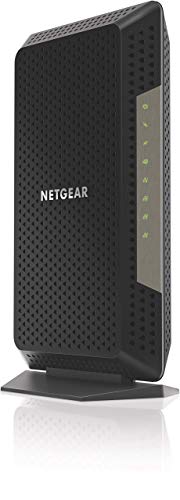
This renewed CM1200 keeps the core design of a DOCSIS 3.1 modem while offering a potentially lower purchase price. The listing says it works with cable providers and supports cable plans up to 2 Gbps. It has four 1-gigabit Ethernet ports and does not include built-in Wi-Fi. That makes it a better match for a buyer who already owns a router or mesh system.
The renewed option can make sense when you want DOCSIS 3.1 performance without paying full new-product pricing. Still, I would inspect the seller rating, warranty, return window, and included power adapter before buying. The four gigabit ports do not automatically mean one device can reach 2 Gbps. Your ISP, network design, and supported link features all affect real speed.
Pros:
- DOCSIS 3.1 platform supports newer cable networks
- Potentially costs less than a new unit
- Four gigabit Ethernet ports add flexibility
- Works well with a separate router or mesh system
- Listing targets plans up to 2 Gbps
- Modem-only design makes router upgrades simple
Cons:
- Renewed condition creates more uncertainty than new stock
- Needs a separate router for wireless coverage
- Four 1G ports may not deliver a full 2 Gbps to one device
- Compatibility still depends on your provider and plan
What Amazon Buyers Are Saying
Customer reviews for renewed modems often praise the chance to get a proven model at a lower price. Buyers commonly look for easy activation and stable service after setup. Negative patterns may involve scratched cases, missing parts, or units that need replacement after activation. I treat these reviews as a reason to check the return terms, not as proof that every renewed unit will have the same result.
My Recommendation
This renewed CM1200 is worth considering when price matters and you already have a capable router. It offers a stronger DOCSIS platform than the Motorola MT7711, but the renewed condition adds risk. I would buy it only from a seller with clear returns and a suitable warranty. It is a reasonable value pick, but not my first choice for a brand-new multi-gig home.
NETGEAR CM3000 2.5 Gbps Cable Modem

The NETGEAR CM3000 is a modem-only product aimed at faster cable plans. It uses DOCSIS 3.1 and lists up to 2.5 Gbps service support. Its port layout includes one 2.5G Ethernet port and two 1G ports, which gives it a clearer path to multi-gig wired service than the gigabit-only CM1200. It is listed as compatible with Xfinity, Spectrum, and Cox.
This modem is a better long-term match for a buyer who expects internet speeds above 1 Gbps. You still need a separate router, and that router must include a 2.5G WAN port if you want to use the modem’s faster connection. A suitable Ethernet cable and a provider-approved plan also matter. The CM3000 avoids built-in Wi-Fi, so you can pair it with the mesh or router that best fits your home.
Pros:
- DOCSIS 3.1 supports current high-speed cable plans
- Includes a 2.5G Ethernet port for multi-gig service
- Two additional gigabit ports support other wired devices
- Modem-only design works with custom router systems
- Listed for up to 2.5 Gbps service
- Good upgrade path for homes moving beyond gigabit speeds
Cons:
- Requires a separate Wi-Fi router
- Needs a router with a 2.5G WAN port for top speed
- May cost more than a modem for a basic plan
- Provider support can differ by region and speed tier
What Amazon Buyers Are Saying
Buyers who need faster service often focus on activation, steady speeds, and the 2.5G port. A common benefit of a modem-only unit is the ability to use a preferred Wi-Fi system. Some complaints in this product class involve setup mistakes, router port limits, or an ISP that does not support the model at the expected speed. I recommend checking recent reviews from users with the same provider and plan.
My Recommendation
The CM3000 is my top standalone modem for a modern multi-gig cable plan. It gives you a meaningful advantage over gigabit-only ports and leaves your Wi-Fi choice open. I would not buy it for a low-speed plan unless you want room for a future upgrade. For users comparing Motorola Vs Netgear Cable Modems, this is the clearest Netgear choice when wired speed matters most.
NETGEAR CM3000 Renewed 2.5 Gbps Modem
This renewed CM3000 offers the same core multi-gig concept as the new version. The listing identifies a DOCSIS 3.1 modem with up to 2.5 Gbps support, one 2.5G port, and two gigabit ports. It does not include Wi-Fi, so you must connect a separate router. The product listing names Xfinity, Spectrum, and Cox as compatible cable providers.
The renewed version may appeal to buyers who want the CM3000 port layout at a lower price. It can work well with a Wi-Fi 6 or Wi-Fi 7 router that has a 2.5G WAN port. I would pay close attention to the seller’s condition notes and return policy. A lower purchase price is helpful only if the modem activates cleanly and includes the needed accessories.
Pros:
- Provides a 2.5G Ethernet port for fast cable service
- DOCSIS 3.1 design offers strong upgrade potential
- Supports a separate router or mesh network
- Two gigabit ports add useful wired connections
- May cost less than the new CM3000
- Good fit for users who understand multi-gig networking
Cons:
- Renewed condition may vary between sellers
- Needs a separate router for Wi-Fi
- Top speed requires a compatible 2.5G router port
- Not necessary for basic cable plans
What Amazon Buyers Are Saying
Reviews for renewed multi-gig devices usually center on value and successful activation. Buyers often like getting newer hardware at a lower cost. Others may report cosmetic marks, missing items, or the need to use the return process. Because renewed stock can differ, I would compare the latest review dates and confirm the seller’s policy before purchase.
My Recommendation
I recommend the renewed CM3000 for experienced buyers who want multi-gig hardware but need to control the budget. It has a better port layout for fast service than the older CM1200. The new CM3000 is safer when you want maximum condition certainty, while this model is attractive when the savings are clear. My rating reflects excellent hardware value with some renewed-product risk.
How to Choose Motorola Vs Netgear Cable Modems
Choosing between Motorola Vs Netgear Cable Modems starts with your internet plan. Do not choose by brand alone. Match the modem to your provider, speed tier, home network, and need for voice service. A low-cost model can be a smart buy when it fits your plan. A faster model can waste money if your service and router cannot use it.
1. Match DOCSIS to Your Cable Plan
DOCSIS is the cable technology inside the modem. DOCSIS 3.0 can still work with some plans, but DOCSIS 3.1 gives better room for newer and faster service. The Motorola MT7711 uses DOCSIS 3.0, while the Netgear CAX30, CM1200, and CM3000 models use DOCSIS 3.1. Ask your ISP which devices it approves for your exact plan.
Also check the modem’s listed speed class. A plan near 1 Gbps may fit the CM1200. A plan above 1 Gbps makes the CM3000 more compelling because it includes a 2.5G port. Do not assume that a modem’s headline speed equals your real Wi-Fi speed. Wi-Fi distance, walls, router ports, network traffic, and provider limits all affect results.
2. Decide Between a Combo and a Modem Only
A modem-only product needs a separate router. This adds another purchase, but it gives you more control. You can replace the router later without replacing the modem. This setup also works well with mesh Wi-Fi systems.
A combo such as the CAX30 includes both devices. It can save space and simplify setup. The Motorola MT7711 also adds phone ports for compatible voice service. Choose a combo when simple installation matters most. Choose a modem-only model when you already own a router or want a stronger custom network.
3. Check Ports, Voice Support, and Product Condition
Look closely at Ethernet ports. The CM3000 has a 2.5G port, while the CM1200 models list four gigabit ports. To use multi-gig service, your router must also have a matching fast WAN port. A 2.5G modem connected to a gigabit router will not deliver more than the router port can handle.
If you use cable phone service, confirm voice support before buying. The Motorola MT7711 includes two phone ports, but the listing focuses on Comcast Xfinity. Many modem-only products do not support provider voice service. Finally, compare new and renewed units with care. Check the warranty, return window, seller record, included parts, and exact condition notes.
Final Verdict: Which Should You Buy?
For most users, the NETGEAR CAX30 is the best all-in-one choice. For multi-gig plans, I prefer the new NETGEAR CM3000. The Motorola MT7711 only makes sense for compatible Xfinity voice users on a suitable plan.
This Motorola Vs Netgear Cable Modems comparison shows that plan fit matters more than the logo. Confirm ISP approval, port needs, and return terms before you buy.
FAQs Of Motorola Vs Netgear Cable Modems
Is Motorola or Netgear better for cable modems?
Netgear offers stronger DOCSIS 3.1 and multi-gig choices in this comparison. Motorola can be a better value when you need a compatible voice gateway and a simple setup.
Does the Motorola MT7711 work with every cable provider?
No. The listing focuses on Comcast Xfinity compatibility. Confirm approval with your provider before buying, especially because this unit is renewed and includes voice features.
Do Netgear CM1200 and CM3000 modems include Wi-Fi?
No. They are modem-only products. You need a separate wireless router or mesh system for Wi-Fi access.
Is the NETGEAR CM3000 worth buying for a 1 Gbps plan?
It can be useful if you plan to upgrade later or want a 2.5G wired port. For a basic 1 Gbps plan, a less expensive DOCSIS 3.1 modem may offer better value.
Should I buy a new or renewed cable modem?
A renewed model can lower the price, but condition and warranty may vary. Buy renewed only when the seller offers clear returns and the savings justify the added risk.





[…] router can make all the difference in ensuring seamless operations. Whether you need a wired VPN router for secure data transfers or a WiFi 6 router for high-speed wireless connectivity, selecting the […]
[…] this blog post, we explore top routers perfect for a home office setup. Each option offers unique features tailored to enhance your […]
[…] Home setups need routers that offer smooth and efficient connectivity. Whether managing multiple smart devices or streaming […]