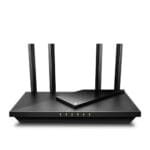
The best router for large families balances strong coverage, many devices, fast speeds, and simple home control.
Busy homes can feel like small offices. One person streams a movie, another joins a video call, kids play online games, and smart devices keep working in the background. A weak router may cause slow loading, dropped calls, and frustrating dead zones. I reviewed five popular choices for different home sizes, internet plans, and budgets. My top picks include Wi-Fi 6, Wi-Fi 7, and a modem-router combo, so you can match the router to your real needs instead of paying for features you will not use.
See the differences between my top picks at a glance.
TP-Link Archer AX21 V5 Wi-Fi 6 Router

The TP-Link Archer AX21 V5 is a sensible starting point for families that need a modern router without a high price. It uses Wi-Fi 6 and supports dual-band wireless connections. That helps newer phones, laptops, TVs, and game systems share the network with less strain than many older Wi-Fi 5 routers. Gigabit ports also make it useful for wired devices such as a desktop computer or smart TV.
I like the easy mesh support and Alexa compatibility for homes that may need better coverage later. The router also carries the “Certified for Humans” label, which points to a simpler setup experience for many users. It is not the most powerful model here, but it offers a useful balance for a medium home with regular family traffic. For many shoppers, this is the best router for large families when the budget matters most.
Pros:
- Wi-Fi 6 helps manage many newer devices
- Gigabit Ethernet ports support wired connections
- Easy mesh support allows future coverage expansion
- Alexa compatibility can simplify basic voice control
- Good fit for families moving up from an older router
- Usually costs less than newer Wi-Fi 7 models
Cons:
- Dual-band design has less capacity than a tri-band router
- It may not suit very large homes without an added mesh unit
- It may not take full advantage of the fastest multi-gig internet plans
What Amazon Buyers Are Saying
Amazon buyer feedback for this type of TP-Link router commonly centers on simple setup, steady daily use, and good value. Buyers often like the app-led installation and the way the router handles common tasks such as streaming, browsing, and video calls. Many also see it as a clear improvement over an older router supplied by an internet provider.
The main concerns tend to involve coverage in larger or multi-floor homes and the limits of a dual-band design. Results can also vary with wall material, router placement, internet speed, and client device support. I would treat buyer reports as useful real-world guidance, not a promise of identical performance in every home.
My Recommendation
I recommend the Archer AX21 V5 for families that want dependable Wi-Fi 6 at a practical price. It is a strong choice for a medium home, especially when you can place it near the center of the house. Buy it with realistic expectations if your home has many floors or a very fast internet plan.
TP-Link Archer BE600 Wi-Fi 7 Router

The TP-Link Archer BE600 brings Wi-Fi 7 to homes with heavy traffic and newer devices. Its tri-band design gives the network more room to spread activity across bands. The supplied listing states coverage up to 2,600 square feet and support for up to 120 devices. It also includes a 10G port, a 2.5G port, and three 2.5G LAN ports for fast wired connections.
This model stands out when several family members use the network at the same time. Wi-Fi 7 features such as wider 320 MHz channels can help compatible devices reach higher speeds, though the real result depends on the client device and internet plan. HomeShield security, VPN support, and the large device rating add useful family features. In my view, this is the best router for large families that want strong capacity and room to grow.
Pros:
- Tri-band Wi-Fi 7 design suits busy households
- Stated coverage reaches up to 2,600 square feet
- Supports up to 120 devices according to the listing
- 10G and 2.5G ports support fast wired networking
- Three 2.5G LAN ports help connect demanding devices
- HomeShield adds useful security and family controls
- VPN support gives advanced users more flexibility
Cons:
- Wi-Fi 7 benefits require compatible devices
- It may cost more than a Wi-Fi 6 router
- Advanced settings may feel excessive for a small home
What Amazon Buyers Are Saying
Buyer feedback for high-end Wi-Fi 7 routers often focuses on speed, network capacity, and the value of multi-gig ports. Shoppers who own newer phones, laptops, or network equipment tend to appreciate the extra headroom. Buyers also commonly value an app that makes setup and device management easier.
Some customers may question the cost when most of their devices still use older Wi-Fi versions. Others may need time to understand advanced features or tune placement for the best coverage. I would compare the router with your current internet plan before buying, since a very fast router cannot make a slow service plan faster.
My Recommendation
The Archer BE600 is my leading pick for large, active homes. It makes the most sense when many people connect at once, your home spans a wide area, or you plan to add multi-gig wired gear. It is less attractive for a small family with a basic plan and older devices.
NETGEAR Nighthawk R6700AX Wi-Fi 6 Router

The NETGEAR Nighthawk R6700AX is a compact Wi-Fi 6 router for homes that need reliable everyday service. The listing states coverage up to 1,500 square feet and support for up to 20 devices. It offers dual-band Wi-Fi, four Gigabit Ethernet ports, and a stated combined wireless speed of up to 1.8 Gbps. Those features suit browsing, streaming, schoolwork, and home office tasks.
This router makes the most sense for a smaller large-family household or an apartment with many users but limited space. Its guided setup can help people who do not want to spend hours changing network settings. It does not offer the same coverage or device capacity as the top Wi-Fi 7 choices. Still, it can be a good best router for large families when the home is modest and the budget is limited.
Pros:
- Wi-Fi 6 supports newer family devices
- Four Gigabit Ethernet ports help connect wired equipment
- Stated coverage reaches up to 1,500 square feet
- Supports up to 20 devices according to the listing
- Guided setup can reduce installation stress
- Compact choice for apartments and smaller homes
Cons:
- Coverage may not suit a large or multi-story house
- Device support is lower than the other family-focused picks
- Dual-band Wi-Fi offers less room than tri-band designs
What Amazon Buyers Are Saying
Amazon buyers often look for simple setup and stable daily connections in this class of Nighthawk router. Common positive themes include a cleaner replacement for an older router, useful wired ports, and enough speed for routine streaming and work. Some buyers also like the familiar Nighthawk setup process.
The most common limitation is not unusual for this model: coverage and capacity can fall short in a large house with many active devices. Some homes may need an extender or mesh system. I suggest checking the stated square footage against your layout, since thick walls and several floors can reduce the useful range.
My Recommendation
I recommend the R6700AX for a smaller home, apartment, or family that uses a moderate number of devices. It is a value choice, not a whole-home powerhouse. If your family often has more than 20 active devices, choose a model with a higher stated capacity.
TP-Link Archer BE400 Wi-Fi 7 Router

The TP-Link Archer BE400 offers a middle path between basic Wi-Fi 6 and a top-tier tri-band Wi-Fi 7 router. It uses dual-band Wi-Fi 7 and includes two 2.5 Gbps ports, a USB 3.0 port, and a quad-core CPU. The supplied listing states coverage up to 2,400 square feet and support for up to 90 devices. That combination gives a busy family plenty of useful network capacity.
I see this model as a good choice for people who want Wi-Fi 7 but do not need the extra band or port count of the Archer BE600. Private IoT support can help separate compatible smart-home devices from personal equipment. HomeShield adds another useful layer for family network management. Its main limit is simple: dual-band Wi-Fi may feel less flexible than tri-band Wi-Fi during very heavy simultaneous use.
Pros:
- Wi-Fi 7 supports newer wireless devices
- Stated coverage reaches up to 2,400 square feet
- Supports up to 90 devices according to the listing
- Two 2.5 Gbps ports support fast wired connections
- USB 3.0 adds useful sharing and network options
- Quad-core processing supports advanced router tasks
- Private IoT support helps organize smart-home devices
Cons:
- Dual-band design has less traffic separation than tri-band Wi-Fi 7
- Older devices may not gain the full Wi-Fi 7 benefit
- Some smart-home and security tools may need extra setup
What Amazon Buyers Are Saying
Buyers who choose this type of router often praise the blend of newer Wi-Fi 7 support, multi-gig ports, and a lower cost than premium tri-band units. The stated device limit also appeals to families with many phones, cameras, speakers, and smart appliances. Setup and network control are common reasons shoppers select TP-Link models.
Some buyers may find that their older devices show little change after the upgrade. Others may expect the stated coverage to work through every wall, which no wireless router can guarantee. I would place this router in an open, central location and consider a mesh add-on if the home has difficult dead zones.
My Recommendation
The Archer BE400 is a strong value option for a modern family home. I recommend it when you want Wi-Fi 7, fast wired ports, and broad stated coverage without moving to the largest model. Choose the BE600 instead if your family has unusually heavy traffic or you want tri-band capacity.
NETGEAR Nighthawk CAX30 Wi-Fi 6 Modem Router

The NETGEAR Nighthawk CAX30 combines a cable modem and a Wi-Fi 6 router in one unit. That design can reduce cable clutter and remove the need to rent two separate devices from a cable provider. The listing states speeds up to 2.7 Gbps, four Gigabit ports, dual-band Wi-Fi, and compatibility with Xfinity, Spectrum, and Cox. It also includes guided setup and free expert help.
This model deserves attention from cable customers who want a simple equipment change. A modem-router combo can save space and may lower long-term rental costs, but compatibility remains important. The CAX30 is not the right choice for fiber service or every cable plan. I recommend confirming provider approval and plan support before buying, especially if your family expects high speeds for many simultaneous users.
Pros:
- Combines a cable modem and router in one device
- Wi-Fi 6 supports current phones and computers
- Stated speeds reach up to 2.7 Gbps
- Four Gigabit Ethernet ports support wired devices
- Works with listed Xfinity, Spectrum, and Cox services
- Guided setup can make installation easier
- Free expert help adds support after purchase
Cons:
- It does not suit fiber-only internet service
- Provider and plan compatibility must be checked first
- Dual-band Wi-Fi may offer less capacity than newer tri-band models
What Amazon Buyers Are Saying
Buyers often choose modem-router combos to save space and avoid a monthly equipment fee. Common positive feedback in this category includes a cleaner setup, fewer cables, and a guided installation process. Cable customers also appreciate having one device that handles both the modem connection and home Wi-Fi.
The most important complaints usually relate to provider activation, compatibility, or expectations about wireless range. A modem-router combo cannot work with a service that does not support the modem standard or model. I advise checking the current provider list and asking the internet company about activation before placing an order.
My Recommendation
I recommend the CAX30 for cable households that want one box instead of separate modem and router hardware. It can offer strong value when your provider supports it. Do not buy it for fiber service, and do not skip the compatibility check.
How to Choose the Best Router for Large Families
Choosing the best router for large families starts with your home, internet plan, and device count. A router may list a high speed, but that number does not tell the full story. Your walls, floor plan, client devices, wired equipment, and service plan all affect results. I use the factors below to narrow the choice to a model that solves a real problem.
1. Match Wi-Fi Capacity to Family Traffic
Count more than phones and laptops. Add TVs, tablets, game consoles, cameras, speakers, printers, watches, and smart appliances. A family can reach dozens of connected devices without noticing. The stated device count offers a useful guide, but active use matters more than devices that simply sit online.
Dual-band Wi-Fi can work well for regular use. Tri-band Wi-Fi gives busy homes another band for traffic. This can help when several people stream, play games, upload files, and join calls at once. The Archer BE600 has the strongest stated device capacity in this group, while the BE400 offers a lower-cost Wi-Fi 7 path.
2. Check Coverage, Ports, and Home Layout
Coverage claims use open-space tests. Real homes have brick, concrete, metal, plumbing, furniture, and multiple floors. Place the router in a central, open location. Avoid a closed cabinet, the floor, or a far corner. A strong router cannot fully defeat poor placement.
Look at Ethernet ports too. A wired connection can improve stability for a desktop, TV, game console, or work computer. Gigabit ports suit many plans. A 2.5G or 10G port matters more when your internet plan and local devices support multi-gig speeds. If one router cannot reach every room, choose a model with mesh support or plan for compatible nodes.
3. Buy for Your Internet Plan and Future Needs
Do not pay for Wi-Fi 7 only because the number sounds impressive. Wi-Fi 7 works best with compatible devices and a suitable internet plan. A Wi-Fi 6 router may give better value for a family with older phones and a standard cable or fiber plan.
At the same time, a large family may keep a router for years. A Wi-Fi 7 model can make sense if you plan to upgrade devices, use multi-gig internet, or transfer large files around the home. Cable customers should also check modem compatibility. A modem-router combo saves space, but it must work with your provider and service tier.
Final Verdict: Which Should You Buy?
The TP-Link Archer BE600 is my top pick for the best router for large families. Its tri-band Wi-Fi 7 design, broad stated coverage, high device rating, and multi-gig ports suit busy homes best.
For lower cost, choose the Archer AX21 V5. For cable users, consider the CAX30. Match your final choice to your home size, plan, devices, and provider.
FAQs Of Best Router for Large Families
What is the best router for a large family with many devices?
The TP-Link Archer BE600 is the strongest overall pick here. Its tri-band Wi-Fi 7 design, stated support for up to 120 devices, and multi-gig ports suit busy homes.
Is Wi-Fi 7 worth it for a family home?
Wi-Fi 7 is most useful when you own compatible devices, use a fast internet plan, or want more room for future upgrades. Wi-Fi 6 may offer better value for older devices.
Do large families need a mesh Wi-Fi system?
Not always. A strong router may cover a well-shaped home. Mesh support helps when thick walls, several floors, or distant rooms create dead zones.
How many devices can a family router handle?
Check the maker’s stated device rating, but remember that active traffic matters too. Streaming and gaming use more network capacity than idle smart devices.
Can I use the NETGEAR CAX30 with fiber internet?
No. The CAX30 is a cable modem-router combo. Check your provider and plan before buying because fiber service normally needs different equipment.