


The best router for gaming delivers low latency, strong coverage, fast ports, and stable service for every match.
Lag can ruin a good game, even when your internet plan looks fast on paper. A weak router may add delay, drop Wi-Fi signals, or slow down when someone streams video. I reviewed six strong options for different homes, budgets, and gaming needs. These routers support modern Wi-Fi standards, multi-gig connections, useful security tools, and better traffic control. My top pick is the ASUS ROG Rapture GT-BE98 Pro, but more affordable choices may suit smaller homes and simpler setups.
See the differences between my top picks at a glance.
| Router | Wi-Fi | Best For | Key Ports | Coverage Claim | Buy |
|---|---|---|---|---|---|
| ASUS ROG Rapture GT-BE98 Pro | Wi-Fi 7, quad-band | Serious gaming and large homes | 2× 10G, 4× 2.5G | Up to 3,500 sq. ft. | View on Amazon |
| TP-Link Archer AXE75 | Wi-Fi 6E, tri-band | Value and 6 GHz gaming | 2.5G WAN | Not stated in provided details | View on Amazon |
| GL.iNet Flint 2 | Wi-Fi 6 | Open-source control and VPN use | 2× 2.5G | Not stated in provided details | View on Amazon |
| ASUS RT-BE88U | Wi-Fi 7 | Wired-heavy homes | 2× 10G, 4× 2.5G | Not stated in provided details | View on Amazon |
| TP-Link BE6500 BE400 | Wi-Fi 7, dual-band | Homes with many devices | 2× 2.5G, USB 3.0 | Up to 2,400 sq. ft. | View on Amazon |
| ASUS ROG Strix GS-BE12000 | Wi-Fi 7, tri-band | Gaming and many wired devices | 8× 2.5G | Up to 3,300 sq. ft. | View on Amazon |
ASUS ROG Rapture GT-BE98 Pro

The ASUS ROG Rapture GT-BE98 Pro is the most powerful router in this group. It uses quad-band Wi-Fi 7 and advertises a combined speed of up to 30 Gbps. The design includes two 10G ports and four 2.5G ports. That gives serious gamers plenty of room for fast internet, gaming PCs, consoles, storage, and wired backhaul.
ASUS also adds Game Boost tools to help manage gaming traffic. The router supports mesh networking, VPN features, and coverage of up to 3,500 square feet. In real homes, walls and interference still affect coverage, so I would treat that number as a guide rather than a promise. This model makes the most sense for fast fiber service, several gamers, and buyers who want a long-term premium setup.
Pros:
- Very high Wi-Fi 7 capacity for demanding homes
- Two 10G ports support fast internet and local networks
- Four 2.5G ports help connect several high-speed devices
- Game Boost features focus on lower gaming delay
- Quad-band design gives more room for busy networks
- Mesh support allows future coverage expansion
- VPN support adds useful network flexibility
Cons:
- Premium price may be too high for casual players
- Wi-Fi 7 benefits require compatible client devices
- Large hardware needs a clear, well-placed shelf
What Amazon Buyers Are Saying
Amazon buyers commonly focus on the router’s speed, strong feature set, and large number of fast ports. Buyers who own newer Wi-Fi devices tend to value the extra capacity and gaming controls. Reviews also show that setup and advanced settings can take time for people who have never used a high-end gaming router.
Some customer experiences mention the cost and size as drawbacks. Others point out that the router cannot fix a slow internet plan or poor cable wiring. As with any Wi-Fi 7 model, the strongest results depend on device support, placement, and a suitable broadband connection.
My Recommendation
I recommend the GT-BE98 Pro for serious PC gamers, streamers, and large households with multi-gig internet. It is more router than most people need, but its ports and capacity offer real long-term value for the right buyer. I would not buy it only for a small apartment or a basic 300 Mbps plan.
| Category | Rating |
|---|---|
| Gaming performance | 5/5 |
| Wired connectivity | 5/5 |
| Features | 5/5 |
| Ease and value | 4/5 |
| Overall Rating | 4.8/5 |
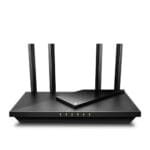
TP-Link Archer AXE75 Wi-Fi 6E Router

The TP-Link Archer AXE75 is a practical pick for gamers who want a clean path to the 6 GHz band. It uses tri-band Wi-Fi 6E and includes a 2.5 Gbps WAN port. The 6 GHz band can reduce congestion when compatible devices connect close to the router. Its 160 MHz channel support also suits newer laptops, phones, and gaming systems.
This router includes a dual-core processor, VPN support, WPA3 security, and OneMesh support. TP-Link also lists gaming and streaming use as key targets for the model. The 2.5G WAN port is useful, but the router has fewer multi-gig LAN options than the premium ASUS models. For many homes, that trade-off keeps the price and setup more sensible.
Pros:
- 6 GHz band offers a cleaner wireless path for supported devices
- 2.5 Gbps WAN port supports faster internet plans
- Tri-band design helps separate busy wireless traffic
- 160 MHz support can improve peak wireless speed
- OneMesh support allows compatible expansion
- WPA3 adds modern wireless security
- Good balance of features and cost
Cons:
- 6 GHz signals do not travel as far through walls
- Older devices cannot use the 6 GHz band
- Fewer multi-gig LAN ports limit wired expansion
What Amazon Buyers Are Saying
Amazon review patterns often praise the Archer AXE75 for its speed, simple setup, and useful 6 GHz option. Buyers also like the app-based controls and the ability to connect newer devices to a less crowded band. It often appeals to people who want a noticeable upgrade without moving to an expensive Wi-Fi 7 router.
Common concerns include range through thick walls and occasional setup questions around advanced settings. Some buyers also expect every device to gain the same speed, though real results vary by client hardware and distance. These points are normal for a 6 GHz router and deserve attention before purchase.
My Recommendation
I recommend the Archer AXE75 as one of the best value choices in this review. It fits gamers with Wi-Fi 6E devices, moderate to fast internet, and a home that does not need many 10G ports. It is not as future-ready as Wi-Fi 7, but it gives strong everyday gaming value.
| Category | Rating |
|---|---|
| Gaming performance | 4.4/5 |
| Wireless flexibility | 4.5/5 |
| Features | 4.4/5 |
| Value | 4.6/5 |
| Overall Rating | 4.5/5 |
GL.iNet Flint 2 Wi-Fi 6 Gaming Router

The GL.iNet Flint 2 stands out because it gives advanced users more control. It uses Wi-Fi 6 with an eight-stream design and lists combined wireless speeds of up to 6 Gbps. It also has two 2.5G ports, which can serve a fast WAN connection, a wired gaming PC, or a high-speed local link. The hardware suits gamers who care about control as much as raw wireless speed.
Flint 2 comes with OpenWrt installed and supports OpenVPN and WireGuard. That makes it attractive for secure remote access, custom rules, and detailed network management. OpenWrt can feel more complex than a basic router app, so this model rewards patience. If you enjoy tuning your network, it offers tools that many mainstream routers do not.
Pros:
- Pre-installed OpenWrt provides deep network control
- Two 2.5G ports support multi-gig connections
- WireGuard and OpenVPN support suit privacy-focused users
- Wi-Fi 6 handles many modern gaming devices well
- Eight-stream design gives strong wireless capacity
- Good choice for custom rules and advanced routing
- Useful for gamers who also run home servers
Cons:
- Advanced software may feel difficult for new users
- It does not offer Wi-Fi 6E or Wi-Fi 7
- Coverage details depend heavily on placement and home layout
What Amazon Buyers Are Saying
Amazon buyers often like Flint 2 for its fast wired ports, VPN tools, and OpenWrt flexibility. Technical users value the ability to change settings and create a network that fits their needs. Buyers who want a simple plug-and-play device may find the same flexibility less useful.
Common complaints tend to center on setup time, firmware choices, and the learning curve. Some users also need help when moving from a standard router interface. I see this as a specialist product rather than a simple family router, so the best experience comes from buyers who enjoy hands-on control.
My Recommendation
I recommend Flint 2 for privacy-minded gamers, tech users, and homes that need VPN routing. It is a strong value if you will use its advanced features. If you only want a simple app and automatic setup, the TP-Link or ASUS options may feel easier.
| Category | Rating |
|---|---|
| Gaming performance | 4.4/5 |
| VPN and software control | 4.8/5 |
| Wired connectivity | 4.7/5 |
| Ease of use | 3.8/5 |
| Overall Rating | 4.4/5 |
ASUS RT-BE88U Wi-Fi 7 Router

The ASUS RT-BE88U is a strong Wi-Fi 7 choice for people who use many wired devices. It advertises speeds up to 7.2 Gbps and includes two 10G ports. It also has one 10G SFP+ port, four 2.5G ports, and four 1G ports. That port layout gives a home office, gaming room, and media setup plenty of connection choices.
This router supports mesh networking, VPN features, and subscription-free network security and parental controls. It does not focus on the same quad-band capacity as the GT-BE98 Pro, but it may be a better fit for buyers who rely on Ethernet. Its broad port selection also helps reduce the need for extra network hardware.
Pros:
- Two 10G ports support high-speed network links
- One 10G SFP+ port adds flexible wired connectivity
- Four 2.5G ports suit gaming PCs and newer switches
- Four 1G ports connect older home devices
- Wi-Fi 7 supports newer wireless clients
- Subscription-free security helps control long-term costs
- Mesh compatibility supports wider coverage later
Cons:
- Its advanced ports may exceed the needs of casual users
- Wireless gains depend on compatible Wi-Fi 7 devices
- Port settings can take time to understand
What Amazon Buyers Are Saying
Amazon buyers commonly appreciate the RT-BE88U for its large port selection, fast wired performance, and clean ASUS control system. It appeals to users who want one central router for gaming, work, storage, and smart home devices. Buyers with mostly wireless equipment may not gain as much from the extra ports.
Some reviews raise questions about setup, firmware updates, and the need to configure advanced network features correctly. These concerns do not make the router a poor choice, but they show why buyers should plan their wiring before installation. A short setup plan can prevent confusion with 10G and SFP+ connections.
My Recommendation
I recommend the RT-BE88U for a wired-heavy home. It offers excellent flexibility without requiring the highest-end quad-band design. For gamers with a 10G internet service, NAS storage, multiple PCs, or several switches, this router can be a smart long-term investment.
| Category | Rating |
|---|---|
| Gaming performance | 4.7/5 |
| Wired connectivity | 5/5 |
| Security and controls | 4.6/5 |
| Value | 4.4/5 |
| Overall Rating | 4.7/5 |
TP-Link BE6500 BE400 Wi-Fi 7 Router

The TP-Link BE6500 BE400 brings Wi-Fi 7 to a more approachable home router. It uses dual-band wireless and includes two 2.5Gbps ports. TP-Link lists coverage of up to 2,400 square feet and support for up to 90 devices. A quad-core CPU, USB 3.0 port, HomeShield, and a private IoT network add useful home features.
This router fits gamers who want newer wireless technology without buying a large premium model. Dual-band Wi-Fi can still become busy in a home with many active devices, so it does not offer the same separation as a tri-band or quad-band router. Still, its fast ports and Wi-Fi 7 support give it strong appeal for a medium-sized home.
Pros:
- Wi-Fi 7 brings newer wireless features to a mid-range design
- Two 2.5G ports support faster internet and wired devices
- Coverage claim reaches up to 2,400 square feet
- Supports up to 90 devices according to the product details
- USB 3.0 adds storage and sharing options
- Private IoT network helps separate smart home devices
- HomeShield adds useful network management tools
Cons:
- Dual-band design has less wireless separation than tri-band models
- Coverage varies with walls, floors, and router placement
- Some advanced HomeShield features may depend on service terms
What Amazon Buyers Are Saying
Amazon buyers often like the BE400 for its simple setup, modern Wi-Fi support, and strong everyday coverage in medium homes. The 2.5G ports receive attention from buyers with faster internet service. Many users also like having a separate option for smart home devices.
Some buyers expect Wi-Fi 7 to solve every range or speed issue. Reviews show that results still depend on the client device and home layout. A few users may also find the dual-band design less ideal when many people stream, work, and play at once.
My Recommendation
I recommend the BE400 for families and gamers who want a current router at a more reasonable level. It offers a useful feature mix and simple home networking tools. Choose a tri-band model instead if several users need high wireless performance at the same time.
| Category | Rating |
|---|---|
| Gaming performance | 4.3/5 |
| Device handling | 4.4/5 |
| Smart home features | 4.5/5 |
| Value | 4.6/5 |
| Overall Rating | 4.5/5 |
ASUS ROG Strix GS-BE12000

The ASUS ROG Strix GS-BE12000 is built for gamers who need many fast wired connections. It uses tri-band Wi-Fi 7 and advertises up to 12 Gbps of combined speed. The standout feature is its eight 2.5G ports. That is a rare advantage for a gaming room with several PCs, consoles, access points, and multi-gig devices.
ASUS lists coverage of up to 3,300 square feet, along with mesh support and Game Boost tools. The tri-band layout gives it more flexibility than a basic dual-band router. It also supports VPN functions for users who want more control over network traffic. This model sits between the very large GT-BE98 Pro and simpler home routers.
Pros:
- Eight 2.5G ports suit large wired gaming setups
- Tri-band Wi-Fi 7 offers strong wireless capacity
- Game Boost tools target gaming and streaming traffic
- Coverage claim reaches up to 3,300 square feet
- Mesh support allows a later coverage upgrade
- VPN support adds useful privacy and access options
- Excellent fit for gaming rooms with many Ethernet devices
Cons:
- Eight 2.5G ports may be excessive for small homes
- Wi-Fi 7 client devices are needed for peak benefits
- Large feature set may take time to configure
What Amazon Buyers Are Saying
Amazon buyers are likely to focus on the GS-BE12000’s large port count, modern wireless standard, and ROG gaming features. The model makes sense to customers who want fewer network switches in a busy gaming space. Buyers also tend to value mesh support when one router cannot cover every room.
The main concerns in customer discussions usually involve price, size, and setup detail. A router with eight 2.5G ports can look excessive if most devices use Wi-Fi. Buyers should also remember that advertised coverage depends on building materials and local interference.
My Recommendation
I recommend the GS-BE12000 for gamers who want Wi-Fi 7 and many wired connections but do not need the GT-BE98 Pro’s extreme 30 Gbps class. It offers a focused mix of gaming features, tri-band wireless, and Ethernet flexibility. It is especially appealing for a shared gaming room or home lab.
| Category | Rating |
|---|---|
| Gaming performance | 4.8/5 |
| Wired port selection | 5/5 |
| Wireless capacity | 4.7/5 |
| Value | 4.3/5 |
| Overall Rating | 4.7/5 |
How to Choose Best Router for Gaming
Choosing the Best Router for Gaming takes more than comparing the biggest speed number. A good choice must match your internet plan, home size, game devices, and network habits. I focus on the points below because they affect real play more than marketing terms alone.
1. Match the Router to Your Internet Plan
Start with your internet speed and connection type. A router with 10G ports has little value if your service only reaches 500 Mbps. It can still help with local file transfers, but it will not make the internet faster.
Check the router’s WAN port first. A 2.5G WAN port fits many fast fiber plans. A 10G WAN port makes more sense for premium fiber service. Also check the modem or optical network terminal supplied by your internet provider. Every part of the connection must support the target speed.
2. Prioritize Low Latency and Stable Traffic
Online games need a quick and steady connection. Download speed matters, but delay matters more during a match. Traffic control tools can help when another person streams video or downloads a large file.
Look for gaming traffic tools, quality of service settings, or clear device priority controls. Wired Ethernet remains the best choice for a stationary gaming PC or console. Wi-Fi 6E and Wi-Fi 7 can work very well, but distance, walls, and interference still affect play.
Do not assume a gaming label guarantees lower ping. Your internet provider, game server distance, and home wiring also affect latency. A router can manage your local network, but it cannot control the full path to a remote server.
3. Compare Bands, Ports, Coverage, and Long-Term Value
Dual-band routers can serve many homes well. Tri-band routers offer more room for busy networks. Quad-band models suit large homes, many users, and demanding wireless devices. The 6 GHz band can reduce congestion, but its signal usually loses strength faster through walls.
Count the ports you will use today. A router with two 2.5G ports may be enough for one fast internet link and one gaming PC. Choose a model with more ports if you plan to connect several computers, consoles, storage devices, or mesh nodes.
Finally, think about future value. Wi-Fi 7 costs more, and compatible devices remain important. Wi-Fi 6E may offer better value if your current devices support it. Choose the features you will use, not only the highest number on the box.
Final Verdict: Which Should You Buy?
The ASUS ROG Rapture GT-BE98 Pro is my Best Router for Gaming pick for demanding homes, while the TP-Link Archer AXE75 offers the best value for many players. The ASUS RT-BE88U is ideal for wired networks.
Choose based on your internet plan, home size, and devices. The right gaming router can reduce congestion, improve stability, and make every online match feel more consistent.
FAQs Of Best Router for Gaming
What is the Best Router for Gaming in 2026?
The ASUS ROG Rapture GT-BE98 Pro is the strongest overall choice here. It offers Wi-Fi 7, many multi-gig ports, Game Boost tools, and broad stated coverage.
Does a gaming router reduce ping?
A gaming router may reduce local network delay and manage busy traffic. It cannot control server distance, your internet provider, or problems outside your home.
Is Wi-Fi 7 worth it for gaming?
Wi-Fi 7 is worth considering if you have newer devices, fast internet, or a long upgrade plan. Wi-Fi 6E can offer better value when your devices already support 6 GHz.
Should I use Ethernet or Wi-Fi for gaming?
Use Ethernet when possible. A wired connection usually gives the most stable link for a desktop PC or console, while modern Wi-Fi works well when wiring is not practical.
How many router ports do gamers need?
One or two fast ports may be enough for a small setup. Larger gaming rooms may benefit from four or more multi-gig ports, especially when several PCs, consoles, or storage devices connect by cable.










[…] Choosing the right router is key for smooth hd streaming. Routers mentioned above offer excellent options. Each has unique features to suit different needs. Roku ultra lt provides robust streaming and private listening options. Amplifi hd wifi system ensures seamless whole-home coverage. […]
[…] having a reliable WiFi connection on both floors is crucial. A router with strong coverage ensures seamless internet access in every corner. Options like the TP-Link Deco S4 provide coverage up to 3,800 sq. Ft. , while the […]