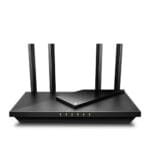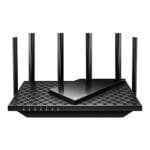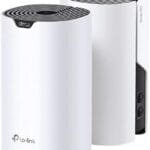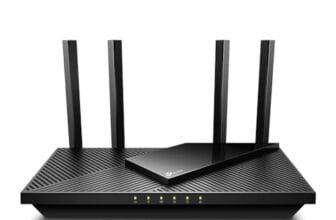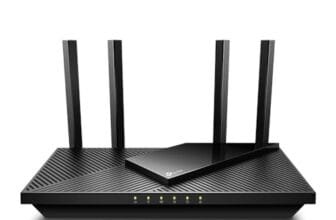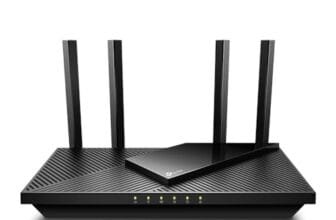

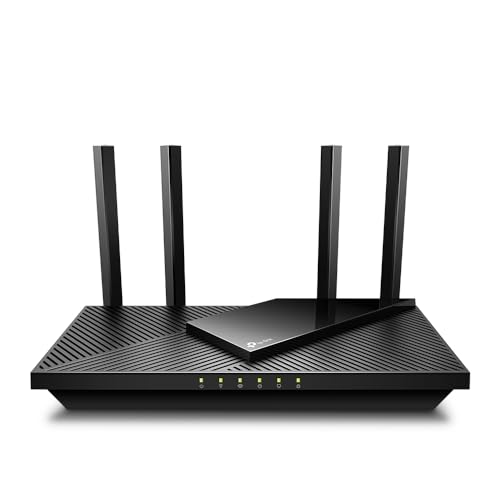
The NETGEAR Nighthawk RS140 is the best router for easy setup, speed, coverage, and long-term value.
Many people buy a new router to fix weak Wi-Fi, but setup can feel harder than it should. You may face confusing lights, unclear apps, or settings that seem made for network experts. I reviewed five easy setup routers for different homes and budgets. This guide compares their real strengths, limits, coverage claims, ports, device support, and value. Whether you need a simple router for a small apartment or a mesh system for a large house, you can find a practical fit here.
See the differences between my top picks at a glance.
NETGEAR Nighthawk R6700AX Wi-Fi 6 Router

The NETGEAR Nighthawk R6700AX is a strong choice for people who want modern Wi-Fi without a complex setup. It uses Wi-Fi 6 and supports a listed speed of up to 1.8 Gbps. The router also lists coverage of up to 1,500 square feet and support for up to 20 devices. Its four Gigabit Ethernet ports give wired devices a useful speed option.
I see this model as a sensible step up from an older Wi-Fi 5 router. It suits apartments, smaller houses, home offices, and families with a moderate number of phones, TVs, laptops, and smart devices. The Nighthawk setup process is designed for app-based installation, so most buyers should not need to adjust advanced network settings. Still, placement and internet plan speed will affect the final result.
Pros:
- Wi-Fi 6 support for newer phones and laptops
- Listed coverage of up to 1,500 square feet
- Four Gigabit Ethernet ports for wired gear
- Simple setup aimed at home users
- Good fit for homes with around 20 connected devices
- Useful balance of price, speed, and features
Cons:
- Coverage may not suit large or multi-story homes
- Older devices may not use all Wi-Fi 6 benefits
- It lacks the extra reach of a mesh system
What Amazon Buyers Are Saying
Buyer feedback for this type of Nighthawk router commonly focuses on easy installation, stable everyday connections, and better performance than older routers. Positive comments often mention the app, the wired ports, and the ability to handle common home devices. Some buyers may report setup or app issues, which can relate to modem compatibility, account steps, or phone permissions. I recommend checking recent reviews for your internet provider before purchase.
My Recommendation
I recommend the R6700AX for buyers who want a reliable Wi-Fi 6 router at a practical level. It is not the best choice for a very large house, but it is one of the easiest options for a normal apartment or medium home. It earns my best all-around value position in this review.
NETGEAR Nighthawk RS140 Wi-Fi 7 Router

The NETGEAR Nighthawk RS140 brings Wi-Fi 7 to a simple home router format. Its product information lists up to 5 Gbps of total wireless speed, coverage up to 2,250 square feet, and support for up to 80 devices. It includes one 2.5 Gigabit port and three Gigabit ports. That combination gives this router more room for fast internet plans and newer wired equipment.
This is my top pick for buyers who want the best router for easy setup with a longer useful life. Wi-Fi 7 devices can take advantage of newer wireless features, while older devices can still connect. The RS140 makes the most sense in a busy home with streaming, gaming, work calls, and many smart products. Its higher class also means you should not buy it only for a small internet plan unless you want future-ready hardware.
Pros:
- Modern Wi-Fi 7 platform
- Listed coverage of up to 2,250 square feet
- Supports up to 80 devices according to the product listing
- Includes a 2.5 Gigabit Ethernet port
- Three additional Gigabit ports for wired devices
- Strong choice for busy homes and future upgrades
Cons:
- May cost more than a Wi-Fi 6 router
- Older devices cannot use every Wi-Fi 7 feature
- One router may not cover a large home with thick walls
What Amazon Buyers Are Saying
Reviews for newer Nighthawk models often praise fast connections, easy app setup, and strong performance with many devices. Buyers who own Wi-Fi 7 phones or laptops may notice the most value. Common concerns in router reviews can include firmware updates, app sign-in steps, or differences between advertised and real-world coverage. Those results depend on walls, interference, device limits, and the internet plan, so I would read recent buyer comments with those points in mind.
My Recommendation
The RS140 is the strongest all-around choice here for speed, device capacity, and future use. I recommend it for medium homes, busy households, and users who want a current standard rather than a quick budget fix. It is worth buying when the price fits your internet plan and connected devices.
U-SPEED N300 Easy Setup Router

The U-SPEED N300 is a basic 2.4GHz wireless router for simple home and office use. Its listing gives a wireless rate of up to 300 Mbps and highlights easy setup, repeater support, and WISP mode. WISP can help in some wireless internet arrangements, while repeater mode can extend an existing signal in a suitable setup. This router focuses on low cost and basic access rather than high speed.
I would consider it for light browsing, email, simple smart devices, or a small space with modest demands. It is not the best fit for many 4K streams, fast file transfers, or a large family with heavy traffic. The 2.4GHz band can reach farther than higher bands in some homes, but it often faces more interference. Check the exact port details and compatibility needs before ordering.
Pros:
- Simple 2.4GHz design for basic networking
- Listed wireless speed up to 300 Mbps
- Supports repeater use
- Includes WISP functionality according to the listing
- Suitable for light browsing and basic devices
- May appeal to shoppers seeking a low-cost router
Cons:
- Does not offer 5GHz Wi-Fi
- Not ideal for high-speed plans or heavy streaming
- Product details provide less information about wired ports
- 2.4GHz networks can face more local interference
What Amazon Buyers Are Saying
Buyer feedback on low-cost N300 routers often centers on quick setup, basic signal access, and usefulness in small spaces. Some shoppers value the repeater and WISP modes because they solve specific connection problems. Other buyers may expect modern dual-band speed and feel limited by the 2.4GHz-only design. I would match this model to a simple task instead of expecting premium performance.
My Recommendation
The U-SPEED N300 is worth considering when price and simple access matter most. It is a niche pick, not a universal best router for easy setup. I recommend it for light use, a small office, or a basic repeater role, but I would choose a dual-band model for most modern homes.
NETGEAR Orbi 370 Wi-Fi 7 Mesh System

The NETGEAR Orbi 370 Series is the right kind of solution for a large home with dead zones. This three-pack includes one router and two satellite extenders. The product listing states coverage up to 6,000 square feet, support for up to 70 devices, and speeds up to 5 Gbps. It also includes a 2.5 Gigabit port and uses a dual-band Wi-Fi 7 design.
A mesh system can make setup easier because one network name can cover several rooms. I like this approach for multi-story homes, long floor plans, and spaces where one router cannot reach every corner. Placement still matters, since satellites need a usable connection to the main unit. The three-pack costs more and uses more hardware than a single router, so small apartments may not need it.
Pros:
- Three-unit design for broader home coverage
- Listed coverage up to 6,000 square feet
- Supports up to 70 devices according to the listing
- Wi-Fi 7 support for newer devices
- Includes a 2.5 Gigabit port
- Useful for homes with dead zones and multiple floors
- Single mesh network can reduce manual network switching
Cons:
- Costs more than a single-router setup
- Needs careful satellite placement
- May offer more coverage than a small home needs
What Amazon Buyers Are Saying
Mesh buyers often praise wider coverage, fewer dead zones, and the convenience of managing several units from one system. Positive experiences usually depend on placing the satellites away from heavy walls and not too far from the main router. Common complaints in mesh reviews can involve app setup, satellite pairing, or slower results when a satellite sits in a weak location. Those points make placement and firmware updates important parts of ownership.
My Recommendation
I recommend the Orbi 370 for large homes where coverage matters more than the lowest price. It is the easiest choice when one router leaves rooms without a stable signal. For a small space, I would save money with the R6700AX or RS140 instead.
Tenda AC8 AC1200 Dual-Band Router

The Tenda AC8 is a low-cost dual-band router with a practical set of home networking features. It uses the AC1200 class and includes three Gigabit WAN/LAN ports. The listing also highlights four 6 dBi antennas, MU-MIMO, beamforming, guest Wi-Fi, access point mode, and IPv6 support. These features make it more flexible than a basic single-band router.
This model suits shoppers who want easy setup and dual-band access without paying for Wi-Fi 6 or Wi-Fi 7. The 5GHz band can help with faster nearby connections, while 2.4GHz can help with range and older smart devices. It is best for a small or medium space with normal browsing and streaming. As with every router, the AC1200 label does not guarantee the same speed in every room.
Pros:
- Dual-band Wi-Fi for more flexible device use
- Three Gigabit WAN/LAN ports
- Guest Wi-Fi support
- Access point mode for flexible network setups
- MU-MIMO and beamforming features
- IPv6 support listed by the manufacturer
- Strong budget option for basic home networking
Cons:
- Older Wi-Fi 5 class than the newer picks
- May not suit very busy homes with many devices
- Coverage details are not stated in the supplied listing
What Amazon Buyers Are Saying
Feedback on budget Tenda routers often points to simple setup, low cost, and useful dual-band access. Buyers may like the guest network and Gigabit ports for the price. Some users can find the settings less familiar than those in a premium brand app, and older firmware may affect the experience. I suggest checking current reviews and confirming that the router supports your modem and internet service.
My Recommendation
The Tenda AC8 is a good value pick for a basic dual-band network. I recommend it for apartments, small offices, and shoppers who want more flexibility than an N300 router. It is not my top choice for future-proofing, but it remains a sensible low-cost option.
How to Choose the Best Router for Easy Setup
The best router for easy setup should match your home size, internet plan, device count, and comfort level. A high speed number alone does not make a router a good buy. I focus on the setup path, wireless standard, port layout, coverage needs, and long-term value. These points help you avoid paying for features you will not use.
1. Match the Router to Your Home and Dead Zones
Start with your home layout. A single router may work well in an apartment or compact house. Thick walls, several floors, and long hallways can block or weaken Wi-Fi. In that case, a mesh system such as the Orbi 370 may offer a better path to whole-home coverage.
Coverage numbers are estimates, not promises. Furniture, concrete, metal, nearby networks, and router placement all change results. Put the main router in an open, central spot. Keep it away from cabinets, large appliances, and thick walls when possible.
2. Choose the Right Wi-Fi Standard and Device Capacity
Wi-Fi 7 offers the newest platform in this group. It makes the most sense if you own newer phones, laptops, or gaming devices and want a router that can serve you for years. Wi-Fi 6 remains a strong choice for most homes because it handles many everyday devices well without the cost of the newest class.
For light use, the U-SPEED N300 can handle basic tasks, but it only uses 2.4GHz Wi-Fi. The Tenda AC8 adds dual-band flexibility. If your home has many cameras, TVs, tablets, speakers, and smart plugs, choose a router with enough device capacity and better traffic handling.
3. Check Ports, Setup Tools, and Total Value
Count your wired devices before buying. A smart TV, game console, desktop computer, and network storage device may quickly use several ports. The R6700AX has four Gigabit ports, while the RS140 adds a 2.5 Gigabit port for faster compatible equipment.
Also check how the router handles setup. A clear mobile app can guide modem connection, network naming, passwords, and updates. Keep your internet account details nearby. Your modem may need a restart after you replace the old router. Finally, compare the router price with your internet plan. A premium Wi-Fi 7 model may bring little benefit if your plan is slow and your devices are old.
Final Verdict: Which Should You Buy?
The NETGEAR Nighthawk RS140 is my top pick for the best router for easy setup. It offers Wi-Fi 7, strong device support, useful coverage, and a 2.5 Gigabit port.
Choose the Orbi 370 for a large home, the R6700AX for value, or the Tenda AC8 for a lower-cost dual-band network. Match the router to your space and internet plan.
FAQs Of Best Router for Easy Setup
What is the best router for easy setup in 2026?
The NETGEAR Nighthawk RS140 is the best overall pick in this review. It combines simple setup with Wi-Fi 7, broad listed coverage, and support for many devices.
Is a mesh router easier to set up than a standard router?
A mesh router can be easier for whole-home coverage because its units work under one network name. You still need to place each satellite where it can receive a strong signal.
Should I choose Wi-Fi 6 or Wi-Fi 7?
Choose Wi-Fi 7 for newer devices and longer-term value. Wi-Fi 6 usually gives better value for normal homes with common phones, laptops, TVs, and smart devices.
Can I use these routers with my internet provider?
Most standard routers work with a separate modem, but compatibility can vary. Confirm your provider’s approved equipment list and the connection type before buying.
Is the U-SPEED N300 good for streaming?
It can suit light streaming and basic browsing, but its 2.4GHz-only design is less suitable for many high-demand streams or busy homes.