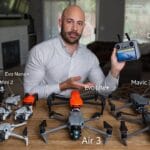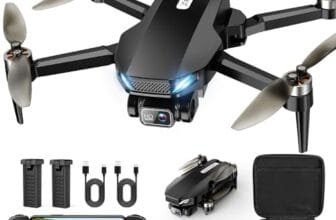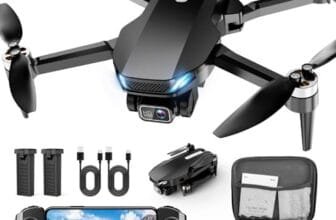

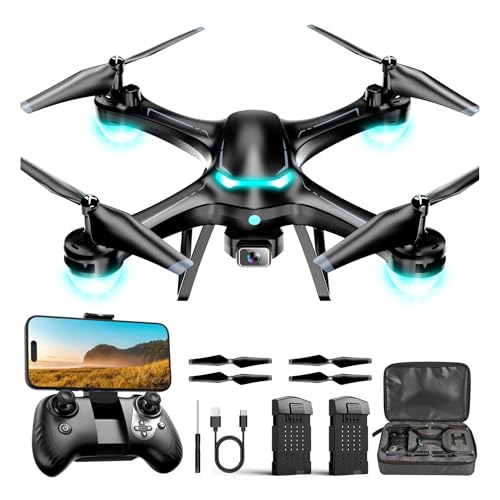
The best drones for photography combine sharp cameras, smooth flight, steady control, and simple editing tools.
You may have seen a sunset, mountain ridge, or family event that looked perfect from the sky. Yet many drones feel hard to control, shake in the wind, or produce soft images. I selected these models for different needs, from first-time flyers to creators who want longer flight time and better framing. I focused on camera quality, gimbal stability, battery life, portability, safety features, and everyday value. This guide can help you choose a camera drone with confidence instead of guessing from a long list of similar products.
DJI Mini 4K: Best Lightweight Camera Drone

The DJI Mini 4K is one of the easiest picks for new aerial photographers. Its compact body weighs under 249 grams, which makes it easy to carry on hikes, road trips, and family vacations. The 4K UHD camera can capture detailed video and stills that look far better than footage from most toy-grade drones. I also like its small size because it attracts less attention when I am setting up for a quick landscape shot.
Check out our top drone recommendations to see which models are worth considering.
A lightweight drone still needs careful handling, especially near trees, buildings, and power lines. The Mini 4K offers a familiar DJI flight experience, so beginners can learn basic controls without feeling lost. Its return-to-home feature adds useful peace of mind when the battery gets low or the connection needs help. Before flying in the United States, check current FAA rules, registration requirements, and airspace limits because weight alone does not remove every legal duty.
- Under-249-gram design is easy to pack
- Sharp 4K UHD video for travel and outdoor scenes
- Simple controls suit new drone pilots
- Return-to-home support adds confidence
- Compact frame fits easily in a small bag
- Good choice for learning aerial composition
- Small size can make it less stable in strong wind
- Obstacle avoidance may be limited compared with premium DJI models
- Extra batteries and accessories can raise the total cost
For photography, the Mini 4K works best when you plan the shot before takeoff. It is not a heavy professional platform, but it can still create strong images when the light is good and the pilot keeps the aircraft steady. Wide scenes, beach views, fields, lakes, and city skylines are natural subjects for this drone. I would use it for travel stories, real estate practice, social videos, and basic client work where a simple 4K camera meets the brief.
The main advantage is balance. You get a trusted compact design without jumping straight to the price or complexity of a high-end production drone. The camera gives beginners room to grow, while the small body keeps travel easy. If you want the best drones for photography in a portable, beginner-friendly form, this DJI model deserves a close look.
Ruko F11PRO 2: Best Value 6K Camera Drone

The Ruko F11PRO 2 targets buyers who want a larger camera platform without paying premium-brand prices. Its listed 6K camera resolution gives you more room to crop still photos and adjust a frame after the flight. The drone also lists 4K video at 30 frames per second, which is a useful format for travel clips, property views, and online content. Its larger body may feel more planted than a tiny beginner drone in mild outdoor wind.
Resolution alone does not guarantee a great photo. Light, lens quality, compression, focus, and flight control all shape the final image. I would treat the F11PRO 2 as a value camera drone for sunny days and planned flights rather than as a direct replacement for a professional cinema system. Read the current product specifications carefully before purchase, since included accessories, transmission distance, and camera modes can vary by package.
- High listed 6K photo resolution supports useful cropping
- 4K at 30 frames per second suits everyday video
- Larger design may feel stable in calm outdoor conditions
- Good fit for buyers seeking more camera detail on a budget
- Useful for landscapes, property shots, and travel content
- Remote flight practice can build confidence for new pilots
- Camera results may depend strongly on bright, steady conditions
- Larger size is less convenient than a sub-249-gram drone
- Value drones may offer fewer refined safety and editing tools than premium brands
I see the F11PRO 2 as a practical middle ground. A beginner who wants more than basic HD footage can use it to explore framing, altitude, tracking, and wide views. A small business owner may also use it for simple roof, land, or exterior images, provided local rules and privacy concerns are respected. The 6K label sounds impressive, but I would still check sample footage and confirm the exact camera mode before making a professional promise.
This drone is especially appealing when the price matters but camera detail still ranks high. It can help you learn how to plan a smooth reveal shot or hold a clean overhead view. It may not have the polished ecosystem of DJI, yet it offers a strong feature list for casual creators. Among the best drones for photography for shoppers who want resolution and value, the Ruko F11PRO 2 is a sensible contender.
Ruko 4K Drone: Best for Long Flight Sessions

This Ruko camera drone stands out with its listed 96-minute total flight time. That figure normally refers to the combined time from multiple batteries, not one nonstop flight, so buyers should check the package details. The 4K video and 8K photo claims give this model a strong appeal for creators who want detail in still images. Multiple batteries can also reduce the pressure to land just as the light becomes perfect.
Longer sessions help when I am scouting a large property, waiting for a boat to enter the frame, or trying several angles of a landscape. Still, extra flight time does not replace safe battery habits. I always land with a reserve, avoid cold or wet conditions, and inspect the propellers before every outing. The best image often comes from a calm, well-planned flight rather than from simply staying in the air longer.
- Listed 96-minute combined flight time supports extended sessions
- 4K video can produce clean footage for common online formats
- 8K photo mode offers room for cropping and reframing
- Multiple batteries can make field work more flexible
- Useful for large properties, parks, and outdoor events
- Strong option for creators who dislike frequent battery changes
- Advertised total flight time is not the same as one-flight time
- High-resolution stills may require good light and careful processing
- A larger kit can take more room in a travel bag
I would choose this model for a user who values time in the air more than the smallest possible size. It makes sense for a hobby photographer who wants to compare several compositions before packing up. It can also help a property viewer cover a broad lot without rushing from one battery to the next. As with any affordable drone, I would verify image samples, app support, storage needs, and replacement battery availability before ordering.
The Ruko 4K drone offers a useful blend of camera ambition and practical endurance. Its long advertised flight package may appeal to families, landowners, and outdoor creators who plan longer sessions. It is not automatically the best choice for fast-moving subjects or demanding commercial work, but it can deliver good value for planned scenes. For shoppers comparing the best drones for photography by battery flexibility, this Ruko deserves attention.
DJI Mini 4K Combo: Best Two-Battery Package

The DJI Mini 4K Combo builds on the standard Mini 4K with a two-battery setup and a listed maximum flight time of up to 62 minutes. That makes the bundle more useful for a full afternoon of photography. Its 4K UHD camera, 3-axis gimbal stabilization, and listed 10-kilometer video transmission support smooth, steady aerial footage when conditions and local rules allow. The under-249-gram body keeps the package portable for trips, hikes, and weekend projects.
A 3-axis gimbal is one of the most important features for aerial video because it helps reduce the small shakes caused by motor movement and pilot input. It does not remove every problem, though, and wind can still affect a lightweight aircraft. QuickShots can help beginners create short automated clips, but I recommend learning manual control as well. A preset shot is a helpful bridge, while good composition remains the real driver of memorable photography.
- Two batteries provide more practical shooting time
- 3-axis gimbal helps create smoother video
- 4K UHD camera suits travel and social content
- Under-249-gram design is easy to carry
- QuickShots give beginners simple creative starting points
- DJI flight controls offer a polished learning path
- Long listed transmission range supports wide-area planning where legal
- Lightweight frame can still struggle in strong wind
- Some advanced obstacle-sensing features may be absent
- Battery charging and safe storage require extra care
This combo is the model I would suggest to many first-time photography buyers. The extra battery changes the experience because you can spend more time finding the right angle instead of ending the session after one short flight. The gimbal also makes it easier to capture smooth pans, gentle climbs, and slow reveals. For a new pilot, that combination feels like having a bigger creative canvas without carrying a heavy kit.
The Mini 4K Combo is a strong all-around package for travel photographers, families, real estate learners, and content creators. It offers a trusted brand, a stabilized camera, and useful flight time in a small case. You still need to follow FAA guidance, maintain visual line of sight when required, and respect people’s privacy. If you want one of the best drones for photography with a balanced feature set, this combo is likely the safest recommendation in this group.
2K HD FPV Drone: Best Beginner Gift

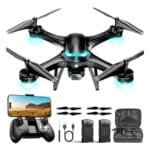
This 2K HD FPV drone is designed for beginners, teens, and casual users who want an affordable way to try aerial flight. Its listed features include altitude hold, one-key takeoff and landing, speed adjustment, headless mode, and two batteries. Those controls can make early practice less stressful, especially for someone who has never used a drone before. The camera is aimed more at fun and basic photos than at high-end landscape production.
Altitude hold can help a new pilot keep the drone at a steady height while learning direction and camera framing. Headless mode may also reduce confusion, although I recommend learning the drone’s true orientation over time. The 2K camera should work best in daylight and calm weather, with modest expectations for detail and stabilization. I would choose this type of drone for learning, play, and simple clips rather than paid photography.
- Beginner-friendly takeoff and landing controls
- Altitude hold helps new pilots practice safely
- Adjustable speed supports gradual skill building
- Two batteries can extend play and practice time
- Headless mode may reduce early control confusion
- Lower cost makes it suitable as a first drone gift
- 2K camera quality is below the other models in this guide
- Small beginner drones may drift or shake outdoors
- Limited stabilization can affect moving video
- Not the best fit for serious photography or client work
I would buy this model for a child or teen who wants to learn basic drone control under adult supervision. It can also suit an adult who feels unsure about spending more on a first aircraft. The two-battery setup gives the user more chances to practice turns, hovering, and landing. Always choose a wide, open practice area and keep the drone away from roads, airports, people, wires, and animals.
This model offers a gentle entry point, but it is important to keep its role clear. It is a practice and recreation drone, not a direct rival to a stabilized 4K camera platform. If your main goal is serious aerial photography, spend more on a gimbal-equipped model. Still, among the best drones for photography for absolute beginners, this option can be a useful first step before moving to a more advanced camera drone.
My Recommendation
After comparing these models, I would place the DJI Mini 4K Combo at the top for most buyers. The two batteries, under-249-gram design, 4K camera, 3-axis gimbal, and simple flight experience create a strong balance. It suits travel photographers, new drone owners, families, and creators who want dependable results without carrying a large aircraft. I also like that the package gives beginners room to improve instead of forcing them to replace the drone after a few practice sessions.
The standard DJI Mini 4K is the better pick when portability and a lower entry price matter most. Choose the Ruko F11PRO 2 if you want a value-focused drone with a listed 6K camera and 4K video. The other Ruko model is a better match for long sessions and multiple-battery flexibility. For a first gift, the 2K HD FPV drone keeps controls simple and costs less, but it cannot match the image quality of the dedicated camera drones.
| Best for | Why |
|---|---|
| Most photographers | DJI Mini 4K Combo balances 4K video, gimbal stability, portability, and two batteries. |
| Long outdoor sessions | Ruko 4K drone lists up to 96 minutes of combined flight time with its battery setup. |
| First-time gift buyers | The 2K HD FPV model offers altitude hold, speed control, and simple takeoff and landing. |
Before you buy, confirm the current Amazon package contents, battery type, charger, app compatibility, and return policy. Product listings can change, and a bundle name may not always mean the same accessories across sellers. I also recommend checking local flight rules before your first launch. In the United States, the FAA sets important requirements for recreational and commercial drone operations, and some flights may require registration or remote identification.
Camera drones reward patience. I get better results by flying early or late in the day, keeping the sun at a useful angle, and moving slowly. I also take several versions of the same shot because wind, glare, and small camera movements can change the final image. These habits often matter as much as the camera number printed on the box.
How to Choose the Best Drones for Photography
Buying a camera drone can feel like choosing a camera, aircraft, computer, and travel bag at the same time. The best drones for photography are not always the ones with the largest resolution claim. A balanced drone gives you a camera you can use, controls you can learn, batteries that last long enough, and safety tools that lower the chance of a costly mistake.
Camera Resolution and Real Image Quality
Resolution tells you how many pixels a camera can record, but it does not tell the whole story. A sharp lens, good exposure, clean image processing, and stable flight all matter. A 4K camera on a steady gimbal may create a better clip than a higher-resolution camera that shakes in the wind. Look for sample images and videos when possible, and check whether the listed resolution applies to photos, video, or both.
For most travel and social work, 4K video is enough. It gives you room to crop, export, and share without making file management too difficult. Higher photo resolution can help if you need to crop a landscape or print a large image. Yet high-resolution files also need more storage and may reveal lens softness or compression artifacts.
Gimbal Stabilization
A gimbal holds the camera steady while the drone moves. A 3-axis gimbal usually gives smoother control over pitch, roll, and yaw than a fixed camera. This feature matters most for video, but it also helps still photos because the camera can stay level during a hover. If smooth footage is a top goal, I would rank gimbal quality above a dramatic resolution number.
Some entry-level drones use electronic stabilization or a fixed camera. These systems can still work in calm conditions, but they may show more vibration during turns or wind. A fixed camera is acceptable for casual practice. It is less appealing for cinematic moves, property tours, and scenes where a level horizon matters.
Flight Time and Batteries
Manufacturers usually list flight time under controlled conditions. Real use can shorten that number because wind, cold weather, speed, camera movement, and safety reserves all use power. I treat the advertised number as a best-case reference, not a promise. A drone with two or three batteries can be more useful than a drone with a slightly longer single-flight claim.
Extra batteries also need safe storage and charging. Use the supplied charger or a compatible approved charger, and inspect batteries for swelling or damage. Do not fly until the battery is nearly empty. Landing early protects the aircraft and gives you time to respond if the wind increases or the signal becomes weak.
Weight and Portability
A compact drone is easier to carry and faster to set up. A sub-249-gram model can be appealing for travel, but you still need to follow the rules that apply to your flight. Weight can also affect wind performance. A heavier aircraft may feel steadier, while a lighter one may fit better in a jacket pocket or small backpack.
Think about how you will use the drone. A hiker may value every saved ounce. A real estate user may prefer a larger remote, extra batteries, and a case. The right size is the one you will actually take with you. A powerful drone left at home cannot capture a single photo.
Transmission and Control Range
The best drones for long range shooting can help you frame distant subjects, but range claims depend on a clear environment and local restrictions, trees, radio interference, and weather can reduce the practical distance. Never use a long range as a reason to ignore visual line-of-sight rules. A safe pilot keeps the aircraft within control and watches the surroundings.
Good control also means a responsive app and clear live video. A delayed feed can make framing hard and increase the chance of a poor landing. Before a major shoot, test the drone in an open area. Learn how the controller shows battery level, signal strength, home-point status, and warnings.
Safety Features
Return to home can guide a drone back when the battery drops or the connection fails. It works best when you set the home point correctly and choose a safe return altitude. A return feature is not a replacement for active piloting. Trees, towers, and new obstacles can make an automatic route unsafe.
Obstacle sensing can help, but coverage differs by model. Some drones sense objects only in certain directions or flight modes. Small branches, wires, glass, and low light can still fool sensors. I treat every safety system as a second layer, not as permission to fly carelessly.
Ease of Use
New pilots should look for one-key takeoff, altitude hold, clear controls, and an app that explains warnings in plain language. Automated modes can help you make a first video, but manual practice remains important. Learn slow forward flight, backward flight, side movement, yaw turns, and controlled landing. These skills help you capture better photos and handle surprises.
Experienced pilots may want manual camera control, adjustable exposure, better file formats, and more creative flight modes. If you plan to edit color or make large prints, check whether the drone records the file type and image settings you need. A feature only helps when the drone can save the result in a usable way.
Photography Tips for Better Drone Images
Even the best drones for photography need a good plan. I begin by watching the light and looking for a clean subject. A winding road, lone tree, shoreline, or roof line can give the frame a clear shape. I avoid filling every part of the image with detail because empty space can make a photo feel calm and strong.
Use Slow, Smooth Movements
Fast flight makes footage harder to watch and can blur still images. I use gentle stick movements and allow the drone to settle before pressing the shutter. A slow rise can reveal a landscape. A side slide can show the relation between a building and its setting. Simple moves often look more professional than complex tricks.
Watch the Sun
Low morning and evening light can add long shadows and warm color. Midday sun can create hard contrast, but it may work well for bright water or clean architecture. Avoid pointing the camera directly at the sun unless you want a silhouette or flare. Check the screen for glare before committing to a long flight.
Keep the Horizon Straight
A tilted horizon can make a strong landscape look careless. Use the grid or level tools in the camera app if they are available. A gimbal helps, but the pilot still needs to check the frame. I take a test image, review it, and then adjust the aircraft or camera angle.
Respect Privacy and Safety
Do not record into private windows or follow people without consent. Avoid crowds and keep a safe distance from homes, roads, animals, and emergency scenes. Never fly near an airport or restricted area without understanding the rules. Safe and respectful flying protects your subjects, your drone, and the reputation of other pilots.
Common Mistakes to Avoid
One common mistake is trusting the battery display too much. The percentage can fall faster in wind or cold weather. I plan the return trip before the battery becomes low. Another mistake is taking off without checking the home point, compass warnings, propellers, and weather.
Many new owners also fly too high or too far before learning basic control. Start close, low, and slow in an open space. Practice landing from different directions. Once the controls feel natural, work on composition rather than simply chasing distance.
Finally, do not assume a high camera number guarantees professional work. A stable 4K clip with good light can beat a shaky 8K clip. The best drones for photography help, but the photographer still chooses the subject, light, timing, and story.
FAQs Of Best Drones for Photography
What is the best drone for photography for beginners?
The DJI Mini 4K Combo is the strongest beginner choice in this guide. It combines a 4K camera, 3-axis gimbal, compact weight, simple controls, and two batteries. The 2K HD FPV drone is cheaper and easier for basic practice, but its camera is less suited to serious photography.
Is a 4K drone good enough for photography?
Yes. A 4K camera can produce detailed video and useful still images for travel, social media, property previews, and personal projects. Image quality also depends on light, lens sharpness, stabilization, exposure, and editing. Choose a steady camera over a higher number alone.
Are drones under 249 grams better?
They are often easier to carry and may have simpler regulatory considerations, but you must still check current FAA rules. A lightweight drone can be less stable in strong wind. Its best advantage is portability, not automatic image quality.
How long can a camera drone fly?
Flight time varies by model, battery, wind, temperature, speed, and payload. Advertised times usually reflect ideal conditions. Plan to land with a safe reserve, and remember that a package total from several batteries is not the same as one continuous flight.
Do I need to register a photography drone?
Registration depends on the drone, how you use it, and current federal rules. Recreational and commercial operations can have different requirements. Check the latest FAA guidance before flying, and review local and state restrictions as well.
Final Verdict: Which Should You Buy?
The DJI Mini 4K Combo is the best overall choice here. It offers a sharp 4K camera, smooth 3-axis stabilization, two batteries, and easy travel size.
For the best drones for photography, match the model to your skill and goals. Check the latest price, package, rules, and availability before ordering.