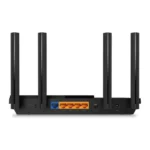
My top pick is the CenturyLink C3000A for DSL users who need one simple modem-router unit.
Slow Wi-Fi, dropouts, and confusing DSL setup can make home internet feel harder than it should. The right router can improve coverage, manage many devices, and help you get the most from your line. I reviewed five popular choices, including DSL modem-router gateways and modern Wi-Fi routers. My key advice is simple: check your internet provider first. Some products connect directly to a DSL line, while others need a separate DSL modem.
See the differences between my top picks at a glance.
CenturyLink C3000A DSL Modem Router

The CenturyLink C3000A is a DSL gateway made for users who want the modem and router in one box. It supports a direct DSL connection, so you do not need a separate DSL modem for a compatible service. Its dual-band wireless design lets older 2.4 GHz devices and newer 5 GHz devices connect to the same home network. This makes it a practical fit for basic browsing, streaming, video calls, and smart-home use.
In my view, the C3000A stands out because it matches the way many CenturyLink DSL homes are set up. The unit is renewed, so condition can vary from one seller to another. Buyers should confirm the exact DSL technology, firmware needs, and account support before ordering. It is not the best choice for every provider, but it remains one of the most direct options for a compatible CenturyLink line.
Pros:
- Combines a DSL modem and Wi-Fi router
- Useful for compatible CenturyLink DSL service
- Dual-band wireless support
- Reduces cable and power-adapter clutter
- Usually simpler than pairing separate devices
- Useful wired network ports for home devices
Cons:
- Renewed condition may vary
- Provider compatibility must be confirmed
- Older Wi-Fi technology than Wi-Fi 6 routers
- Not the best upgrade for very fast fiber plans
What Amazon Buyers Are Saying
Customer feedback for renewed gateway units often focuses on setup, condition, and compatibility. Buyers who receive a clean, working unit tend to value the simple all-in-one design and the ability to replace an older provider gateway. Some users also like having familiar CenturyLink-style settings. These points make sense for households that want a direct replacement rather than a full network redesign.
The main concerns with renewed products usually involve missing accessories, cosmetic wear, or trouble activating the unit. That does not mean every purchase has these problems, but it does show why seller details and return terms matter. Reviews can also differ based on the buyer’s DSL profile and local provider settings. I would treat this model as a strong compatibility-focused choice, not a universal modem.
My Recommendation
I recommend the C3000A for a compatible CenturyLink DSL user who wants a low-cost replacement gateway. It offers a simple path to home Wi-Fi without adding a separate modem. I would not buy it for a different provider without written confirmation that the line and account will work with it. For the right DSL customer, it offers very good practical value.
NETGEAR Nighthawk R6700AX Wi-Fi 6 Router

The NETGEAR Nighthawk R6700AX is a standalone Wi-Fi 6 router. It does not replace a DSL modem. Instead, you connect it to an existing modem, gateway in bridge mode, or suitable fiber equipment. Its AX1800 class wireless hardware is designed for smoother work, streaming, gaming, and device sharing than many older Wi-Fi 5 routers. The listing also highlights coverage for homes up to 1,500 square feet and support for many connected devices.
This router makes the most sense when your DSL modem already works well but its built-in Wi-Fi feels weak. Wi-Fi 6 can improve efficiency when several newer devices share the network, though your internet plan and DSL line still limit online speed. The four Gigabit Ethernet ports are useful for a desktop, TV, console, or access point. Setup should be straightforward, but the modem connection must be configured correctly first.
Pros:
- Modern Wi-Fi 6 wireless standard
- Four Gigabit Ethernet ports
- Useful for homes with many connected devices
- Strong choice for upgrading old modem Wi-Fi
- Supports both 2.4 GHz and 5 GHz bands
- Suitable for wired streaming and gaming devices
Cons:
- Cannot connect directly to a DSL phone line
- Requires a working modem or gateway
- Actual coverage depends on walls and placement
- Wi-Fi 6 cannot increase the speed of a slow DSL line
What Amazon Buyers Are Saying
Public buyer feedback for Nighthawk routers commonly centers on wireless performance, coverage, and ease of setup. Many owners look for a stronger signal than the one supplied by an older internet gateway. Buyers also tend to value the wired ports and the ability to connect newer phones, laptops, and streaming devices to Wi-Fi 6.
Common complaints in router reviews often relate to app steps, firmware behavior, or coverage in difficult homes. A large home with thick walls may need a mesh system or an added access point. Some users also expect a router to work as a modem, which this product does not do. I see those comments as a reminder to match the device type to your current DSL equipment.
My Recommendation
I recommend the R6700AX when you already own a compatible DSL modem and want a modern wireless upgrade. It is not the right standalone purchase for a bare DSL wall jack. Used with a stable modem, it can provide better device handling and stronger modern features than an older gateway. It earns a high score for home network value, but only after the modem question is solved.
TP-Link Archer AX21 Wi-Fi 6 Router

The TP-Link Archer AX21 is another standalone Wi-Fi 6 router. It connects behind a DSL modem, not directly to a DSL telephone cable. Its AX1800 dual-band design targets everyday homes that need better wireless speed, lower congestion, and simple control. Gigabit ports support wired devices, while the router’s Wi-Fi 6 features help newer phones and computers use the network more efficiently.
The AX21 is attractive because it keeps the upgrade simple and affordable. You can leave the DSL modem in place and use this unit as the main router, or use it as an access point if your modem gateway must handle routing. The advertised EasyMesh support may help compatible devices work together, but compatibility should be checked before building a mesh network. Alexa support can also help with basic network actions, but it is not essential to performance.
Pros:
- Wi-Fi 6 support at a reasonable class of hardware
- Dual-band wireless for older and newer devices
- Gigabit wired ports for TVs and computers
- Easy fit for a modem-plus-router setup
- Useful choice for routine streaming and work
- EasyMesh support for compatible expansion
Cons:
- Needs a separate DSL modem
- Mesh features may require compatible TP-Link equipment
- Large homes may need an extra access point
- Wireless speed depends on the client device and DSL plan
What Amazon Buyers Are Saying
Buyers often choose the Archer AX21 to replace an older wireless router or a weak modem gateway. Common positive themes include simple installation, stable daily Wi-Fi, and good results for phones, work laptops, streaming boxes, and smart devices. The low learning curve also appeals to people who want Wi-Fi 6 without buying a high-end model.
Some reviews point to setup questions when the router sits behind an internet gateway. Users may need to choose router mode or access point mode and avoid two layers of routing. Coverage complaints can also appear in homes with many floors or dense walls. These are normal limits for a single router and do not mean the product will perform the same in every home.
My Recommendation
The Archer AX21 is a smart budget pick for a DSL customer who already has a modem and wants better Wi-Fi. I prefer it over buying a new DSL gateway when the existing modem is reliable and the main problem is wireless coverage or device load. It is not a direct DSL modem replacement. For a simple home network upgrade, its feature-to-price balance is strong.
CenturyLink C2100T DSL Modem Router
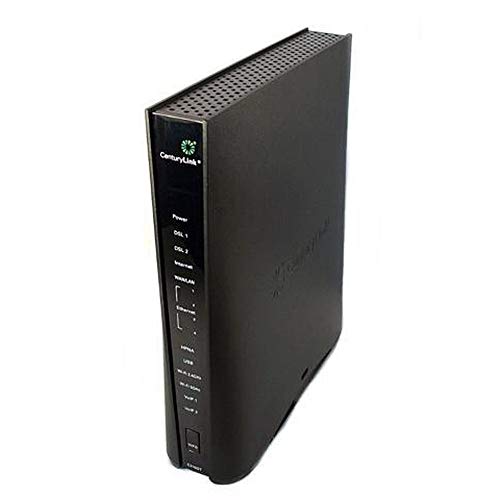
The CenturyLink Technicolor C2100T is a renewed DSL modem-router gateway with dual-band wireless. It is designed for a direct connection to a compatible DSL service and also includes Gigabit Ethernet capability for wired devices. The product listing references DSL and fiber-related use, but compatibility can depend on the exact service type and provider setup. I would confirm the line profile before treating it as a universal gateway.
This model may suit buyers who want a familiar CenturyLink-style replacement for an older unit. Its 802.11ac wireless standard remains useful for common home tasks, such as web browsing, HD streaming, and video calls. It may not offer the newer efficiency of Wi-Fi 6, yet it can still work well when the DSL line itself is the main speed limit. As with any renewed gateway, inspect the included power supply and follow the seller’s return terms.
Pros:
- Combines modem and router functions
- Designed for compatible CenturyLink environments
- Dual-band 2.4 GHz and 5 GHz Wi-Fi
- Gigabit wired networking
- Useful replacement for some older gateways
- Supports basic home and small-office needs
Cons:
- Renewed product condition can differ
- Provider and DSL profile checks are essential
- Uses older Wi-Fi 5 technology
- May require provider-specific activation steps
What Amazon Buyers Are Saying
Review patterns for renewed modem-router gateways often show two very different experiences. Buyers with a matching CenturyLink service may appreciate the familiar interface, direct DSL connection, and lower cost than a new provider device. Many also like that one unit handles both internet access and home Wi-Fi. That can make this product easier to place and manage.
The less positive reports tend to involve activation, firmware, power supplies, or mismatch with the buyer’s line. A renewed device can also arrive with signs of prior use. These points are important, but they should be read alongside the buyer’s provider and service type. I would not assume that success on one CenturyLink line guarantees success on another.
My Recommendation
I recommend the C2100T only when the seller and provider information match your DSL service. It can offer good value as a replacement gateway, especially for users who do not need Wi-Fi 6. However, the C3000A is the stronger first choice in this group for many compatible CenturyLink DSL homes. Buy the C2100T when its specific compatibility is confirmed and the price is clearly lower.
CenturyLink C4000BG Bonded DSL Router

The C4000BG is aimed at CenturyLink bonded-line DSL service. Bonded DSL combines more than one line path to improve the available connection for eligible customers. This makes the router more specialized than a standard wireless gateway. If your provider uses a compatible bonded profile, the C4000BG may offer a cleaner fit than a generic router behind a separate modem.
The main strength here is service matching, not simply wireless speed. A bonded DSL customer needs a device that supports the provider’s line technology and account settings. The C4000BG can be a poor purchase for a regular single-line customer or a different provider. I would ask the ISP to confirm the model, bonded support, firmware, and activation process before ordering.
Pros:
- Built for compatible bonded DSL service
- Combines DSL access and routing functions
- Can reduce the need for separate equipment
- Useful for CenturyLink users with an eligible line
- Designed for home Wi-Fi and wired devices
- More specialized than a basic single-line gateway
Cons:
- Limited use outside compatible bonded DSL service
- Provider confirmation is especially important
- May not suit fiber or ordinary non-bonded DSL
- Renewed or used listings may vary in condition
What Amazon Buyers Are Saying
Buyer feedback for specialized DSL gateways often depends heavily on line compatibility. Users with the correct bonded service may like the direct connection, fewer devices, and replacement value. Buyers also tend to appreciate avoiding a complicated modem and router combination. These benefits matter most when the provider’s equipment is costly or difficult to replace.
Negative experiences often arise when a buyer orders the unit without checking the service profile. Activation and firmware can also affect results. Since bonded DSL is not available on every line, reviews from one home may not predict results in another. I see this product as a targeted tool rather than a general Best Router for DSL pick.
My Recommendation
I recommend the C4000BG only for a confirmed compatible bonded DSL account. It may be the best match for that narrow use, but it is not the safest general purchase. Ask your provider to confirm support before spending money. If you use ordinary DSL, compare the C3000A or C2100T instead.
How to Choose the Best Router for DSL
Choosing the Best Router for DSL starts with the service line, not the Wi-Fi label on the box. A high-speed Wi-Fi 6 router cannot connect to a DSL wall jack by itself. It needs a DSL modem or gateway first. I suggest checking your provider’s approved device list, DSL type, login needs, and firmware rules before comparing wireless features.
1. Decide Between a DSL Gateway and a Standalone Router
A DSL gateway combines the modem and router in one device. It connects to the phone-line jack and then creates your home network. The CenturyLink C3000A, C2100T, and C4000BG fit this basic category, although each model targets different service types.
A standalone router does not contain a DSL modem. The NETGEAR R6700AX and TP-Link Archer AX21 need an existing modem, gateway, or suitable network terminal. This setup can offer better Wi-Fi control and easier future upgrades. It also adds another device, cable, and power supply.
If your old gateway still connects well but has poor wireless range, a standalone Wi-Fi 6 router may be the better fix. If the modem fails, an all-in-one DSL gateway may save time. Do not buy a wireless router alone just because its speed number looks high.
2. Match the Router to Your DSL Technology
DSL can use different line types and profiles. Some homes use ordinary DSL, while others use bonded DSL. Some providers also use different settings for internet, voice, or television service. A bonded-line router such as the C4000BG may not work on a standard line.
Ask your internet provider these simple questions before ordering:
- Does this exact model support my DSL line?
- Does my account use bonded DSL?
- Will the provider activate customer-owned equipment?
- Do I need a username, password, VLAN setting, or special firmware?
- Can the router support my phone or television service?
These checks matter more than a large wireless speed number. The Best Router for DSL is the one that connects reliably to your line and gives you the controls your home needs.
3. Compare Wi-Fi, Ports, Coverage, and Long-Term Value
Wi-Fi 6 is useful when many newer devices share one network. It can manage busy wireless traffic more efficiently than older standards. Still, it cannot turn a slow DSL plan into a fast fiber plan. Your line speed remains the main limit for downloads and streaming.
Dual-band Wi-Fi gives you two choices. The 2.4 GHz band often reaches farther and works well with smart-home devices. The 5 GHz band can offer higher local speed at shorter range. Place the router in an open, central spot. Avoid cabinets, thick walls, metal shelves, and large appliances.
Check the wired ports as well. Gigabit ports help when you connect a desktop, television, game console, or network switch. Wired connections can reduce wireless congestion and improve stability. For a large house, look for mesh support or plan for a compatible access point.
Finally, compare the total cost. A renewed DSL gateway may cost less, but its condition and return policy matter. A standalone Wi-Fi 6 router may cost more at first, yet it can remain useful if you later replace DSL with another internet service. I also prefer products with clear setup guides, current firmware, and dependable seller support.
Final Verdict: Which Should You Buy?
For most compatible CenturyLink DSL users, I choose the C3000A because it combines direct DSL access with practical dual-band Wi-Fi. Choose the C4000BG only for confirmed bonded service. If you already have a modem, the TP-Link Archer AX21 offers excellent Wi-Fi 6 value.
The Best Router for DSL must match your provider before it matches your budget. Confirm compatibility, line type, and return terms, then choose the gateway or standalone router that fits your home.
FAQs Of Best Router for DSL
Can a Wi-Fi 6 router connect directly to a DSL line?
No. A standard Wi-Fi 6 router needs a DSL modem, gateway, or other compatible network device. The NETGEAR R6700AX and TP-Link Archer AX21 are standalone routers.
What is the best DSL modem router for CenturyLink?
The CenturyLink C3000A is my top general pick from this list for a compatible CenturyLink DSL line. Confirm your exact service type before buying.
Does a bonded DSL line need a special router?
Usually, yes. A bonded DSL service may need a compatible bonded gateway, such as the C4000BG. Ask your provider to confirm support for the exact model.
Can a new router make slow DSL faster?
A new router can improve local Wi-Fi, device handling, and coverage. It cannot raise the maximum speed provided by your DSL line.
Should I buy a DSL gateway or a separate router?
Buy a gateway if you need a device that connects directly to the DSL line. Choose a separate router if your modem works well and you mainly want newer or stronger Wi-Fi.