
The Lanus Triple Camera 8K Drone offers strong camera features, easy controls, and good value for new pilots.
You may want smooth aerial shots of a trip, a home project, or a family event, but large camera drones can feel costly and hard to learn. A foldable drone can solve that problem by fitting into a small bag and taking off with one touch. In this Lanus Triple Camera 8K Drone Review, I compare the black and gray Lanus models with three similar camera drones. I focus on camera claims, flight tools, ease of use, battery needs, safety, and real buyer value so you can choose with more confidence.
Manutox Lanus Triple Camera 8k Drone 2026

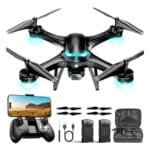
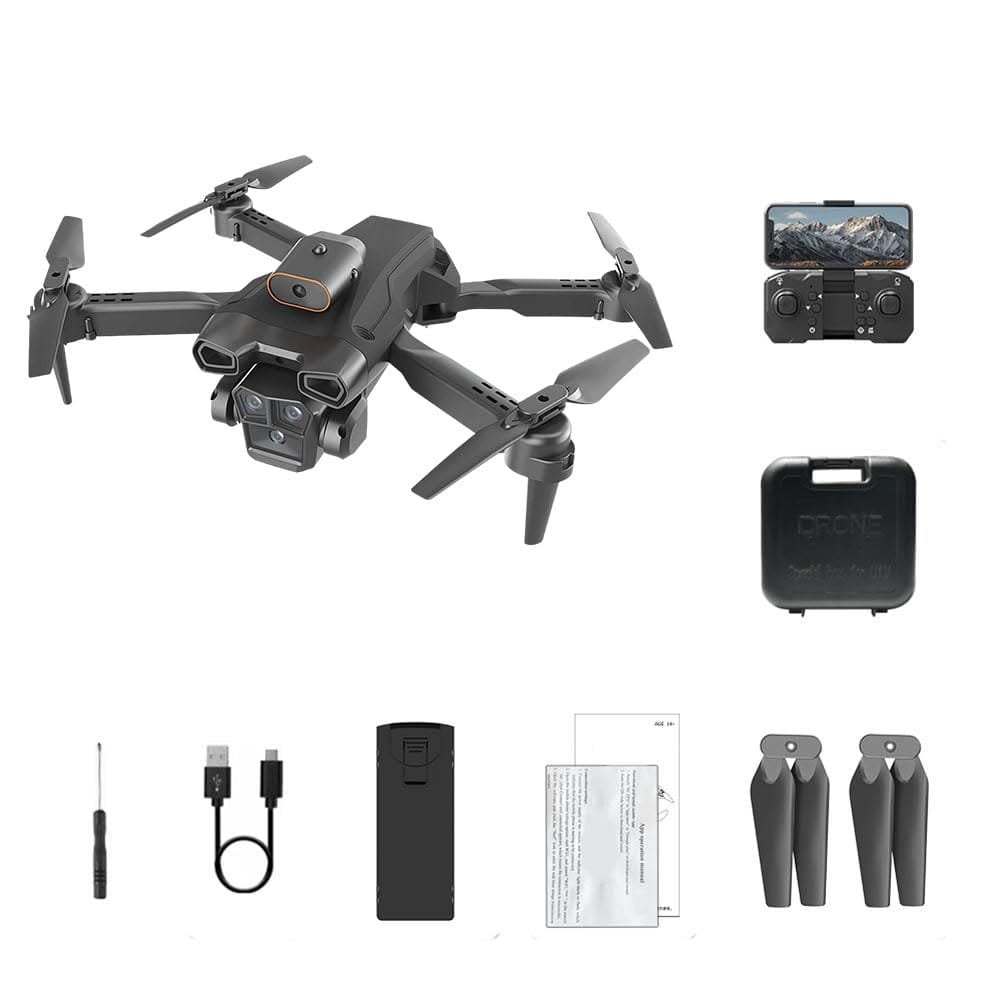
The black Lanus drone is the main focus of this Lanus Triple Camera 8K Drone Review. Its listing highlights a triple-camera design, an adjustable lens, optical-flow positioning, foldable arms, one-touch takeoff and landing, and a claimed 50X zoom. These features aim to give beginners a simple way to explore aerial photos and video. The phone viewing feature also lets you watch the live feed while you fly.
The camera name needs a careful look. “8K” can describe a photo mode, digital enlargement, or an app setting rather than true native 8K video. I would check the listing details, sample images, app notes, and customer photos before expecting professional footage. Still, the broad feature set is appealing for casual use, especially when you want a compact drone with more than one camera angle.
Pros:
- Foldable body makes storage and travel easier
- Triple-camera layout gives users more viewing options
- Optical-flow positioning can help with basic indoor stability
- One-touch takeoff and landing reduce the learning curve
- Live phone viewing supports quick framing
- Adjustable lens design may help users change the view
- Black finish looks clean and hides small marks well
Cons:
- 8K and 50X zoom claims may rely on digital processing
- Small drones can drift in wind and need calm weather
- Phone app quality may vary by device and software version
In use, a drone in this class should be treated as a light camera platform, not a cinema aircraft. Optical-flow sensors often work best over surfaces with visible texture and under steady light. They may struggle over plain floors, dark areas, reflective water, or at greater height. I would practice close to the ground in a wide, open space before trying longer flights.
Find the right fit for your needs with our guide to choosing the best drone.
The one-touch controls can make the first session less stressful. They do not remove the need to learn throttle, yaw, forward movement, and return control. A new pilot should still read the manual, charge the battery fully, and keep the drone within clear view. In the United States, recreational pilots must follow FAA safety rules, and many drones require registration based on weight and use.
The phone feed is useful for simple clips, but unlike the best drones for FPV, Wi-Fi video links can show delay or lose quality as distance grows. Tall buildings, trees, walls, and other radio signals can also affect the connection. I would use the live feed for framing rather than rely on it as the only way to control the aircraft. A direct line of sight remains the safer choice.
Another point is zoom. Digital zoom enlarges pixels and can make distant subjects look soft. It may help you preview a scene, but it should not be confused with optical zoom from a moving lens. The adjustable lens could still be helpful for changing composition, yet buyers should confirm what the lens physically does before purchase.
The black Lanus model makes the most sense for a beginner who wants many listed features in one small package. It may suit yard shots, travel clips, school projects, and relaxed weekend flying. It is less suited to strong wind, paid work, serious wildlife filming, marine biology research, or users who need verified high-resolution video, making it far from the best drones for marine biology. As part of this Lanus Triple Camera 8K Drone Review, I see it as a feature-rich entry model with realistic limits.
Lanus Triple Camera 8k Drone 2026

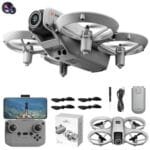
The gray Lanus version appears to share the same core design and feature set as the black model. It lists triple cameras, optical-flow positioning, a foldable frame, one-touch controls, phone viewing, and a 50X zoom claim. The main difference is the finish, so the buying choice may come down to color, stock, and current price. I would compare the included accessories and seller details before ordering.
Gray can be a practical color for outdoor use because dust and light marks may be less noticeable than on a glossy black shell. That small detail matters if you carry the drone in a travel case or place it on grass and pavement. The folding design should also help protect the arms during storage, although I would still avoid loose bags. A fitted case is a smart extra for anyone who flies often.
Pros:
- Compact foldable form suits travel and small storage spaces
- Multiple cameras may offer flexible framing choices
- Optical-flow support can improve basic hover behavior
- Simple takeoff and landing controls help first-time users
- Gray body can hide dust and light outdoor wear
- Phone viewing makes setup and framing more convenient
- Feature list offers good creative variety for casual pilots
Cons:
- Color does not appear to change the core flight performance
- Digital zoom may not deliver sharp distant detail
- Sensor-assisted hovering is not the same as GPS positioning
The biggest question for this model is positioning. Optical flow can measure movement near the ground, but it does not provide the same location hold as a true GPS system. If the drone moves beyond the sensor’s useful range, the pilot may need to correct drift by hand. That is normal for many low-cost camera drones, but it is important for buyers who expect automatic hovering in a large outdoor space.
The gray Lanus may work well for simple overhead shots when the weather is calm, though unlike the best drones for underwater exploration, it lacks weather sealing, so I would avoid rain, snow, fog, and gusty conditions. Propeller guards, if included, can help during early practice, but they do not make the drone safe around people, pets, or power lines. A clear launch area remains essential.
The phone connection also deserves practical expectations. Live video can be helpful for checking the camera angle, but the recorded file may look better or worse depending on the camera sensor, app processing, lighting, and compression. Bright daylight usually gives the best result. At dusk or indoors, small drone cameras may show noise, soft detail, and slower motion response.
I also recommend checking the battery plan. A single battery may provide only a short active session after takeoff, filming, and landing. Extra batteries can increase fun, but they add charging time, weight, and cost. Never charge a swollen or damaged lithium battery, and let a warm battery cool before charging it.
In this Lanus Triple Camera 8K Drone Review, the gray model earns a place as a sensible alternative to the black version. It is best for users who value portability and easy controls more than advanced navigation. Choose it when the color appeals to you or when the gray listing offers a better bundle. Performance should be close to the black model, so the accessories and seller support matter more than the shell color.
Ruko 4K Drone With 8K Photos

The Ruko model takes a different approach from the Lanus listing. It advertises 4K video, 8K photos, and up to 96 minutes of flight time. That headline can appeal to travelers, family users, and creators who want longer sessions without landing after every few minutes. The key detail is whether the 96 minutes comes from several batteries rather than one continuous flight.
The difference between 4K video and 8K photos is important. Video and still images use different capture modes, so an 8K photo claim does not mean the drone records 8K video. Buyers should inspect the included battery count, charging method, storage needs, and app requirements. This type of clear feature separation makes the Ruko option easier to compare with the Lanus cameras.
Pros:
- 4K video claim targets sharper moving footage
- 8K photo mode may provide large still images
- Up to 96 minutes can support longer outings with spare batteries
- Ruko has broad name recognition in the consumer drone market
- Good fit for travel, family events, and outdoor practice
- Longer total flight time reduces frequent battery swaps
- Clear video and photo labels help set better expectations
Cons:
- The 96-minute figure may represent total time across multiple batteries
- 4K quality still depends on light, stabilization, and compression
- Extra batteries add charging time and travel weight
A long flight-time claim is useful, but I never treat it as a guaranteed number. Manufacturers often measure flight time in calm conditions, with no wind, gentle movement, and a battery flown close to its safe limit. Real use includes takeoff, turns, camera work, wind correction, and an early landing reserve. Plan on less usable time than the maximum figure.
The Ruko may be a better fit for a person who values camera clarity over a triple-camera layout. A steady single camera can produce a more consistent result than several small cameras with limited sensors. Still, image quality depends on more than resolution. Lens quality, dynamic range, stabilization, frame rate, and the ability to save original files all matter.
For travel, the total battery package can be a major benefit. I would pack batteries in a safe case, protect the propellers, and check airline rules before flying. Never place loose lithium batteries against metal objects. On the ground, store them in a cool, dry place away from direct sun.
Ruko also deserves careful setup. Install the correct app from a trusted store, update the firmware only when the battery is charged, and test the controls in a low-risk area. I would calibrate the aircraft only as the manual directs, not repeat calibration without a reason. A good first flight should focus on basic hover and landing rather than dramatic camera moves.
Compared with the Lanus options, this model may appeal to users who want a clearer distinction between photo and video modes. It does not automatically win on every point. A buyer who wants adjustable camera views may prefer Lanus, while a buyer who wants long total flight time may favor Ruko. For this Lanus Triple Camera 8K Drone Review, the Ruko is the strongest alternative for battery-focused users.
AUHIFVAX V88 8K GPS Drone
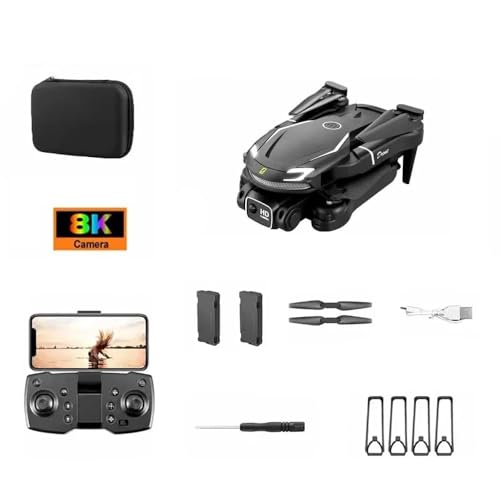
The AUHIFVAX V88 is aimed at buyers who want a more traditional outdoor drone feature set. Its listing mentions 8K, 5G, GPS, professional HD aerial photography, and a dual-camera design. GPS can be a major advantage over optical flow when the aircraft operates outdoors and has a clear view of the sky. It may support more stable position holding and location-based features, but buyers should confirm which GPS functions the app provides.
The phrase “5G” needs caution because it may describe a 5 GHz phone connection rather than cellular 5G service. The drone may not connect to a mobile network at all. This distinction matters because the control range depends on the remote, phone link, local interference, and legal line-of-sight limits. I would read the manual before assuming that 5G means long-range flight.
Pros:
- GPS positioning may improve outdoor hover control
- Dual cameras offer more than one viewing option
- 8K branding attracts users seeking high-detail photos
- Outdoor-focused design may suit open-area flights
- Location features can make return and recovery easier when supported
- Useful alternative for pilots who want GPS over optical flow
- Black finish gives the aircraft a classic, low-distraction look
Cons:
- GPS functions may take time to lock before takeoff
- “5G” may refer to a wireless band, not cellular service
- 8K claims should be checked against real sample files
GPS can make a drone feel calmer outdoors, but it is not a magic shield. The aircraft still needs a clear sky view, enough satellites, and a good home-point setup. Buildings, trees, cliffs, and metal structures can reduce signal quality. I would wait for the app to confirm the required status before lifting off.
Return-to-home features also need responsible use. The pilot should set the return height above nearby trees, poles, and buildings. A return function may not avoid every obstacle, and it may follow a straight path rather than the route used during flight. Always keep the aircraft in sight and be ready to cancel the function if the path is unsafe.
The dual-camera layout may be useful for people who want a forward view and a lower or alternate view. Yet, two cameras do not guarantee two high-quality sensors. Some budget drones use one main camera plus a smaller positioning camera. That can still be useful, but the image from each lens may look very different.
GPS drones also need more patience during setup. A pilot may need to install the app, pair the remote, unfold the arms, connect the battery, wait for satellites, and check the home point. This takes longer than a basic toy drone, but the process can reward careful users. I would rather spend two extra minutes on setup than risk a rushed launch.
In this Lanus Triple Camera 8K Drone Review, the V88 is a strong choice for outdoor pilots who value GPS features. It may be better than the Lanus models for open-sky position holding, while Lanus may feel simpler for quick practice. The V88 still needs honest expectations around camera resolution, range, and the meaning of “5G.”
Utceku 4K Camera Drone With Three Batteries

The Utceku drone focuses on a simple benefit that many buyers understand at once: three batteries. Its listing names a 4K camera and a dark gray body, making it a practical option for people who want more time in the air. Three batteries can be more useful than a large resolution number if your goal is learning, exploring, or filming a full outdoor session. The total flight time will still depend on wind, speed, camera use, and battery condition.
This model may suit beginners who expect to crash or land often while learning. More battery capacity means more practice before the day ends. It also helps during family trips when you want to capture several short clips. As with any budget drone, I would inspect the propeller guards, spare parts, app reviews, and charger design before placing the order.
Pros:
- Three batteries can extend the total flying session
- 4K camera claim suits casual photos and video
- Dark gray finish looks discreet outdoors
- Good choice for practice and repeated short flights
- Less pressure to land after one brief battery cycle
- Useful for families who share the drone
- Simple feature set may feel less confusing to new users
Cons:
- Three batteries require more charging and safe storage
- 4K output may vary with lighting and digital processing
- It may lack the advanced positioning features found on GPS models
Battery bundles can look attractive, but they need a safe routine. I would label each battery, rotate them evenly, and stop using any pack that becomes swollen, cracked, or unusually hot. A multi-port charger can save time, but each battery still needs proper supervision. Never leave charging packs unattended overnight.
The Utceku may also be easier for users who do not need complex camera controls. A simple drone can be less distracting when the main goal is learning flight skills. I would begin with slow turns, short forward passes, and controlled landings. Once those skills feel natural, I would add camera movement and higher viewpoints.
Its 4K label should receive the same careful review as every other resolution claim. A camera can save a 4K file, yet the small sensor may not capture fine detail in low light. Compression can soften grass, leaves, and distant buildings. Good sunlight, a clean lens, and slow movement will usually produce better clips than fast flying.
The dark gray finish is also practical for a travel drone. It may show less glare in bright light and can look less flashy than a bright shell. Still, a dark aircraft can be harder to see against trees or low light. I would never fly near sunset without a clear view and enough light to track the drone.
For the Lanus Triple Camera 8K Drone Review comparison, Utceku stands out because of its battery bundle rather than its camera count. It is best for practice, family use, and users who want several short flights in one outing. It is not the obvious pick for GPS navigation or advanced aerial work. Its value depends on whether the package truly includes three usable batteries and a suitable charger.
My Recommendation
My top pick depends on the type of pilot you are. For a beginner who wants a broad set of camera and control features — or those searching for the best drones for vloggers on a budget — I would start with the black Lanus model. It combines a foldable body, phone viewing, optical-flow positioning, and simple takeoff controls in a compact format. The gray Lanus version is nearly the same choice, so I would buy whichever color has the better price and accessory package.
The Ruko is the better fit for users who care most about total battery time and a clear 4K video label. The AUHIFVAX V88 is the better match for outdoor users who want GPS-based features and are willing to spend more time on setup. The Utceku is a smart practice choice when three batteries matter more than multiple cameras. Each model has a clear role, which makes the buying decision easier.
After reviewing the advertised features, I would not buy any of these drones based on the word “8K” alone. Ask whether the number applies to video, still photos, or app-enhanced output. Also check the latest listing for battery count, spare parts, return terms, and app support because package details can change. A careful buyer will get more value than someone who shops by resolution alone.
| Best for | Why |
|---|---|
| Beginners and casual creators | Lanus offers foldable storage, simple controls, live phone viewing, and several listed camera options. |
| Outdoor GPS pilots | AUHIFVAX V88 highlights GPS features that may support steadier outdoor positioning and return functions. |
| Long practice sessions | Ruko and Utceku focus on longer total use through their battery offerings, subject to real flight conditions. |
From an expert buying view, the Lanus models are most appealing when the seller provides clear instructions and useful accessories. New pilots often care more about easy setup than advanced menus. A drone that leaves the box with a complete kit can feel like a bridge into the hobby rather than a puzzle. That practical value is central to this Lanus Triple Camera 8K Drone Review.
I would also think about where you plan to fly. A small backyard with trees may call for obstacle awareness and slow controls. A wide field may favor GPS and longer range, although legal limits still apply. Indoor flight requires extra care because walls, fans, pets, furniture, and weak sensor surfaces can quickly create trouble.
Before your first flight, read the manual from start to finish. Charge the remote and battery, install the correct app, inspect each propeller, and confirm the controls. Select an open area away from roads, airports, power lines, crowds, and private spaces. Check local rules and FAA guidance, and keep the drone within visual line of sight unless a lawful exception applies.
Camera drones can raise privacy concerns as well. Do not record into bedrooms, fenced yards, or private conversations. Ask permission before filming people at close range. Responsible flying protects your neighbors and helps keep the hobby welcome in more places.
Wind is another hidden cost. A drone may hover well on a calm day but struggle when gusts increase. Small aircraft have less mass to resist wind, so I would stay close, fly slowly, and land early. If the drone begins drifting, loses video, or shows a low-battery warning, safety matters more than one last shot.
Storage affects long-term value. Keep the aircraft clean, remove grass from the motors, and store batteries at a moderate charge when the manual recommends it. Do not leave the drone in a hot car. Replace damaged propellers in matched sets when possible, since small bends can cause vibration and poor video.
When editing footage, use original files instead of screen recordings from the live phone feed. The live view is often compressed for transmission. The saved file may contain more detail, but it can still be limited by the camera sensor and app settings. Make a short test clip before a major event so you know where the files go and how they look.
Buyers should also review return and warranty terms. A drone is a mechanical product with motors, propellers, sensors, batteries, and software. Support matters when pairing fails or a motor stops. I prefer listings that explain what comes in the box, show clear battery details, and provide a simple way to contact the seller.
FAQs Of Lanus Triple Camera 8K Drone Review
Is the Lanus drone really an 8K video drone?
The listing uses 8K in its product name, but buyers should confirm whether it means video, still photos, or digital enlargement. Check the app settings and sample files before expecting native 8K video. Resolution alone does not guarantee sharp footage.
Does the Lanus drone use GPS?
The Lanus listings emphasize optical-flow positioning, not the same GPS system described for the AUHIFVAX V88. Optical flow can help near the ground, but it may not hold position well in wind or over plain surfaces. Read the current manual for the exact sensor and flight modes.
Is the Lanus Triple Camera 8K Drone good for beginners?
It can suit beginners because it lists one-touch takeoff and landing, foldable storage, and phone viewing. New pilots still need open space, calm weather, and practice. I would start low and slow before using the camera at distance.
What does 50X zoom mean on the Lanus drone?
It may refer to digital zoom or app enlargement rather than true optical zoom. Digital zoom can make distant subjects look soft. Confirm the lens design and inspect sample images if zoom quality is important to you.
Do I need to follow FAA rules when flying this drone?
Yes. U.S. drone pilots must follow applicable FAA rules, including safety limits and registration requirements when they apply. Check the latest FAA guidance before flying, keep the aircraft in sight, and avoid restricted areas.
Final Verdict: Which Should You Buy?
The black Lanus is the best all-around pick for beginners who want foldable design, simple controls, phone viewing, and several camera features. The Ruko suits long sessions, while the AUHIFVAX V88 better fits GPS-focused outdoor use.
This Lanus Triple Camera 8K Drone Review shows strong value for casual pilots, but verify the 8K claim, battery bundle, app, and local rules before buying. Choose practical features over headline numbers for the best flight experience.