
The best drones for Instagram combine sharp video, smooth flight, easy controls, and a small size for travel.
You find a perfect beach, trail, or city view, but your phone cannot show the full scene. A good drone can turn that moment into a wide, smooth clip that feels made for Instagram Reels.I look for stable video, simple controls, safe flight tools, and a size that does not make travel hard — which is why the best drones for travel are also the best drones for Instagram. The five models below cover polished 4K footage, beginner flights, FPV views, and budget-friendly fun. I also explain their real limits, because the best camera drone is not always the best drone for every creator.
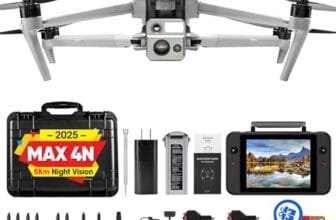
DJI Mini 4K: Best 4K Drone for Instagram

The DJI Mini 4K is the strongest all-around pick in this guide for creators who want clean aerial clips without carrying a large drone. Its 4K camera gives Instagram footage enough detail for cropping, reframing, and making short vertical edits. The compact body weighs under 249 grams, which makes it easy to place in a small bag. I also like the 3-axis gimbal because it helps keep the horizon steady while the drone moves.
This drone feels more like a serious camera tool than a toy. Its automatic return feature can help bring it back when the battery gets low or the signal becomes weak, though I still recommend setting a safe return height before takeoff. QuickShots can create simple motion clips for users who do not want to master manual flight right away. The camera records in a wide format, so you should leave extra room around your subject when you plan to crop the video for Instagram.
- Sharp 4K video works well for Instagram Reels and posts
- 3-axis gimbal helps produce smooth, level footage
- Under-249-gram design is easy to pack and carry
- QuickShots help beginners create moving clips fast
- Automatic return adds useful flight confidence
- Long transmission range supports wider outdoor shots
- Foldable design saves space in a travel bag
- The standard package may include only one battery
- It does not offer full obstacle avoidance in every direction
- Small drones can struggle in strong wind
- Vertical Instagram video requires editing after recording
My Recommendation
I recommend the DJI Mini 4K to most people searching for the best drones for Instagram. It suits travel creators, hikers, real estate beginners, and anyone who wants a polished view without learning complex camera controls. The gimbal is the key benefit here. It acts like a steady hand in the sky and gives your clips a much cleaner look than a basic fixed-camera drone.
This is also a smart first step for a new pilot who wants room to grow. You can begin with automated shots, then learn smoother turns, slow reveals, and gentle tracking. It offers better image quality than many low-cost toy drones, but it still stays simple enough for casual use. Check the current package before buying, since battery count and included accessories can affect the total value.
| Best for | Why |
|---|---|
| Travel creators | Its foldable, lightweight body fits well in a small travel kit. |
| Instagram Reels | 4K video and gimbal stability give editors more detail to crop. |
| First serious drone | Automated flight tools make the learning curve less stressful. |
DJI Mini 4K Combo: Best Drone Bundle

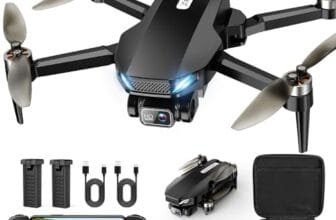
The DJI Mini 4K Combo offers the same core camera appeal as the standard Mini 4K, but its extra battery setup makes it more useful for a full day of shooting. The listing includes two batteries and claims up to 62 minutes of combined flight time. In real use, I treat that number as an ideal figure because wind, cold, flight speed, and safety reserve can reduce usable time. Still, the extra battery can be the difference between getting one good clip and getting a full set of shots.
A 3-axis gimbal supports smooth footage while the drone moves forward, sideways, or upward. The 10 km video transmission claim puts this among drones considered best for long range as a system rating, but I would never fly beyond legal visual line-of-sight rules or local limits. QuickShots give social media creators a fast way to capture a pull-away, circle, or rise effect. This combo makes sense when you already know you will shoot often and do not want to stop after a short flight.
- Two batteries provide more time for a shooting session
- 4K UHD camera captures detailed aerial scenes
- 3-axis gimbal reduces shake and tilted horizons
- QuickShots simplify popular social media movements
- Foldable body remains easy to carry between locations
- Under-249-gram weight can simplify travel planning
- Long-range transmission supports reliable preview at distance
- The combo usually costs more than the single-battery kit
- Battery charging adds time between filming sessions
- No drone can replace safe flight planning or legal checks
- Wind can still affect a very light aircraft
My Recommendation
I would choose this combo over the standard kit if you plan to make Instagram content every week. It is best for travel vloggers, outdoor photographers, couples filming trips, and small businesses that need several clips in one outing. The extra battery gives you time to try a shot again when a person walks into frame or the light changes. That practical freedom is more valuable than a small paper increase in flight time.
Find a drone that matches your requirements with our drone buying guide.
For creators who want the best drones for Instagram without moving into a large professional system, this bundle is a strong value. It gives you a stable 4K camera, useful automated modes, and a longer work window. I would still add spare propellers, a memory card that meets the camera requirements, and a compact landing pad. Those small accessories can protect your shoot and make setup easier.
| Best for | Why |
|---|---|
| Full-day travel shoots | Two batteries help you capture more locations before recharging. |
| Outdoor creators | 4K detail and stable footage suit landscapes, camps, and trails. |
| Frequent Instagram users | The bundle offers more practical shooting time than a basic kit. |
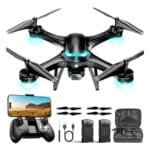
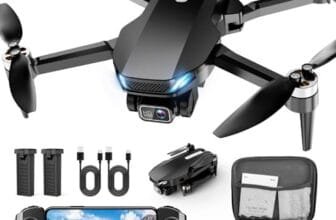
2K HD FPV Drone: Best Budget Beginner Drone

This 2K HD FPV drone targets beginners who want an affordable way to learn the basics of flight. It includes features such as altitude hold, one-key takeoff and landing, speed adjustment, and headless mode. Those controls can make the first few sessions feel less like a battle with the sticks. The included two-battery setup also gives a new pilot more chances to practice before packing the drone away.
The 2K camera can produce fun clips for casual Instagram Stories, short posts, and behind-the-scenes content. I would not expect the same clean detail or smooth motion as a gimbal-equipped DJI model. The camera is better suited to bright daylight and simple overhead views than to fast movement or low-light scenes. For a teen, family, or beginner who wants to learn without risking a costly camera drone, this model has a clear purpose.
- Lower price makes drone practice less intimidating
- Altitude hold helps beginners keep a steady height
- One-key takeoff and landing simplify basic flights
- Two batteries extend practice and filming time
- Speed adjustment lets pilots start slowly
- Headless mode can help users learn direction control
- Compact format is convenient for casual outdoor use
- 2K footage has less detail than a quality 4K camera
- Fixed-camera video may show more vibration
- It is not the best choice for cinematic professional work
- Small toy-style drones are more sensitive to wind
My Recommendation
This model is best for a first-time pilot, teen, parent, or casual Instagram user who wants to learn the feel of a quadcopter. It can help you practice takeoffs, landings, turns, height control, and simple reveals before you invest in a premium camera drone. I like the two batteries because beginners often need extra time to build muscle memory. The drone feels like a low-risk classroom in the sky.
Choose it when price and ease matter more than perfect image quality. It belongs among the best drones for Instagram only for simple, casual content, not for brand campaigns or high-end travel films. Read the listing carefully for app, controller, memory, and replacement-part details. Value is strongest when you want a friendly starter drone rather than a professional aerial camera.
| Best for | Why |
|---|---|
| New pilots | Altitude hold and one-key controls reduce early flight stress. |
| Teen users | Its lower cost makes practice less risky and more accessible. |
| Casual Stories | The 2K camera can record simple daylight clips for social posts. |
FPV Drone With Screen Controller: Best Easy Preview

A drone with a screen built into the remote can solve one common problem: trying to frame a shot while holding a phone in bright sunlight. This FPV quadcopter gives you a direct view from the controller, so the setup can feel faster and cleaner. That design may appeal to beginners, families, and creators who do not want to connect a separate phone for every flight. It also gives the pilot a more focused way to watch the live view.
The main strength here is convenience rather than cinema-grade image quality. A built-in screen can help you see where the drone is pointing and decide whether a subject sits in frame. As with most budget FPV drones, I would use it for short clips, fun angles, and practice rather than demanding professional work. Before buying, confirm the screen resolution, recording method, battery capacity, and whether the remote saves or only previews video.
- Budget FPV video may not look as smooth as gimbal footage
- Screen brightness can still vary in direct sun
- Battery and recording details should be checked before purchase
- It may offer fewer advanced camera tools than premium drones
- Built-in controller screen reduces phone setup time
- FPV view makes framing simple for new pilots
- Useful for quick clips and casual outdoor filming
- Dedicated remote keeps flight controls easy to find
- Compact quadcopter design is simple to transport
- Good fit for users who prefer an all-in-one kit
- Can make daylight practice more comfortable
My Recommendation
I recommend this screen-controller drone for people who want a simple live view without relying on a smartphone. It is best for beginners, parents, and casual creators who value quick setup. The screen works like a small window into the flight, which makes it easier to guide the drone and watch the subject. It can also be a good family drone for short sessions in an open area.
This is not my first choice for a polished travel Reel, but it can be a useful learning tool. If your priority is ease, the screen may matter more than a higher camera number on the box. If your priority is crisp, stabilized video, choose one of the DJI models instead. Among the best drones for Instagram, this one fits the user who wants a simple preview and an easy path into FPV-style flying.
| Best for | Why |
|---|---|
| Phone-free flying | The controller screen provides a live view without a separate device. |
| Beginner framing | The FPV feed helps users see the drone’s camera angle. |
| Quick outdoor clips | An all-in-one kit can make short filming sessions easier to start. |
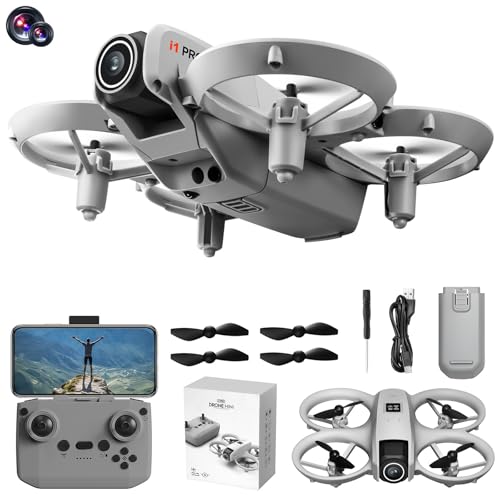
UHD FPV Drone With LCD Remote: Best Feature Value

This foldable FPV drone stands out with an LCD screen remote, brushless motor, and a claimed UHD live-video setup. Brushless motors usually offer better efficiency, lower wear, and a stronger feel than the small brushed motors used in many basic toy drones. The foldable body makes storage simple, while the LCD remote keeps the flight view close at hand. For a budget buyer, that mix of features looks appealing.
The listing also highlights support for a 32GB SD card, 360-degree flips, and a weight under 250 grams. Those features suit users who want to experiment with fun content rather than only record slow landscape shots. I would keep expectations realistic: a listing’s “UHD” label does not automatically mean the footage matches a stabilized 4K camera. Use bright light, gentle movement, and careful framing to get the best Instagram-ready results.
- Brushless motors may offer better power and durability
- LCD remote provides a convenient live flight view
- Foldable design stores well in a drawer or travel bag
- UHD video claim supports casual social media recording
- 32GB card support can simplify short recording sessions
- 360-degree flips add fun for practice and entertainment
- Under-250-gram design is convenient for many casual pilots
- UHD labeling does not guarantee gimbal-like video quality
- Flips can drain the battery and reduce usable flight time
- Wind performance may be limited by the lightweight design
- Actual accessories and storage support should be confirmed
My Recommendation
This drone is best for a buyer who wants more features than a basic starter quadcopter but does not need a premium camera system. It suits teens, hobby pilots, and creators who like playful shots, flips, and quick FPV clips. The brushless motor is the feature I find most interesting for long-term use because it can feel more responsive and may require less motor maintenance. The built-in screen also keeps the kit self-contained.
I would pick it for fun Instagram content, short travel clips, and learning more active flight moves. I would not choose it for paid real estate work or a campaign where every frame must look smooth and color-rich. As one of the best drones for Instagram on a feature-focused budget, it offers good variety. Check the exact recording resolution, battery count, and local flight rules before placing an order.
| Best for | Why |
|---|---|
| Feature-focused buyers | It combines an LCD remote, foldable body, and brushless motor. |
| Fun flight clips | Flip support adds energy to casual social media videos. |
| Hobby pilots | Extra controls provide more ways to practice than a simple toy drone. |
How I Choose the Best Drones for Instagram
Instagram rewards video that catches attention in the first few seconds. A drone can provide that hook, but only when the footage stays clear and the movement feels calm. I judge each model by the parts that matter after the unboxing excitement fades. Camera quality, stabilization, flight time, controls, safety, portability, and editing needs all shape the final result.
I also separate marketing words from useful performance. “4K,” “UHD,” and “professional” can describe different things across product listings. A high resolution number cannot fix a shaky camera, poor light, or a weak connection. When I compare the best drones for Instagram, I ask a simple question: can this drone help a normal user capture a clip worth posting?
Camera Quality and Instagram Cropping
Instagram compresses uploaded media, but starting with a sharper file still helps. A 4K recording gives you more pixels to crop into a vertical 9:16 frame. This matters because most drone cameras record in a wide landscape shape. If you frame your subject too close to the edge, a vertical crop may cut off the person, building, or main view.
I recommend leaving open space around the subject. Keep the drone steady and avoid fast turns unless the shot needs energy. A clean, well-framed 2K clip can look better than a shaky 4K clip. Resolution helps, but the pilot’s movement and the light often matter more.
Why a 3-Axis Gimbal Matters
A gimbal helps isolate the camera from the drone’s small shakes and changes in angle. It keeps the horizon more level as the aircraft moves. This makes a big difference in a slow reveal over a lake, a smooth pullback from a person, or a gentle rise above a trail. Without a gimbal, the camera may record more vibration and sudden tilts.
The DJI Mini 4K models have the clearest stabilization advantage in this group. The lower-cost FPV models can still make fun content, but they need smoother flying and better conditions. I fly slowly, avoid sharp stick inputs, and shoot in bright light when using a fixed-camera drone.
Flight Time and Battery Planning
Manufacturers often list flight time under controlled conditions. Real flight time changes with wind, temperature, speed, camera use, and the safety reserve needed for landing. I do not run a battery to zero just to capture one more shot. A spare battery gives more value than a promise of perfect conditions.
Charge batteries before leaving, check the remote level, and bring the correct cable or hub. The DJI combo with two batteries is useful for this reason. Budget drones with two batteries can also offer more learning time, though their actual flight time may be shorter. Plan each scene before takeoff so your battery does not become a ticking clock.
Portability for Travel Reels
A drone that stays at home cannot create aerial content. Foldable designs fit better in a backpack and reduce the friction of filming. Under-249-gram models also feel easier to carry, but weight does not remove the need to follow aviation rules. In the United States, the FAA requires recreational pilots to follow applicable rules, keep the drone within visual line of sight, and take the TRUST safety test.
Registration rules can depend on the aircraft and how you use it. A drone below 250 grams may still need registration for certain commercial operations, and local restrictions can apply near airports, parks, events, and sensitive sites. I check FAA guidance and local rules before each trip. A beautiful Reel is not worth an unsafe or illegal flight.
Controls for New Pilots
Beginners need more than a camera. Altitude hold, one-key takeoff, one-key landing, speed modes, and return-to-home tools can make the first flights calmer. These features do not make a drone fully automatic. You still need to watch the aircraft, read the wind, avoid people, and keep enough space for landing.
Headless mode can help some new users understand basic movement, but I do not treat it as a substitute for learning orientation. Start in a large open area. Practice a square pattern, a slow circle, and a controlled return. Once those feel natural, try simple Instagram moves.
Instagram Drone Shots That Look Professional
You do not need a dramatic mountain to make a good aerial post. A simple scene can look strong when the movement has a clear purpose. I often think of the drone as a moving tripod. It should reveal the subject, not distract from it.
The Slow Pullback
Begin with the camera aimed at a person, car, cabin, or small group. Slowly fly backward while keeping the subject near the center. This shot reveals the setting and works well as the opening of a Reel. Keep the speed low so viewers can understand the scene.
The Rising Reveal
Start low behind a wall, hill, tree line, or roof. Rise slowly to reveal the landscape. This move creates a small moment of surprise without needing fast flight. Leave space above the subject because vertical editing may remove part of the sky.
The Top-Down Pattern
Look straight down at a beach towel, road, field, dock, or group of people. Patterns create a strong graphic look in a square post or Reel. Keep the drone high enough to stay safe and do not fly directly over people unless the operation meets all applicable rules.
The Gentle Orbit
Circle a subject at a slow, even pace. A person standing near a lake or a vehicle on an open road can look cinematic. Practice the motion in a wide space first. Sudden speed changes can make budget drones tilt, shake, or lose the subject.
Best Video Settings for Instagram Drone Content
Use the highest practical video quality your drone supports. Record in bright daylight when possible. Early morning and late afternoon often give softer light, but low light can expose the limits of a small camera. Avoid pointing directly at the sun unless you want a deliberate silhouette.
For Reels, plan to crop landscape video into a vertical frame. Keep the main action in the center third of the image. If your drone supports color profiles, use one you can edit with confidence. A flat profile can preserve more editing room, but it can also look dull without color correction. Beginners may get better results from a normal color mode.
Use short clips instead of one long recording. A five- to ten-second aerial shot is often enough for a Reel. Short takes make editing faster and reduce the chance of filling the memory card with footage you will not use. I also review each file before formatting the card for the next flight.
Safety and Legal Tips for Instagram Drone Pilots
The FAA governs drone operations in the United States, and social media use can raise questions about recreational versus business activity. If you create content for a business, client, sponsor, or paid campaign, review the rules that apply to your operation. Requirements can include registration, remote identification, and a proper pilot certificate. Rules can change, so check current FAA guidance in 2026.
Never rely only on an app map. Look around the actual launch site. Watch for trees, wires, birds, people, moving vehicles, and sudden wind. Keep the drone within sight, and avoid flying near airports or emergency activity without proper authorization. Respect private property and local park rules.
Privacy matters too. Do not hover outside windows or record people who reasonably expect privacy. Ask permission when filming close to someone’s home, event, or private land. A respectful creator protects both the subject and the account.
How to Edit Drone Video for Instagram
Start by choosing one clear story. Maybe the clip shows a new travel spot, a product location, a wedding venue, or a quiet morning walk. Do not place every shot in one Reel just because the drone captured it. A few strong clips create a cleaner post.
Crop the footage to 9:16 for Reels and Stories. Check that faces, cars, and buildings remain inside the safe area. Add simple text only when it helps the viewer understand the place or idea. Keep transitions short. A basic cut often feels more modern than a collection of spinning effects.
Match the music to the movement. Slow footage needs calm music, while fast moves can suit a stronger beat. Lower the music if you want to keep natural sound from the location. Export at a quality that meets Instagram’s current recommendations, then review the uploaded post because compression can change sharpness and color.
Common Buying Mistakes to Avoid
The first mistake is buying only for camera resolution. A 4K label looks attractive, but a shaky camera creates weak footage. The second mistake is ignoring batteries. A single battery may be enough for a short test, but it can feel limiting during travel or a paid shoot.
Another mistake is choosing a large drone for a casual trip. Bigger aircraft may offer stronger cameras and better wind control, but they also add weight, cost, and planning. A small drone that you feel comfortable carrying can produce more real content. Match the drone to the places you visit and the type of posts you make.
Finally, do not assume automatic modes make flight risk-free. Return-to-home settings need a safe height. GPS and signal tools can help, but they are not perfect. Good pilots prepare, watch the aircraft, and leave room for error.
How These Drones Compare
The DJI Mini 4K is the clear camera leader in this selection. Its 4K sensor and 3-axis gimbal give creators the best chance of making smooth, detailed footage with little editing. The DJI Mini 4K Combo adds practical value for longer shoots because it includes two batteries. If you expect to film more than one location, I would pay attention to that bundle.
The 2K HD FPV drone is a lower-cost entry point. It makes sense for practice, family use, and casual clips. The two screen-controller models focus on ease and fun features. Their built-in displays can make flight simpler, while the brushless-motor model offers a more feature-rich package for hobby pilots.
In short, choose the DJI models for image quality. Choose the 2K model for low-cost learning. Choose a screen-controller drone when convenience matters most. The best drones for Instagram depend on whether your main goal is polished video, easy practice, or playful flight.
FAQs Of Best Drones for Instagram
What is the best drone for Instagram Reels?
The DJI Mini 4K is the best overall choice in this guide. Its 4K camera and 3-axis gimbal provide sharp, smooth footage that gives you room to crop into a vertical Reel.
Can I use a drone under 249 grams for Instagram?
Yes, but weight does not remove every legal duty. Check current FAA rules, registration requirements, remote identification rules, and local restrictions before flying.
Do I need 4K video for Instagram?
No. A well-lit 2K clip can look good, especially for Stories. However, 4K gives you more room to crop a wide drone video into Instagram’s vertical format.
Are cheap drones good for Instagram?
Cheap drones can work for casual posts and practice. They usually have less stable video, shorter range, and weaker wind control than a gimbal-equipped camera drone.
How do I make drone footage vertical?
Record with extra space around your subject, then crop the wide video to a 9:16 frame in your editing app. Keep the main subject near the center while flying.
Final Verdict: Which Should You Buy?
The DJI Mini 4K Combo is my top pick because it pairs smooth 4K video with two batteries and easy flight tools. It gives creators the best balance of quality, travel size, and usable shooting time.
For the best drones for Instagram, choose DJI for polished Reels and a budget FPV model for practice. Fly safely, edit for vertical viewing, and check current rules before every launch.