

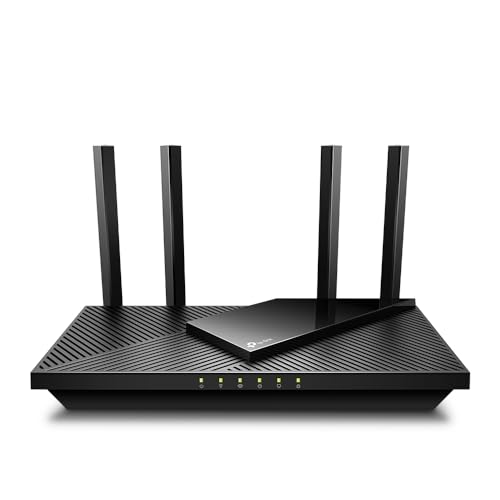
The best router for remote work delivers stable Wi-Fi, strong security, wide coverage, and smooth video calls.
A weak router can turn a normal workday into a long list of problems. Video calls freeze, cloud files take too long to open, and a family member streaming video can slow your laptop. I tested the main features that matter for home offices, travel work, backup internet, and busy homes. The seven options below cover portable hotspots, VPN routers, mesh Wi-Fi, Wi-Fi 7, and satellite setups. I also explain who should buy each one, where it falls short, and how to choose the right fit.
See the differences between my top picks at a glance.
IotesimGlo T8 Portable Wi-Fi Hotspot

The IotesimGlo T8 is a simple way to add internet access when your main connection fails or when you work away from home. The package includes 100GB of USA data with a stated 365-day plan. That makes it more than a basic router because the service plan comes with the device. It suits a laptop, tablet, or small group of work devices that need a quick connection.
I see this as a backup tool rather than a full replacement for fiber or cable internet. Your real speed will depend on local cellular coverage, network traffic, and the device’s service terms. The annual data allowance can work well for email, web apps, and some video calls. It may feel limiting if you stream often or move large work files every day.
Pros:
- Includes a stated 100GB USA data plan
- 365-day plan can simplify short-term backup use
- Portable design suits travel and emergency work
- Useful when home broadband goes down
- Can support several common work devices
- Does not require a fixed cable or fiber line
Cons:
- 100GB may not last heavy users for a full year
- Cellular speed varies by location and signal strength
- Plan rules and coverage need careful checking before purchase
What Amazon Buyers Are Saying
Buyer feedback for portable hotspots often focuses on easy setup, travel use, and the convenience of having data ready in the box. Users also tend to compare real speed with the strength of their local carrier signal. Complaints in this product category commonly involve weak coverage in rural areas, data limits, or confusion about service activation. I recommend reading the newest listing reviews for current comments about battery life, coverage, and plan support.
My Recommendation
I recommend the T8 for a remote worker who wants a modest backup connection or a portable internet option. It is not my first choice for daily high-use work, but the included plan adds real value when you need a quick link outside the home. Check the service terms and coverage at your normal work locations before ordering.
Deeper Connect Air VPN Travel Router
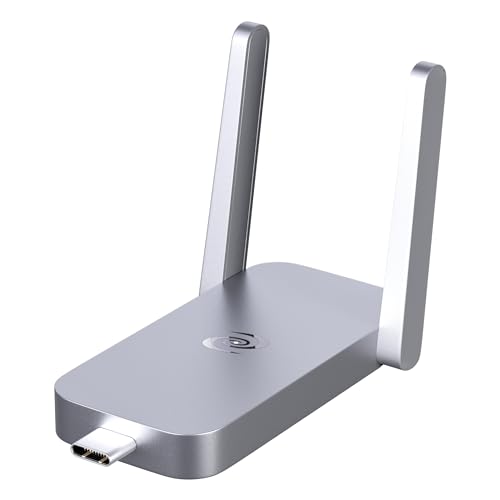
The Deeper Connect Air targets people who want a small privacy tool for travel, home, and remote work. Its main feature is a built-in router VPN design rather than a cellular data plan. You connect it to an available network, then connect your work devices through the Air. The compact shape can make it easier to carry than a full-size home router.
This product needs a clear explanation: it does not create internet service by itself. You still need hotel Wi-Fi, home broadband, or another wired connection. Its value comes from adding a privacy layer and a separate travel network to that connection. VPN use can reduce speed in some situations, so buyers should consider their company VPN, video-call needs, and local network rules.
Pros:
- Compact design for travel and temporary offices
- Built-in VPN focus suits privacy-minded users
- Can create a separate network for work devices
- Useful with existing Wi-Fi or Ethernet access
- Helps avoid connecting every device directly to public Wi-Fi
- Does not require a monthly cellular plan for the router itself
Cons:
- Does not replace an internet service connection
- VPN settings may require more learning than a basic router
- Encryption and VPN use can affect speed and latency
What Amazon Buyers Are Saying
Customers who buy compact VPN routers usually praise portability and the ability to protect several devices through one connection. Buyers also look for simple setup instructions and stable performance on hotel or public networks. Common concerns in this category include setup steps, reduced speed with privacy features enabled, and compatibility with restricted networks. Since firmware and software support can change, I would check recent reviews for current setup experiences.
My Recommendation
The Deeper Connect Air is worth considering if privacy and travel convenience matter more than maximum Wi-Fi speed. It is a good companion for a remote worker who already has internet access but wants a more controlled work network. I would not buy it as the only router for a large home or as a cellular hotspot.
GL.iNet Fortify AX6000 Wi-Fi 6 Router
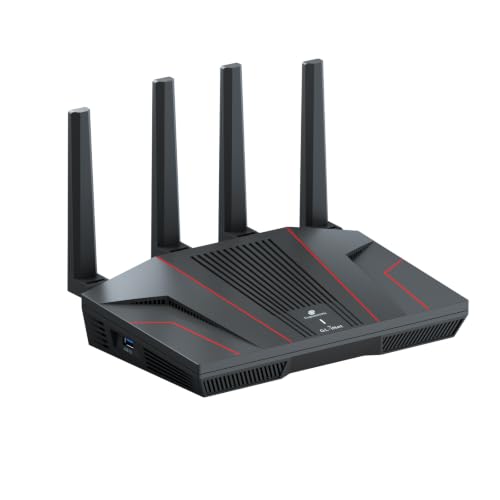
The GL.iNet Fortify, also listed as the GL-MT6000, is the most balanced choice in this group for a serious home office. It uses Wi-Fi 6 and includes a built-in ExpressVPN feature. The listing also highlights a 2.5G WAN/LAN port, a 2.0 GHz quad-core processor, and 1GB of DDR4 memory. Those parts give it a strong base for work calls, streaming, file transfers, and many connected devices.
I like this router because it combines speed with useful privacy controls. The VPN feature can help users who want a protected connection without installing VPN software on every device. However, the best setup depends on your internet plan, modem, VPN account, and work policy. A company may require its own VPN, so confirm that the router’s VPN mode will not conflict with your employer’s system.
Pros:
- Wi-Fi 6 supports busy homes and modern devices
- Built-in ExpressVPN feature adds convenient privacy control
- 2.5G WAN/LAN connection supports fast wired networking
- Strong processor and memory suit demanding network tasks
- Good fit for work calls, streaming, and file transfers
- Can reduce the need for separate VPN apps on each device
Cons:
- Advanced features may take time to configure
- VPN use can reduce speed or add delay
- Most homes will not use every high-end hardware feature
What Amazon Buyers Are Saying
Buyers of GL.iNet routers often value the detailed controls, VPN support, and strong wired performance. More technical users tend to enjoy the extra network options, while first-time buyers may need time to learn the interface. Common concerns include firmware setup, VPN configuration, and the difference between advertised wireless speed and real room-to-room results. I suggest checking recent buyer comments for current software behavior and support quality.
My Recommendation
This is my top all-around pick for a home-based remote worker who wants speed, privacy, and room to grow. It costs more than a basic router, but the hardware and VPN tools can justify the price for a busy household. I would choose it as the best router for remote work when secure features matter as much as raw Wi-Fi range.
TP-Link Archer BE670 Wi-Fi 7 Router

The TP-Link Archer BE670 is built for users who want newer wireless technology and high network capacity. The listing describes it as a tri-band Wi-Fi 7 router with a combined speed class of up to 12 Gbps, a 6 GHz band, and 10G connectivity. Wi-Fi 7 devices can make better use of newer phones, laptops, and workstations. Older devices can still connect, but they will not gain every Wi-Fi 7 benefit.
This router makes the most sense in a fast home with many users. A remote worker may share the network with 4K streaming, game downloads, smart home gear, and cloud backups. The 6 GHz band can offer a clean path for compatible devices, but walls reduce its range more than lower-frequency bands. You also need a fast internet plan and compatible wired gear to take full advantage of its top features.
Pros:
- Wi-Fi 7 suits newer laptops and mobile devices
- Tri-band design helps separate busy network traffic
- 6 GHz band supports compatible modern devices
- 10G connectivity gives the network long-term headroom
- Works with Amazon Alexa and Google Assistant
- Strong choice for large downloads and many active users
Cons:
- Higher price than Wi-Fi 5 and Wi-Fi 6 routers
- Older devices cannot use every Wi-Fi 7 feature
- 6 GHz signals may lose strength through walls
- Top wired speeds require matching equipment and service
What Amazon Buyers Are Saying
People who shop for Wi-Fi 7 routers often praise fast throughput, modern hardware, and better performance with newer devices. Buyers also pay close attention to setup, firmware updates, and range. Common complaints can include the cost of upgrading several devices and confusion about advertised combined speed. I advise reading current reviews that mention the exact devices and internet plans buyers used.
My Recommendation
The Archer BE670 is an excellent upgrade for a high-speed home office with current devices and a fast broadband plan. It is more router than a small household needs, so the value drops if your internet speed is modest. Choose it for future-ready performance, not just for a large number on the box.
Unlocked 4G LTE Portable Wi-Fi Hotspot
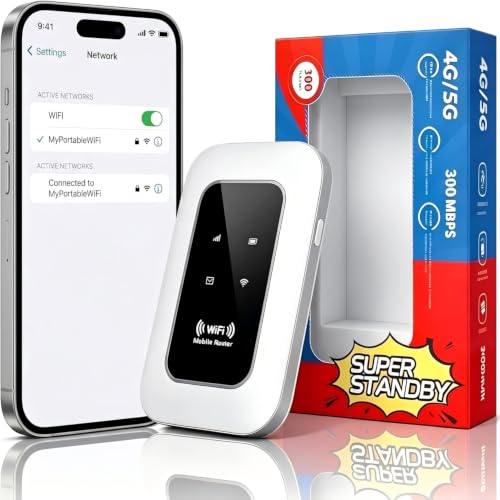
This unlocked portable hotspot gives remote workers another way to get online without using public Wi-Fi. The listing highlights a SIM card slot, 300 Mbps LTE CAT4 speed, and support for up to 16 devices. It is aimed at travel, camping, RV use, and road trips. For a worker who changes locations often, that flexibility can matter more than advanced home-router features.
You must provide a compatible SIM and data plan, so the total cost depends on your carrier. “Unlocked” does not mean it works on every network in every country. Check supported bands, carrier rules, and coverage before purchase. CAT4 LTE can handle email, web work, and many video calls, but it may not match a strong 5G connection or fixed broadband.
Pros:
- SIM slot supports flexible cellular plans
- Portable size suits RVs, cars, and temporary offices
- Listed support for up to 16 connected devices
- Useful when no wired broadband is available
- Can separate work devices from public Wi-Fi
- Works well as a travel backup in supported areas
Cons:
- Requires a separate SIM and data plan
- LTE speed depends on carrier coverage and congestion
- Carrier band support must match your network
- Battery life and sustained performance may vary by use
What Amazon Buyers Are Saying
Portable LTE router buyers often like the freedom to insert their own SIM and avoid hotel Wi-Fi. They also mention easy travel use and the benefit of connecting several devices at once. Common concerns include carrier compatibility, activation steps, and lower speeds in weak signal areas. I would treat the listed 300 Mbps figure as a product speed class, not a promise of real-world internet speed in every location.
My Recommendation
This hotspot is a practical pick for road-based remote work and occasional travel. It offers more control than a hotspot tied to one service plan, but you must do the carrier research first. I recommend it for users who already have a suitable SIM and need a simple mobile work connection.
TP-Link Deco S4 AC1900 Mesh Wi-Fi System

The TP-Link Deco S4 is a three-unit mesh system made for homes with weak spots. The listing claims coverage of up to 5,500 square feet, and each unit helps spread Wi-Fi across more rooms. Mesh systems can work better than one powerful router when walls, floors, or long layouts block the signal. The S4 also includes gigabit ports and support for Alexa.
This is an AC1900 Wi-Fi 5 system, so it is not the newest option in this guide. Still, a stable mesh connection can help a remote worker more than a newer router with poor placement. The three-pack may suit a large house, split-level home, or small office. Use Ethernet backhaul between units when possible for a stronger and more consistent mesh link.
Pros:
- Three units help cover large homes
- Mesh design reduces common dead zones
- Gigabit ports support wired work devices
- Simple whole-home approach for many rooms
- Works with Alexa voice controls
- Often offers good value compared with newer mesh kits
Cons:
- Uses older Wi-Fi 5 technology
- Advertised coverage depends on walls and layout
- Wireless backhaul can reduce speed between nodes
- Advanced controls may be less complete than premium systems
What Amazon Buyers Are Saying
Deco S4 buyers commonly focus on easier setup, wider coverage, and fewer dead zones. Many mesh customers also report better results after moving the units away from cabinets and thick walls. Common complaints include slower speeds at satellite nodes and trouble caused by poor placement. Reviews can differ by house size, building materials, and internet plan, so I would not treat the coverage figure as a guarantee.
My Recommendation
I recommend the Deco S4 for a remote worker in a large home who values coverage and simple setup over the latest wireless standard. It is a sensible budget mesh choice, especially when your internet plan is not extremely fast. Choose a newer Wi-Fi 6 or Wi-Fi 7 mesh system if you need maximum speed and long-term upgrade value.
Satellite Internet Mini Kit for Remote Work

This satellite internet mini kit targets remote workers who live or travel beyond reliable cable, fiber, and cellular coverage. The listing describes a fourth-generation antenna and Wi-Fi router compatible with Starlink. It also lists support for up to 256 devices. That capacity sounds useful for an RV, camp, remote property, or temporary work site with many connected devices.
Satellite internet depends on more than the router. You need an active compatible service, a clear view of the sky, power, and a suitable mounting location. Trees, buildings, weather, and network conditions can affect the connection. For video meetings, satellite service can work well in the right location, but latency and service interruptions may differ from fixed broadband.
Pros:
- Designed for areas without normal wired broadband
- Useful for RV travel, camping, and remote properties
- Includes an antenna and Wi-Fi router concept in one kit
- Listed support for up to 256 devices
- Can extend work access beyond cellular coverage zones
- Suitable for homes and teams with many connected devices
Cons:
- Requires compatible satellite service and account setup
- Needs a clear view of the sky
- Power, mounting, and weather conditions affect use
- Latency may be higher than cable or fiber
What Amazon Buyers Are Saying
Satellite equipment buyers usually focus on installation, signal stability, travel use, and whether the kit works with their service plan. Users in remote areas value having an option where cable and fiber do not reach. Common concerns include obstructions, setup instructions, compatibility questions, and service costs. I recommend checking the current listing details and recent reviews before assuming that the kit includes every service component you need.
My Recommendation
This kit makes sense only when satellite internet solves a real coverage problem. It is not a normal home-router upgrade for someone who already has reliable fiber or cable. For remote work in an RV or rural property, it can be a strong solution when you can provide clear sky access and stable power.
How to Choose the Best Router for Remote Work
Choosing the best router for remote work starts with your internet source, home layout, and daily workload. A router cannot make a slow service plan fast. It can, however, reduce wireless problems, improve coverage, and give your work devices a cleaner connection. I suggest using the steps below before you compare brand names or advertised speed numbers.
1. Match the Router to Your Internet Source
First, identify how your internet reaches your home or work site. Cable, fiber, DSL, and fixed wireless users usually need a standard router that connects to a modem or Ethernet handoff. A cellular hotspot needs a SIM, carrier coverage, and a data plan. A satellite setup needs an antenna, sky access, power, and compatible service.
This choice removes many poor matches at once. The Deeper Connect Air can add privacy to an existing connection, but it does not create cellular or satellite service. The IotesimGlo T8 includes a stated data plan, while the unlocked LTE model requires your own SIM. Write down your service type before you buy.
2. Prioritize Stable Calls and Work Traffic
Remote work needs steady performance more than a flashy maximum speed. Video calls use a steady stream of data. Cloud apps need low delay and reliable uploads. A good router should also handle other home traffic without making your work laptop unusable.
Look for modern Wi-Fi, strong wired ports, and traffic controls when your home has many users. Wi-Fi 6 is enough for many homes. Wi-Fi 7 makes more sense when you own newer devices and use a fast internet plan. If your office sits far from the router, a mesh system may improve the connection more than a faster single router.
For the most stable work setup, connect your main computer or docking station by Ethernet when practical. Wired access avoids many wireless problems. If you must use Wi-Fi, place the router in an open central area. Do not hide it behind a television, inside a cabinet, or on the floor.
3. Check Security, Coverage, and Long-Term Value
Security matters when your computer holds work files and account details. Choose a router that receives firmware updates and lets you change the default administrator password. A guest network can keep visitors and smart home devices away from your work devices. VPN support can help, but it does not replace your employer’s security rules.
Next, compare coverage with your home shape. Thick walls and multiple floors can weaken even a strong router. A mesh kit may solve the problem with several access points. For travel, portability and battery life may matter more than range. For rural work, the antenna position and service coverage may matter more than the router brand.
Finally, calculate the full cost. Include a data plan for a hotspot, subscription charges for satellite service, compatible Ethernet equipment, and possible mesh expansion. Do not pay for Wi-Fi 7 if your service plan and devices cannot use it. In many homes, a well-placed Wi-Fi 6 router gives better value than an expensive upgrade.
Final Verdict: Which Should You Buy?
For most home-based professionals, I recommend the GL.iNet Fortify as the best router for remote work. Choose the TP-Link Archer BE670 for a fast, modern home, the Deco S4 for wide coverage, or a hotspot for travel and backup use.
The right router depends on your service, space, and work habits. Prioritize stable calls, security, coverage, and total cost before chasing maximum speed.
FAQs Of Best Router for Remote Work
What is the best router for remote work at home?
The GL.iNet Fortify is my best overall pick for home use. It combines Wi-Fi 6, strong hardware, VPN support, and fast wired connectivity.
Is Wi-Fi 7 worth it for a home office?
Wi-Fi 7 is worth considering if you own compatible devices and use a fast internet plan. Otherwise, a quality Wi-Fi 6 router may offer better value.
Can a portable hotspot replace home broadband?
It can replace broadband for light or temporary work, but data limits, coverage, and cellular congestion may make it less suitable for heavy daily use.
Do I need a mesh router for remote work?
You need mesh Wi-Fi when one router cannot cover your work area well. In a small home, a single well-placed router may work better and cost less.
Is a VPN router safe for work?
A VPN router can add privacy, but it does not replace your employer’s VPN or security policy. Confirm compatibility with your company before using one.









