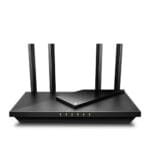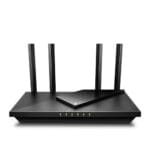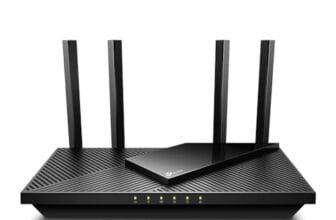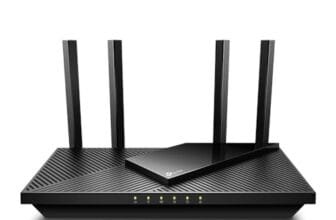

The best router for cable internet is the TP-Link Archer AX21 for fast, simple, and reliable home Wi-Fi.
Slow streaming, weak bedroom signal, and random drops can make cable internet feel much worse than the plan you pay for. The right network setup can fix much of that trouble. I reviewed these cable internet devices and network cables for speed, ease of use, compatibility, range, and value. Some products combine a modem and router, while others need a separate modem or router. That difference matters, so I explain it clearly before each recommendation.
See the differences between my top picks at a glance.
ARRIS SBG10 Cable Modem Router

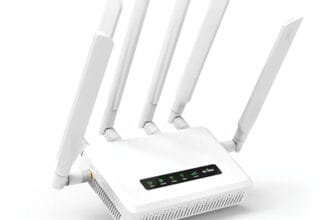
The ARRIS SBG10 combines a cable modem and a Wi-Fi router in one small unit. It uses DOCSIS 3.0 with 16 downstream and four upstream channels. The listing states support for internet plans up to 400 Mbps, but your cable provider must approve the exact model first. Its AC1600 wireless system suits basic streaming, web use, video calls, and smaller homes.
This combo can reduce cable clutter and remove the need to rent two devices. It also has Gigabit Ethernet ports for wired devices such as a desktop PC or game console. I would view it as a practical choice for a moderate cable plan, not a long-term pick for a new multi-gigabit service. Check the provider compatibility list before ordering.
Pros:
- Combines the modem and router in one unit
- Supports cable plans up to 400 Mbps according to the listing
- Uses dual-band AC1600 Wi-Fi
- Includes Gigabit Ethernet ports
- Reduces equipment rental and cable clutter
- Works well for basic homes with moderate device counts
Cons:
- Uses older DOCSIS 3.0 technology
- Not the best choice for gigabit or faster plans
- Provider support can vary by location
What Amazon Buyers Are Saying
Customer feedback commonly focuses on easy setup, compact size, and the convenience of replacing separate modem and router units. Buyers who match the device with a supported plan often like the simple connection process. Common concerns include compatibility checks, setup issues with some providers, and limited future headroom compared with DOCSIS 3.1 equipment. Experiences can vary by cable company and home layout.
My Recommendation
I recommend the SBG10 for a smaller home with a supported plan around the listed 400 Mbps limit. It offers good value when you want one box and do not need the newest Wi-Fi features. It is not my first choice for a premium cable network. Overall, I rate it 3.8 out of 5.
TP-Link Archer AX21 Wi-Fi 6 Router

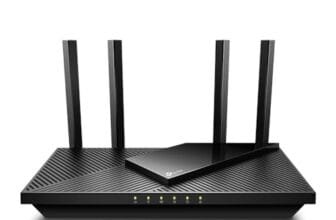
The TP-Link Archer AX21 is a router, not a cable modem. You connect it to a separate modem from your cable company or to a compatible retail modem. It uses Wi-Fi 6 and offers an AX1800 class wireless design. That makes it a strong fit for homes with phones, laptops, smart TVs, cameras, and game systems sharing one connection.
I like this model because it gives cable customers a clear upgrade path. You can use it with a newer DOCSIS 3.1 modem and replace either device later. Its Gigabit ports support wired connections, while EasyMesh support can help expand coverage with compatible TP-Link equipment. Alexa support and a guided setup add comfort for less technical buyers.
Pros:
- Modern Wi-Fi 6 support
- Works with a separate cable modem
- Gigabit Ethernet ports suit wired devices
- EasyMesh support allows compatible expansion
- Simple setup for first-time users
- Good balance of speed, features, and price
Cons:
- Requires a separate modem
- AX1800 may not cover very large homes alone
- Mesh expansion requires compatible equipment
What Amazon Buyers Are Saying
Buyers often praise the simple installation, steady daily connection, and improved wireless performance over older routers. Many also like the app-based controls and the option to build a mesh system later. Some customers report that coverage depends heavily on walls, floor plans, and router placement. A few buyers also expect the advertised wireless class to equal their internet speed, though actual results depend on client devices and network traffic.
My Recommendation
The Archer AX21 is my top router pick for most cable internet homes. It does not replace a modem, but that separation gives you more control and a longer upgrade path. It is worth buying for normal family use, streaming, remote work, and gaming. Overall, I rate it 4.6 out of 5.
NETGEAR Nighthawk CAX30 Wi-Fi 6 Combo

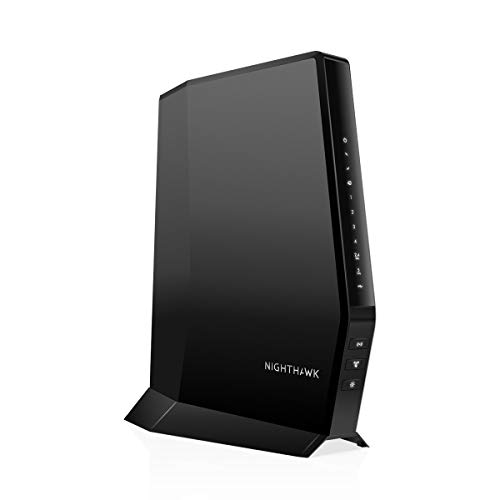
The NETGEAR Nighthawk CAX30 combines a DOCSIS 3.1 cable modem with a Wi-Fi 6 router. The listing describes it as an AX2700 unit with a 2.7 Gbps wireless class. It is listed as compatible with providers such as Xfinity, Spectrum, and Cox, but compatibility still depends on your service area and plan. This renewed unit can lower the price compared with buying new hardware.
DOCSIS 3.1 gives this combo more room for modern high-speed cable plans than DOCSIS 3.0 equipment. Wi-Fi 6 helps manage busy homes with many connected devices. The all-in-one design keeps setup neat, but it also means you replace the modem and router together if one part fails or becomes outdated. Confirm the renewed condition and warranty details before purchase.
Pros:
- Combines a DOCSIS 3.1 modem and Wi-Fi 6 router
- Designed for faster cable plans
- Supports a high AX2700 wireless class
- Works with several major cable providers when approved
- Reduces the number of boxes and power adapters
- Good fit for busy homes and gigabit-class service
Cons:
- This listing is for a renewed product
- Provider approval remains essential
- One combined unit offers less upgrade flexibility
- Wireless class does not guarantee real-world speed
What Amazon Buyers Are Saying
Customer comments often highlight the clean all-in-one setup and the stronger platform for faster cable service. Buyers who confirm compatibility tend to value the reduced equipment cost and the Wi-Fi 6 feature set. Complaints often involve activation steps, provider rules, or the condition of renewed hardware. I would read the current listing details closely and test the unit soon after delivery.
My Recommendation
The CAX30 is one of the best choices here for a cable customer who wants one box and a DOCSIS 3.1 platform. The renewed status adds some risk, so the price should reflect that. It is a better match for faster plans than the ARRIS SBG10. Overall, I rate it 4.4 out of 5.
Hitron CODA56 DOCSIS 3.1 Cable Modem

The Hitron CODA56 is a cable modem only. It does not provide Wi-Fi, so you must connect it to a separate router. The modem uses DOCSIS 3.1 and includes a 2.5 Gbps Ethernet port, according to the product listing. It is designed for cable service and is not suitable for fiber or DSL connections.
This setup makes sense for people who want to choose their own router. You can pair it with the TP-Link Archer AX21 for a flexible two-device network. The 2.5 Gbps port also gives a compatible router and service plan room for higher speeds. Before buying, confirm that your provider supports the modem and that your router has the right WAN port.
Pros:
- Uses current DOCSIS 3.1 technology
- Includes a 2.5 Gbps Ethernet port
- Works with a separate router of your choice
- Can support a clean, flexible network design
- Good fit for advanced cable internet users
- Avoids built-in Wi-Fi that you may not need
Cons:
- Does not include Wi-Fi
- Requires a separate router
- Provider compatibility must be checked
- Higher port speed helps only when the plan and router support it
What Amazon Buyers Are Saying
Buyers often like the simple modem-only design and the ability to choose a stronger router. Reviews tend to stress the need for proper activation and provider approval. Some customers expect wireless service from the modem and feel disappointed until they understand that a router is required. Setup results can also depend on the connected router and the cable company’s activation process.
My Recommendation
I recommend the CODA56 for a planned two-device system, especially when you want a modern modem and a separate Wi-Fi router. It is not the right purchase for someone seeking a ready-to-use wireless box. Pair it with a good router and a supported plan for the best result. Overall, I rate it 4.3 out of 5.
DbillionDa Cat 8 Ethernet Cable

The DbillionDa Cat 8 cable comes in several lengths, including the six-foot version shown here. The listing claims support for up to 40 Gbps and 2000 MHz. It uses RJ45 connectors, so it can connect a router, modem, switch, computer, console, or other Ethernet device. A short cable like this helps keep a modem and router close together without leaving a large coil.
In real homes, the connected ports usually limit speed before the cable does. Most cable routers and modems use Gigabit ports, while newer equipment may use 2.5 Gbps ports. Even so, a well-made cable can provide a stable wired link for gaming, work, and network setup. Choose the length that avoids sharp bends and extra slack.
Pros:
- Useful short length for modem-to-router connections
- RJ45 design fits common network hardware
- Listing offers many length choices
- Supports neat cable management behind a desk
- Good for wired gaming and desktop connections
- Can serve as a spare troubleshooting cable
Cons:
- Very high cable ratings exceed many home network ports
- Short length may not suit distant devices
- Thicker cables can be less flexible than basic Cat6 cables
What Amazon Buyers Are Saying
Buyers often mention the cable’s solid feel, useful length options, and reliable connection during everyday use. Many use it for routers, consoles, and computers. Some comments focus on stiffness or connector fit in tight spaces. As with any Ethernet cable, actual speed depends on the modem, router, device, and service plan.
My Recommendation
This is a sensible cable for a short wired connection, but it does not replace a router or modem. I would buy it when the price is close to a standard Cat6 cable and you want a durable spare. Do not pay a large premium for the Cat 8 label alone. Overall, I rate it 4.1 out of 5.
Smolink 50-Foot Cat 8 Ethernet Cable

The Smolink Cat 8 cable measures 50 feet and uses a nylon-braided outer layer. The listing describes it as a shielded UFTP cable with a claimed 40 Gbps and 2000 MHz rating. That long reach can help connect a router to a gaming PC, office, or access point in another room. Its RJ45 ends work with standard Ethernet ports.
A long cable needs careful routing. Keep it away from sharp bends, heat, and areas where people may step on it. The braided jacket may help with handling, but it can still create extra bulk compared with a short patch cable. This is a useful choice when wireless latency or weak signal makes a wired run more attractive.
Pros:
- 50-foot length reaches distant rooms
- Braided outer jacket offers a strong feel
- Shielded design suits busy cable areas
- Useful for gaming PCs and office equipment
- RJ45 connectors work with common network ports
- Can reduce reliance on weak Wi-Fi at a desk
Cons:
- Long cable runs need careful management
- May feel bulky in small spaces
- Connected hardware may not use its full rated capacity
What Amazon Buyers Are Saying
Customer feedback commonly points to the long reach, braided finish, and stable wired connection. Buyers use it for game consoles, PCs, routers, and rooms far from the main network box. Some users find long braided cables less easy to hide. Other comments reflect normal limits from router ports and internet plans rather than the cable itself.
My Recommendation
I recommend this cable when you need a long run to a gaming or work area. It can improve consistency by replacing a weak wireless link, but it will not increase the speed supplied by your provider. Measure the path first, then choose the shortest length that works. Overall, I rate it 4.2 out of 5.
Ultra Clarity 100-Foot Cat6 Cable

The Ultra Clarity cable provides a 100-foot Cat6 Ethernet run. The listing describes support for up to 10 Gbps and a 500 MHz bandwidth. It has RJ45 connectors and works with routers, modems, computers, consoles, and switches. The long size is useful when you need to move a wired connection across a home, office, or entertainment area.
Cat6 is already enough for many home networks, especially when the connected ports run at one Gigabit. The 100-foot length gives you reach, but it also demands a clean route. Avoid crushing the cable under furniture or pulling hard on the ends. This product makes more sense for a planned long run than for a modem sitting beside a router.
Pros:
- 100-foot length supports wide room layouts
- Cat6 is suitable for many home Ethernet networks
- Useful for PCs, consoles, routers, and switches
- Supports a wired link where Wi-Fi is weak
- Gold-plated RJ45 connectors are listed by the brand
- Often more practical than paying extra for Cat 8
Cons:
- Excess length can create cable clutter
- Needs careful routing to avoid damage
- Not ideal for a simple short modem connection
What Amazon Buyers Are Saying
Buyers often like the length, easy connection, and usefulness for home offices or entertainment rooms. Many customers use it to connect devices that sit far from the router. Common concerns include the work needed to hide a 100-foot cable and the risk of ordering more length than necessary. Real speed still depends on the network equipment at each end.
My Recommendation
This cable is a good value when you need a long wired path. I prefer Cat6 for many homes because it offers useful performance without making the cable thicker than needed. Measure your route before buying. Overall, I rate it 4.2 out of 5.
How to Choose Best Router for Cable Internet
Choosing the best router for cable internet starts with one key question: do you need a router, a modem, or both? A router shares the connection with your devices. A cable modem connects your home to the cable provider. A combo unit performs both jobs. Once you know the correct type, compare the points below.
1. Match the Equipment to Your Cable Provider
Do not buy based on speed alone. Cable providers approve specific modem models for their networks. Check the provider’s compatibility list before you order. This step matters even when a product listing names a major company.
Also check your plan speed. DOCSIS 3.0 equipment may suit moderate plans, while DOCSIS 3.1 offers a better path for many newer high-speed plans. Your provider may also require a certain firmware version or activation process. A device that works in one city may not work in another service area.
2. Choose Wi-Fi 6 for Busy Homes
Wi-Fi 6 can help when many phones, laptops, TVs, cameras, and smart devices share the network. It improves how the router manages traffic. It does not turn a 300 Mbps plan into a gigabit plan, and it does not guarantee a fixed speed in every room.
Look at the router’s Ethernet ports too. A Gigabit port fits many cable plans. A 2.5 Gbps port makes more sense for a faster plan, a DOCSIS 3.1 modem, or a wired home network with higher local speeds. Place the router in an open, central spot for better coverage.
3. Compare Total Cost and Upgrade Flexibility
A modem/router combo saves space and can simplify setup. However, you must replace both functions if the unit fails or becomes outdated. Separate devices cost more at first, but they let you upgrade the router and modem at different times.
Remember the cost of cables, activation, and possible provider fees. A long Ethernet cable may help one distant device, but it will not improve every wireless room. For a small home, the Archer AX21 with a compatible modem offers a strong balance. For a one-box setup, the CAX30 offers newer cable and Wi-Fi technology than the SBG10.
Final Verdict: Which Should You Buy?
The TP-Link Archer AX21 is my best router for cable internet because it offers Wi-Fi 6, easy setup, Gigabit ports, and a useful upgrade path. Choose the NETGEAR CAX30 if you want one DOCSIS 3.1 combo unit.
Always confirm provider compatibility before buying. The right modem, router, placement, and Ethernet cable work together to deliver dependable home internet.
FAQs Of Best Router for Cable Internet
Do I need a modem and router for cable internet?
Yes, you need both functions. You can buy separate devices or choose a modem/router combo such as the ARRIS SBG10 or NETGEAR CAX30.
Is the TP-Link Archer AX21 a cable modem?
No. The Archer AX21 is a Wi-Fi router. You must connect it to a compatible cable modem.
Is DOCSIS 3.1 better than DOCSIS 3.0?
DOCSIS 3.1 is a newer cable standard and usually gives faster plans more room to grow. Your provider and plan still determine the actual speed.
Can I use a Cat 8 cable with a normal router?
Yes. Cat 8 Ethernet cables use standard RJ45 connectors. The router, modem, and device will limit the connection if their ports support less speed.
How do I check cable modem compatibility?
Open your provider’s approved modem list and search for the exact model number. Confirm the list for your service area before purchase.