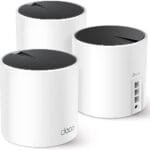
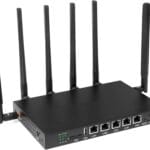
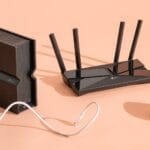
The best gaming WiFi channels are 1, 6, or 11 on 2.4GHz and the clearest low-interference 5GHz channel.
Lag spikes often appear at the worst time. You may have fast internet, yet a crowded WiFi channel can still cause high ping, slow downloads, and dropped game sessions. The right channel, a strong antenna, or a well-placed dual-band extender can make your connection feel much more stable. I reviewed six useful options for gaming setups, from PCIe WiFi hardware to desktop antennas and signal extenders. I also explain how to choose 2.4GHz and 5GHz channels for gaming without relying on guesswork.
See the differences between my top picks at a glance.
Eightwood WiFi 6E Tri-Band Antenna

The Eightwood WiFi 6E Tri-Band Antenna is a useful upgrade for a desktop computer that already has a compatible wireless card. Its three-band design covers 2.4GHz, 5GHz, and 6GHz networks. The magnetic base gives you more freedom than small antennas attached directly behind a PC. I like this design because antenna position can affect signal quality more than many buyers expect.
The 6.5-foot extension cable lets you move the antenna away from a metal computer case, wall, or desk corner. That can help a gaming PC maintain a cleaner link when the router sits in another room. It will not choose the best WiFi channel by itself, and it cannot repair a poor router placement. Still, it pairs well with a WiFi 6E adapter when you want better physical signal positioning.
Pros:
- Supports 2.4GHz, 5GHz, and 6GHz bands
- Magnetic base makes placement simple
- Long 6.5-foot extension cable
- Useful for desktop PCs with limited antenna access
- Can help separate antennas from metal case interference
- Works well with compatible WiFi 6E PCIe cards
Cons:
- Requires compatible RP-SMA antenna connectors
- Does not include a WiFi adapter or router
- Signal improvement depends on the original antenna and placement
What Amazon Buyers Are Saying
Buyer feedback for this type of antenna commonly focuses on easier placement, a solid magnetic base, and improved flexibility for desktop builds. Some users like moving the antenna onto the top or side of a case instead of leaving it behind the computer. The main complaint to watch for is compatibility. Buyers who expect an antenna to work as a stand-alone wireless adapter may be disappointed, while users with the correct RP-SMA card tend to understand its role better.
My Recommendation
I recommend this antenna for gamers who already own a WiFi 6E PCIe card but keep the computer under a desk or inside a crowded setup. It is not a complete networking solution, yet it can make antenna positioning much easier. For the Best 2.4GHz And 5GHz WiFi Channels Gaming setup, this is a sensible accessory when the router and wireless card already support modern bands.
| Category | Rating |
|---|---|
| Compatibility clarity | 4/5 |
| Placement flexibility | 4.5/5 |
| Gaming signal potential | 4/5 |
| Value | 4/5 |
| Overall Rating | 4.1/5 |
Dual-Band WiFi Extender With Ethernet

This dual-band WiFi extender targets homes with weak coverage in rooms far from the main router. It supports both 2.4GHz and 5GHz connections and includes an Ethernet port. That wired port can help connect a game console, smart TV, or desktop PC that sits near the extender. The listed coverage and device capacity are large, but real results will depend on walls, distance, router quality, and local interference.
For gaming, placement matters more than the biggest number on the box. I would place the extender where it still receives a strong signal from the router, not in the dead zone itself. The 5GHz band may deliver better speed nearby, while 2.4GHz usually travels farther through walls. You can test both bands and use the one that gives the lowest stable ping in your gaming room.
Pros:
- Supports both common home WiFi bands
- Includes an Ethernet port for nearby wired devices
- Useful for rooms beyond the router’s normal range
- Can serve older 2.4GHz devices and newer 5GHz devices
- May improve coverage without moving the main router
- Suitable for homes with several connected devices
Cons:
- Coverage claims cannot predict performance in every home
- Wireless repeating can reduce available throughput
- It may add latency if placed too far from the router
What Amazon Buyers Are Saying
Feedback on dual-band extenders often praises the ability to bring WiFi into rooms that previously had weak service. Buyers also tend to value an Ethernet port for devices that need a steadier connection. Common concerns include setup confusion, inconsistent results through thick walls, and lower speed when the extender receives a weak source signal. These are normal limits of repeater systems, so placement and testing remain important.
My Recommendation
This extender is worth considering when your gaming room has a coverage problem rather than a broadband-speed problem. It can be a practical lower-cost fix, especially when you need an Ethernet connection at the far end of the house. I would not use it as my first choice for competitive gaming if a direct Ethernet cable or mesh system is possible.
| Category | Rating |
|---|---|
| Coverage usefulness | 4/5 |
| Band flexibility | 4/5 |
| Gaming suitability | 3.7/5 |
| Ease and value | 4/5 |
| Overall Rating | 3.9/5 |
TP-Link RE220 Dual-Band WiFi Extender
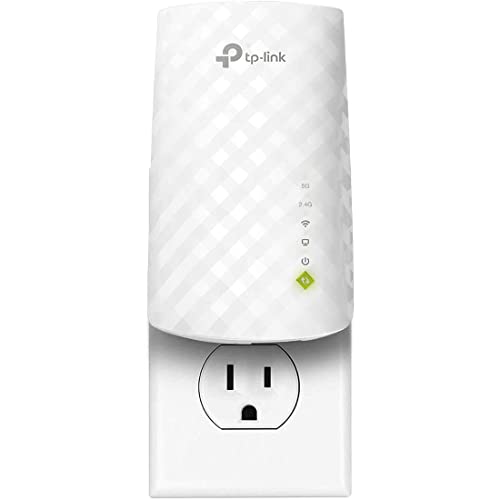
The TP-Link RE220 is a compact dual-band extender for buyers who want a familiar, simple way to improve coverage. It supports 2.4GHz and 5GHz WiFi and includes an Ethernet port. The manufacturer lists coverage up to 1,200 square feet and support for up to 32 devices, although home layout and network traffic will change those results. Its OneMesh support may help compatible TP-Link routers create a more unified network.
This model makes the most sense for a small or medium home. It can help a console or PC that sits just outside the router’s useful range, but it is not designed to match a modern high-end WiFi 6 access point. The 5GHz link can be useful for faster local performance at shorter range. If the signal must pass through several walls, 2.4GHz may stay connected more reliably.
Pros:
- Dual-band 2.4GHz and 5GHz operation
- Ethernet port for a wired device
- Compact design for common home outlets
- Supports OneMesh with compatible TP-Link equipment
- Good fit for modest coverage gaps
- Clear choice for users who prefer an established networking brand
Cons:
- Lower ceiling than newer WiFi 6 extenders
- Coverage depends heavily on correct placement
- Not ideal for many high-bandwidth users at once
What Amazon Buyers Are Saying
Amazon buyers commonly discuss the RE220’s small size, accessible setup, and ability to improve a weak signal in a nearby room. Some users report good results for streaming and everyday browsing. The most frequent limitation with products in this class is speed loss when the extender connects wirelessly to the router. A few buyers also need more than one setup attempt before finding the best outlet location.
My Recommendation
I would choose the RE220 for a budget gaming room that is close to the main router but has one troublesome dead spot. It offers useful basics without adding complex controls. However, I would avoid it for a gigabit gaming setup where you expect the extender to deliver the full speed of a newer WiFi 6 router.
| Category | Rating |
|---|---|
| Basic coverage | 4/5 |
| Setup appeal | 4.2/5 |
| Gaming performance | 3.6/5 |
| Value | 4.2/5 |
| Overall Rating | 4/5 |
WiFi 6E PCIe AXE5400 Gaming Adapter

This WiFi 6E PCIe adapter is the strongest direct upgrade in this group for a compatible gaming desktop. It uses the Realtek RTL8852CE chip and supports 2.4GHz, 5GHz, and 6GHz bands. The listed AXE5400 class and 160MHz channel support can provide a high-speed wireless link when the router, operating system, and local conditions also support them. It includes Bluetooth 5.3 and dual bracket options for different computer cases.
The 6GHz band can be attractive for gaming because it may have less congestion than older bands. Yet 6GHz has shorter range and needs compatible equipment at both ends. For most homes, 5GHz remains the practical high-speed choice, while 2.4GHz helps with distance and older devices. The adapter gives you more options, but it does not guarantee lower ping if your router, ISP, or nearby interference causes the real problem.
Pros:
- Tri-band support for 2.4GHz, 5GHz, and 6GHz
- Supports wide 160MHz channels where conditions allow
- Includes Bluetooth 5.3 support
- PCIe design suits desktop gaming PCs
- Dual brackets improve case compatibility
- Provides a path toward newer WiFi 6E networks
Cons:
- Needs an open compatible PCIe slot
- Designed for Windows 10 and Windows 11 systems
- 6GHz benefits require a WiFi 6E router
- Drivers and antenna installation still require basic PC knowledge
What Amazon Buyers Are Saying
Feedback for PCIe wireless adapters often highlights better convenience than USB adapters, Bluetooth support, and the benefit of using a modern tri-band network. Buyers also tend to appreciate having a second bracket for smaller cases. The complaints to consider include driver setup, antenna connection issues, and performance that falls below the advertised link rate. That gap is normal because channel width, distance, router capability, and interference all affect real speed.
My Recommendation
This is my top hardware pick for a desktop gamer who needs a new wireless adapter. It gives you the broadest band choice in this review and can take advantage of a modern WiFi 6E router. I would buy it only after checking your case, PCIe slot, operating system, and antenna connector. When those match, it offers excellent long-term value for the Best 2.4GHz And 5GHz WiFi Channels Gaming setup.
| Category | Rating |
|---|---|
| Wireless capability | 4.6/5 |
| Band flexibility | 4.7/5 |
| Gaming potential | 4.5/5 |
| Installation and value | 4.1/5 |
| Overall Rating | 4.5/5 |
Eightwood Dual-Band WiFi Antenna
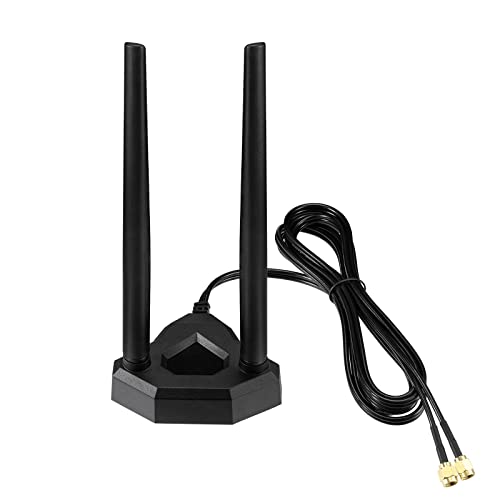
The Eightwood Dual-Band WiFi Antenna is a simple accessory for desktop computers, PCIe cards, motherboards, and routers that use compatible RP-SMA connectors. It supports 2.4GHz and 5GHz signals and includes a 6.5-foot extension cable. This design lets you put the antenna in a more open spot instead of leaving it behind the PC. For some gaming desks, that small change can improve signal stability.
This is not a wireless card, range extender, or channel selector. It only improves the antenna arrangement of compatible hardware. I see it as a low-cost troubleshooting tool when your current antennas are blocked by a case, wall, or other equipment. Before ordering, check the connector type and the number of antenna ports on your device.
Pros:
- Supports both 2.4GHz and 5GHz networks
- Long extension cable helps with antenna placement
- Useful for PCs, PCIe cards, and compatible routers
- Simple way to move antennas into open air
- Can help reduce problems caused by a hidden rear-panel position
- Usually easier to install than replacing a complete network card
Cons:
- Requires compatible RP-SMA connections
- Does not increase the internet plan speed
- Results vary with the wireless card and router
What Amazon Buyers Are Saying
Buyers who understand that this is an antenna accessory often like the cable length and the freedom to position it on a desk. Many comments about antenna products also focus on whether the connector fits the intended card. Negative experiences usually come from incorrect connector expectations or from expecting a large speed increase without changing placement. I recommend checking your existing antenna sockets before relying on customer photos or descriptions.
My Recommendation
I recommend this model for a desktop gamer who already has a working dual-band adapter but poor antenna placement. It is affordable and easy to test. I would not buy it as a first step if your PC lacks a wireless card, because an antenna alone cannot create a WiFi connection. With compatible hardware, it earns a strong value rating.
| Category | Rating |
|---|---|
| Compatibility potential | 4/5 |
| Placement flexibility | 4.4/5 |
| Gaming usefulness | 3.9/5 |
| Value | 4.4/5 |
| Overall Rating | 4.2/5 |
Quick-Link Dual-Band WiFi Extender

This dual-band WiFi extender focuses on quick setup and broad home coverage. The product listing states coverage up to 13,888 square feet and support for up to 150 devices. Treat those figures as ideal claims, not a promise for every building. Thick walls, floors, neighboring networks, and the distance from the main router can greatly change real performance.
The extender supports 2.4GHz and 5GHz networks and includes an Ethernet port. That makes it useful for a distant gaming desk where running a new cable is difficult. I would test ping at different times of day after installation. If the extender uses a busy channel or receives a weak signal, it may expand coverage but still deliver an unstable gaming connection.
Pros:
- Dual-band design supports common home devices
- Quick-link setup aims to reduce installation time
- Ethernet port supports a nearby wired connection
- Useful for larger homes with distant rooms
- Can help connect smart devices and game systems outside the main router area
- Offers a practical alternative to replacing the main router
Cons:
- Very large coverage claims depend on ideal conditions
- Wireless backhaul can limit gaming speed and response time
- Device capacity does not equal maximum high-speed performance
- Best placement may take several tests
What Amazon Buyers Are Saying
Feedback for quick-setup extenders often praises convenience and the ability to reach rooms that lost signal before. Buyers also like Ethernet ports because they can connect one important device directly. Common complaints in this category include confusing network names, reduced speed at long range, and performance that changes when many devices connect. Those points make it important to compare ping and packet loss, not only signal bars.
My Recommendation
This extender is a reasonable choice for a large home or a temporary coverage problem. I would place it halfway between the router and the gaming room, then test 5GHz and 2.4GHz separately. It is less attractive for serious competitive play than a wired access point, but it can offer good value for casual and online multiplayer gaming.
| Category | Rating |
|---|---|
| Coverage flexibility | 4.1/5 |
| Setup appeal | 4.2/5 |
| Gaming stability | 3.7/5 |
| Overall value | 4/5 |
| Overall Rating | 4/5 |
How to Choose Best 2.4GHz And 5GHz WiFi Channels Gaming
Choosing the best WiFi setup for gaming starts with the channel, but it should not end there. A clear channel cannot fix a weak signal, bad router placement, or a slow wireless adapter. I look at channel width, nearby networks, band range, antenna position, and ping stability. These factors matter more than a large advertised speed number.
1. Choose the Right 2.4GHz Channel
The 2.4GHz band travels farther and passes through walls better than 5GHz. It also suffers from more crowding because many routers, Bluetooth devices, cameras, and smart home products use it. In most regions, channels 1, 6, and 11 are the main non-overlapping choices. I normally test those three first.
Do not pick a channel just because it has a higher number. Channels 2 through 5 can overlap nearby channels and create more interference. Use your router’s WiFi analyzer, if available, or a trusted network scanner to see which of channels 1, 6, or 11 has less activity. Then test your game ping and packet loss. The quietest channel at noon may not stay quiet at night.
For 2.4GHz gaming, I usually prefer 20MHz channel width in a busy neighborhood. A 40MHz setting uses more space and may offer a higher link rate, but it can create more overlap. Stable latency is more valuable than a small theoretical speed gain when you play online games.
2. Select a Clean 5GHz Channel
5GHz usually gives better speed and lower congestion than 2.4GHz at close range. It also has more channel choices. Low 5GHz channels, such as 36, 40, 44, and 48, are common starting points. Higher channels, including 149 through 161 in supported regions, may also work well. Your country, router, and local rules decide which channels appear.
Some 5GHz channels use DFS. DFS stands for Dynamic Frequency Selection. A router on a DFS channel must watch for radar signals and may change channels if it detects them. This can create a short interruption. DFS channels can be useful when normal channels are crowded, but I avoid them for a tournament or a critical live session unless I have tested the connection for a long time.
Start with 80MHz width if your router and gaming device support it. If you see unstable ping or many nearby networks, try 40MHz. A narrower channel may reduce interference and improve consistency. The best 2.4GHz And 5GHz WiFi Channels Gaming choice is the channel that gives stable latency in your home, not the channel with the highest link speed shown in a menu.
3. Match the Hardware to Your Room
A gaming desktop needs a suitable wireless adapter and well-placed antennas. If the PC sits under a desk, behind a monitor, or beside a metal case, an antenna extension can help. Make sure the connector type matches before you buy. An RP-SMA antenna will not solve a problem if your device uses a different connector or has no external antenna ports.
Choose a WiFi 6E adapter only if your router supports 6GHz and your computer can use the card. The 6GHz band can be clean and fast, but it has shorter range than 5GHz. It may work best in the same room as the router. For a distant bedroom, a strong 5GHz signal or wired access point may perform better.
For extenders, place the unit where it receives a good signal. Do not put it inside the dead zone. If the extender connects to the router at a poor signal level, it will repeat a poor connection. An Ethernet cable from the extender to the gaming PC can help the last link, but it does not remove a weak wireless link between the extender and router.
Also check your router settings. Turn off unused guest networks, update firmware, and keep the router in an open central location. Separate heavy downloads from gaming when possible. A game may use modest bandwidth, but large uploads, cloud backups, and video streams can fill the connection and cause bufferbloat. A router with smart queue management can help more than changing channels alone.
Final Verdict: Which Should You Buy?
The WiFi 6E PCIe AXE5400 is my best overall pick for a compatible gaming desktop. The Eightwood Tri-Band antenna is my favorite accessory for better placement. Choose an extender only when room coverage is the main problem.
For the Best 2.4GHz And 5GHz WiFi Channels Gaming results, start with 2.4GHz channels 1, 6, or 11 and test clean 5GHz channels. Stable ping matters more than headline speed.
FAQs Of Best 2.4GHz And 5GHz WiFi Channels Gaming
What is the best 2.4GHz WiFi channel for gaming?
Test channels 1, 6, and 11 first. Choose the one with the least interference and the most stable ping in your home.
Which 5GHz channel is best for online gaming?
Start with a clear non-DFS channel such as 36, 40, 44, or 48. Higher channels may also work, depending on your region and router.
Should gaming use 2.4GHz or 5GHz WiFi?
Use 5GHz when the gaming device is near the router. Use 2.4GHz when walls and distance make the 5GHz signal unstable.
Does a WiFi extender reduce gaming ping?
An extender can improve a weak connection, but wireless repeating may add delay. Place it close enough to the router and test ping before gaming.
Is WiFi 6E worth it for a gaming PC?
It can be worthwhile if you have a WiFi 6E router, a compatible PC, and a short path between the devices. Otherwise, a strong 5GHz connection may be better value.