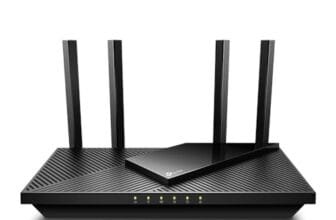

The best router for a 2-story house is a reliable mesh system with strong coverage, fast backhaul, and easy room-to-room roaming.
A weak signal upstairs can ruin video calls, slow smart home devices, and cause streaming drops. Thick floors, walls, and long hallways make the problem worse. I tested these mesh Wi-Fi options by looking at coverage, speed class, setup, device capacity, and value. The systems below fit different homes and budgets. Some offer simple Wi-Fi 5 coverage, while others bring Wi-Fi 6 or Wi-Fi 7 speed for busy homes. If you need the best router for a 2-story house, start by matching the system size and wireless standard to your home, internet plan, and number of devices.
See the differences between my top picks at a glance.
Google Nest Wifi 2-Pack

Google Nest Wifi remains a friendly choice for homes that value simple setup over the newest wireless speed. This two-piece system combines a main router with a Wi-Fi point to spread the signal across floors. The Google Home app guides setup and makes basic network control easy. It suits families that want fewer settings and less network work.
The system uses Wi-Fi 5, so it does not match newer Wi-Fi 6 or Wi-Fi 7 kits for peak speed. Still, it can handle normal streaming, web use, smart speakers, phones, and work laptops in many homes. Place the router near the modem and the point near the weak area, not in the farthest dead zone. For a modest two-story house, this layout can create a smoother connection than one router alone.
Pros:
- Simple setup through the Google Home app
- Easy mesh roaming from room to room
- Clean design that fits living spaces
- Good match for basic family internet use
- Two units help reduce upstairs dead zones
Cons:
- Older Wi-Fi 5 standard limits future speed
- Coverage depends on good point placement
- Advanced network controls are limited
What Amazon Buyers Are Saying
Amazon review patterns for Nest Wifi often center on easy installation, stable coverage, and the clean look of the hardware. Buyers who replace a single weak router often appreciate the better reach across floors. Some users report that performance depends strongly on where they place the point.
Common concerns include limited advanced settings and lower speed than newer Wi-Fi 6 systems. Buyers also need to check current app, subscription, and compatibility details before purchase. Review experiences can vary by home layout, internet plan, and local wireless interference.
My Recommendation
I recommend this kit for a smaller two-story home with a moderate internet plan. It is not my first pick for gigabit service or a large group of demanding devices, but it remains easy to use. It earns its place as a simple, low-stress mesh option.
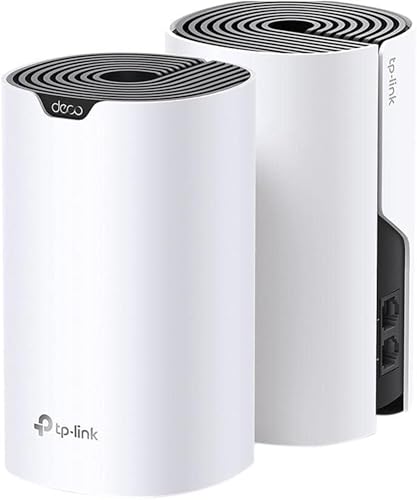
TP-Link Deco W6000 2-Pack

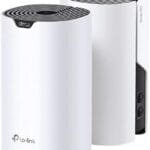
The TP-Link Deco W6000 two-pack is a strong value pick for a two-story house. This renewed system uses Wi-Fi 6 and lists coverage of up to 5,000 square feet. Two mesh routers can share the network across floors and support many modern phones, TVs, laptops, and smart devices. It offers a useful step up from older Wi-Fi 5 mesh systems.
Wi-Fi 6 helps the system manage busy networks more efficiently than older standards. The actual speed still depends on your internet plan, walls, device support, and node placement. I would put one unit on the main floor near the modem and the second unit above it or near the stair area. Since this listing is renewed, inspect the return policy and included accessories before ordering.
Pros:
- Modern Wi-Fi 6 support
- Two-unit layout suits many two-story homes
- Listed coverage of up to 5,000 square feet
- Better device handling than basic older mesh kits
- Strong value when the renewed price is favorable
Cons:
- Renewed condition may vary by seller and unit
- Large homes with thick walls may need another node
- Top speed depends on client device support
What Amazon Buyers Are Saying
Customer review themes for Deco systems commonly include simple app-led setup, improved reach, and good value. Buyers often like having one network name across the home instead of switching between separate router names. Many also point to better results after moving the satellite away from the edge of the coverage area.
Some buyers mention setup issues, firmware concerns, or the need to adjust node placement. Renewed products can bring more variation in packaging and condition than new products. I suggest checking recent listing feedback and testing every room during the return period.
My Recommendation
This is one of my best value choices for the best router for a 2-story house. It makes sense for families that want Wi-Fi 6 coverage without paying for a premium Wi-Fi 7 system. The renewed status keeps it from earning a perfect score, but the feature mix is appealing.
NETGEAR Orbi RBE773 Wi-Fi 7

The NETGEAR Orbi RBE773 is the performance leader in this group. It is a tri-band Wi-Fi 7 mesh system with one router and two satellite extenders. The listing claims up to 8,000 square feet, support for up to 100 devices, and speeds up to 11Gbps. It also includes a 2.5-gig internet port, which suits faster modern broadband plans.
This system makes the most sense in a large home with many active devices. Wi-Fi 7 features can improve capacity and responsiveness when compatible devices connect, but older phones will not gain every benefit. The renewed listing deserves careful review before purchase. You should also confirm your modem, Ethernet wiring, and internet plan can use the available speed.
Pros:
- Newest Wi-Fi 7 platform in this comparison
- Tri-band design supports busy mesh traffic
- Listed coverage of up to 8,000 square feet
- 2.5-gig internet port supports fast service
- Large three-unit layout helps cover wide homes
Cons:
- Higher cost than basic mesh systems
- Many current devices may not support Wi-Fi 7
- Renewed condition calls for careful inspection
What Amazon Buyers Are Saying
Reviews for high-end Orbi systems often praise broad coverage, strong throughput, and the ability to handle many devices. Buyers with large homes tend to value the three-unit setup and fast wired ports. Some users also like the clear performance gain when they upgrade from an older single router.
Common complaints in this class include setup quirks, firmware updates, and the price of advanced features. Some buyers dislike added security or management costs when optional services appear in the app. Since this is a renewed listing, read the current buyer feedback and seller terms closely.
My Recommendation
I recommend the RBE773 for a large two-story house, fast internet, and a long upgrade plan. It is more router than a small home needs. If you want the most advanced option here and can use its extra capacity, it is a compelling premium choice.
NETGEAR Orbi RBK13

The NETGEAR Orbi RBK13 gives smaller homes a three-unit mesh layout at a lower tier than premium Orbi models. The package includes one router and two satellites, with a listed coverage area of up to 4,500 square feet. That layout can work well in a two-story home with several rooms and a central stairway. It focuses on broad, steady coverage rather than new Wi-Fi 6 or Wi-Fi 7 features.
This is a Wi-Fi 5 system, so I would pair it with a modest or mid-range internet plan. It can still serve common tasks such as streaming, browsing, online classes, and smart home control. The third unit gives you more placement flexibility than a two-pack. Avoid placing all units behind cabinets, near metal, or at the far edge of the signal.
Pros:
- Three units support flexible home placement
- Listed coverage of up to 4,500 square feet
- Good fit for many small and medium two-story homes
- Simple single-network mesh experience
- Often attractive when discounted or renewed
Cons:
- Wi-Fi 5 is older than newer alternatives
- Not ideal for the fastest gigabit connections
- Large homes may exceed its practical range
What Amazon Buyers Are Saying
Amazon buyers commonly praise the RBK13 for extending Wi-Fi into rooms that a single router could not reach. The three-piece design also receives attention from people who need coverage on two floors plus a garage or basement area. Easy basic setup is another frequent positive theme.
Some reviews point to lower-than-expected wireless speed at distant satellites. Others mention that placement and wall materials affect results. Buyers seeking the latest security, speed, and device capacity may find the platform dated compared with newer Wi-Fi 6 systems.
My Recommendation
The RBK13 is worth considering when coverage matters more than top speed. I would choose it for a moderate-speed plan and a home under the listed coverage range. It is not the best long-term pick for a new gigabit setup, but it can be a practical budget mesh system.
NETGEAR Orbi RBK863S Wi-Fi 6

The NETGEAR Orbi RBK863S is a powerful Wi-Fi 6 mesh system for a large, busy house. It includes one router and two satellite extenders. The listing states coverage up to 8,000 square feet, support for up to 100 devices, and speeds up to 6Gbps. A 10-gig internet port gives this system an unusually strong wired connection option.
This kit makes sense for families that stream, work, game, and run many smart devices at once. Its tri-band design gives the mesh system a dedicated path for communication between units, which can help preserve client performance. Wi-Fi 6 devices can use its newer efficiency features, while older devices still connect normally. The listing includes an Armor subscription, so confirm the current service terms and renewal cost.
Pros:
- Very broad listed coverage for large homes
- Wi-Fi 6 handles busy device loads well
- Tri-band mesh design supports stronger backhaul
- 10-gig internet port supports advanced networks
- Three units help cover multiple floors and distant rooms
Cons:
- Premium hardware may exceed normal home needs
- Optional security service may add ongoing cost
- Renewed condition requires careful seller review
What Amazon Buyers Are Saying
Review themes around this Orbi class often focus on strong coverage, fast local transfers, and better performance in large homes. Buyers with many devices tend to value the extra capacity and three-piece layout. Wired backhaul users may also appreciate the faster port options.
Common concerns include the purchase price, app prompts for subscription services, and the size of the hardware. Some buyers need more time to tune placement or update firmware. Results still depend on the home structure and the quality of the internet connection entering the router.
My Recommendation
I recommend the RBK863S for a large two-story home with many users and demanding devices. It offers more useful headroom than a basic Wi-Fi 5 kit. Buy it when you can use its coverage and ports; otherwise, a less expensive Wi-Fi 6 system gives better value.
Nest Wifi Router and Two Points

This Nest Wifi package adds two points to the main router. That three-piece layout can spread Wi-Fi across a two-story home, basement, office, or garage area. The points also include Google Assistant features, which may appeal to households already using Google smart home products. The system keeps setup and daily control inside the Google Home app.
Like the two-pack, this is an older Wi-Fi 5 platform. Its strength is simple coverage, not cutting-edge throughput. I would use the router on the main floor and place points where they still receive a strong signal from the network. This package can be a good fit for a family that wants broad basic Wi-Fi without managing complex settings.
Pros:
- Three-unit design gives flexible coverage
- Easy Google Home setup and control
- Useful for homes with several weak areas
- Google Assistant points add smart home value
- Simple network name supports easy roaming
Cons:
- Wi-Fi 5 is less future-ready than Wi-Fi 6
- Advanced controls are not its main strength
- Point placement still affects real-world speed
What Amazon Buyers Are Saying
Buyers often like this package because it covers more rooms than a single router and keeps setup simple. Google Home users may enjoy the added voice assistant functions in the points. Reviews also commonly mention a cleaner experience after replacing several separate extenders.
Some customer reports note slower speeds at the points or trouble caused by poor placement. Others want more control over channels, settings, or device rules. Before buying, check the current app requirements and support details because software features can change over time.
My Recommendation
This is a sensible choice for a larger but uncomplicated home that needs three mesh nodes. I prefer the TP-Link Wi-Fi 6 kit for most new buyers, but this Nest package can win on ease of use and smart home comfort. It earns a solid score for coverage and simplicity.
How to Choose the Best Router for 2-Story House
Choosing the best router for a 2-story house takes more than reading the largest speed number on the box. I look at the home layout, floor materials, internet plan, client devices, and node placement. A mesh system usually works better than one powerful router when rooms sit far apart or floors block the signal.
1. Match Mesh Coverage to Your Floor Plan
Start with the total living area, but do not trust coverage claims as exact promises. Those figures come from controlled conditions. Brick, concrete, tile, metal ducts, thick floors, and appliances can reduce range.
For many two-story homes, a two-pack works well when the floors align and the stair area stays open. A three-pack gives better reach when the home has long hallways, a finished basement, or a detached work area. Place the second node halfway between the main router and the weak room. A satellite at the edge of a dead zone may repeat a weak signal and deliver poor speed.
2. Choose the Right Wi-Fi Generation and Backhaul
Wi-Fi 5 can handle basic streaming and web use, but Wi-Fi 6 gives better efficiency in busy homes. It helps compatible devices share airtime with less waste. Wi-Fi 7 adds newer features and higher speed potential, yet you need compatible devices and a fast internet plan to gain the most from it.
Tri-band mesh systems can reserve one band for communication between nodes. This backhaul can help keep client devices faster than a simple dual-band system, especially when the satellites connect wirelessly. Ethernet backhaul is even better when your home has network cables between floors. Check port speeds if you plan to use wired connections or multi-gig internet.
3. Compare Real Value, Support, and Security
Do not pay for features your home cannot use. A premium Wi-Fi 7 kit may waste money in a small home with a 200Mbps plan and older phones. On the other hand, a low-cost Wi-Fi 5 system may feel dated if you have gigabit service, many users, or frequent large downloads.
Check the app, firmware support, warranty, return policy, and any optional subscription. Renewed equipment can offer strong value, but the seller condition matters. I also prefer a system with clear placement tools, guest Wi-Fi, automatic updates, and basic parental controls. These small details affect daily use more than a headline speed figure.
Final Verdict: Which Should You Buy?
For most large homes, the TP-Link Deco W6000 offers the best balance of Wi-Fi 6 speed, coverage, and price. Choose NETGEAR Orbi RBE773 for premium Wi-Fi 7 performance, or RBK13 for a basic budget setup.
The best router for a 2-story house is the system that fits your layout and internet plan. Place each node well, test every room, and confirm current Amazon terms before ordering.
FAQs Of Best Router for 2-Story House
Is a mesh router better for a two-story house?
Usually, yes. A mesh system uses two or more nodes to spread Wi-Fi across floors and reduce dead zones. Good placement still matters.
How many mesh units do I need for a 2-story home?
Many homes need two units. Choose three when the house is large, has thick walls, or includes a basement, garage, or long hallway.
Is Wi-Fi 6 worth it for a two-story house?
Yes, if you have many devices or a fast internet plan. Wi-Fi 6 improves efficiency and capacity compared with Wi-Fi 5.
Where should I place the second mesh router upstairs?
Place it in an open area near the stairway or above the main router. Avoid placing it in the farthest room with an already weak signal.
Can a mesh router improve slow internet service?
It can improve Wi-Fi coverage, but it cannot increase the speed supplied by your internet provider. Test your plan near the main router first.