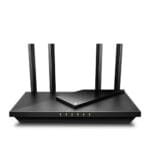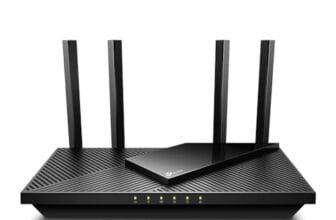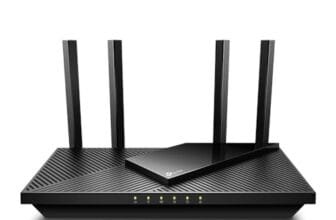

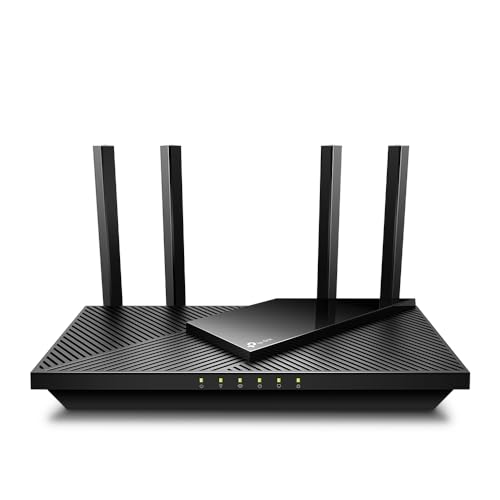
The TP-Link Archer AX21 is the best router for apartments because it balances speed, range, ease, and value.
Dead zones, slow video calls, and weak signals can make apartment Wi-Fi feel far worse than your internet plan. Thick walls, nearby networks, and many smart devices often add to the problem. I tested the key features, ports, wireless standards, setup tools, and value of these popular routers to find the best fit for small homes. The right model can improve streaming, gaming, work calls, and smart home use without taking up much space.
See the differences between my top picks at a glance.
TP-Link Archer AX21: Best Overall

The TP-Link Archer AX21 is an excellent match for most apartments. It uses Wi-Fi 6, also called 802.11ax, to handle many connected devices with less delay than older Wi-Fi 5 routers. Its AX1800 class gives it enough speed for streaming, work calls, browsing, and online play on a typical apartment internet plan. The router also includes gigabit Ethernet ports for wired devices such as a desktop computer, game console, or smart TV.
I like the balance here. The Archer AX21 does not chase extreme features that many apartment users will never need. It offers EasyMesh support, so you can add a compatible unit later if one room still has a weak signal. Its Alexa support and simple setup also help users who want reliable Wi-Fi without spending hours in a network menu. For most people searching for the best router for apartments, this is the safest starting point.
Pros:
- Wi-Fi 6 handles busy homes better than older Wi-Fi 5
- Gigabit Ethernet ports support fast wired connections
- EasyMesh can help expand coverage later
- Strong balance of speed, features, and price
- Simple setup suits first-time router buyers
- Works with Alexa for basic voice control
Cons:
- It is a dual-band router, not a tri-band model
- Large apartments with thick walls may need a mesh add-on
- Advanced users may want more detailed network tools
What Amazon Buyers Are Saying
Amazon buyers commonly praise the Archer AX21 for its simple setup, stable connection, and good value. Many users like that it replaces an older router without a steep learning curve. Reviews also often mention good results for streaming, video calls, and several phones or smart devices at once.
The main complaints tend to involve setup issues, range limits in difficult layouts, or confusion about modem and router roles. Some buyers also expect one router to remove every dead zone in a large or wall-heavy apartment. Those points are worth noting because placement and the quality of the internet modem still affect results.
My Recommendation
I recommend the Archer AX21 for most one-bedroom, two-bedroom, and moderate-size apartments. It gives you modern Wi-Fi 6 features without forcing you to pay for high-end hardware. Buy it if you want a dependable daily router for work, streaming, gaming, and smart home devices.
NETGEAR Nighthawk R6700AX: Best for Easy Coverage

The NETGEAR Nighthawk R6700AX is a practical Wi-Fi 6 router for apartments that need a clear, simple upgrade. NETGEAR lists coverage of up to 1,500 square feet, which fits many smaller homes. It supports up to 1.8 Gbps combined wireless speed and includes four gigabit Ethernet ports. The router is also designed for a stated load of up to 20 devices.
This model makes sense for users who want a familiar brand and a straightforward setup process. Four wired ports give you room for a smart TV, console, computer, and another device. Wi-Fi 6 helps the router share capacity across newer phones, laptops, and smart home products. It may be a strong pick when you want the best router for apartments and prefer coverage guidance stated clearly by the maker.
Pros:
- Wi-Fi 6 supports newer phones and laptops
- Listed coverage of up to 1,500 square feet
- Four gigabit Ethernet ports add useful flexibility
- Designed to support up to 20 devices
- Easy setup can reduce installation stress
- Good fit for streaming and home office use
Cons:
- Coverage can change with walls, floors, and interference
- It lacks the multi-band design of more advanced mesh systems
- Some features may depend on the NETGEAR app or account setup
What Amazon Buyers Are Saying
Common buyer comments focus on easy installation, steady Wi-Fi, and better results than older routers. Users often like the Nighthawk name and the number of Ethernet ports. Many reviews describe it as a useful replacement for basic equipment supplied by an internet provider.
Some customers report trouble during setup or firmware updates. Others say that actual range depends on apartment walls and router placement. These comments do not make the router a poor choice, but they show why you should place it in an open, central spot rather than inside a cabinet.
My Recommendation
The R6700AX is worth buying if your apartment is near the 1,500-square-foot coverage target and you want four wired ports. It is especially useful for households with several connected devices but no need for a premium Wi-Fi 7 router. I would choose it over an older Wi-Fi 5 model when the prices are close.
TP-Link Archer A6: Best Budget Router

The TP-Link Archer A6 is the value choice in this group. It uses Wi-Fi 5 and supports AC1200 class dual-band wireless. That standard is older than Wi-Fi 6, but it still works well for basic browsing, streaming, online classes, and normal apartment use. The router includes gigabit ports, four antennas, MU-MIMO support, OneMesh compatibility, and access point mode.
The Archer A6 suits a small apartment with a modest internet plan and a limited number of demanding devices. Its low cost can make sense for a renter, student, or guest unit. I would not buy it for a crowded home that needs the best performance from new Wi-Fi 6 or Wi-Fi 7 devices. Still, it remains a useful budget option when price matters most.
Pros:
- Usually costs less than newer Wi-Fi 6 models
- Gigabit ports support fast wired internet
- MU-MIMO helps serve several compatible devices
- OneMesh support offers a path to added coverage
- Access point mode supports flexible network layouts
- Four external antennas help with basic home coverage
Cons:
- Wi-Fi 5 is less future-ready than Wi-Fi 6
- Busy homes may see more congestion than with newer models
- It may not suit very fast internet plans or heavy local transfers
What Amazon Buyers Are Saying
Amazon buyers often like the Archer A6 because it is affordable and fairly easy to install. Common positive themes include good basic range, stable browsing, and useful Ethernet ports. Some users also value its access point mode for connecting it to an existing network.
Complaints often center on limited range in larger spaces, setup confusion, and performance that varies with the internet plan. Buyers who expect Wi-Fi 6 features may also find the older wireless standard limiting. The product works best when you match it with a small apartment and normal daily use.
My Recommendation
I recommend the Archer A6 only when saving money is the main goal. It remains a sensible low-cost router for a small apartment, but newer Wi-Fi 6 options offer better long-term value when the price gap is small. Choose it for basic use, not for a crowded smart home or premium broadband plan.
ASUS RT-AX1800S: Best for Network Control

The ASUS RT-AX1800S is a strong option for apartment residents who care about control and security. It uses Wi-Fi 6 and supports AiMesh, ASUS’s system for linking compatible routers. The product also offers parental controls, a built-in VPN feature, and subscription-free network security features. These tools can help families manage devices and keep better track of home network access.
This router is more than a basic wireless box. It suits users who want to change settings, create a cleaner home network, or plan for a future mesh setup. Gaming and streaming households can benefit from its modern wireless standard, though real speed still depends on the internet plan and connected device. If security tools and control matter as much as raw range, the RT-AX1800S deserves serious attention.
Pros:
- Wi-Fi 6 gives the router a modern wireless foundation
- AiMesh allows future expansion with compatible ASUS hardware
- Parental controls help manage children’s online access
- Built-in VPN support adds useful network flexibility
- Subscription-free security features can reduce ongoing costs
- Good fit for gaming, streaming, and smart home use
Cons:
- Extra controls may feel complex to first-time users
- AiMesh expansion requires compatible ASUS equipment
- AX1800 performance is not aimed at the fastest broadband tiers
What Amazon Buyers Are Saying
Buyers often mention the RT-AX1800S when discussing easy setup, strong basic performance, and the ASUS control panel. Many users like the security tools and parental controls. Some also appreciate the option to build an AiMesh network later instead of replacing the router.
Common concerns include firmware settings, setup steps, and the learning curve created by its many features. A few buyers expect the router to improve range in every building, but apartment interference can affect any wireless product. Users who want a simple plug-and-play device may prefer a less feature-heavy model.
My Recommendation
The ASUS RT-AX1800S is worth buying if you want more control than a basic router provides. It is a good choice for families, privacy-minded users, and people who may build an ASUS mesh network later. I would rank it just behind the Archer AX21 for the average apartment because its extra tools can take more time to learn.
TP-Link Archer BE230: Best Wi-Fi 7 Upgrade

The TP-Link Archer BE230 brings Wi-Fi 7 features to this list. It is a dual-band BE3600 router with two 2.5 gigabit ports and three 1 gigabit ports. It also has a USB 3.0 port, a quad-core 2.0 GHz processor, EasyMesh support, VPN tools, HomeShield features, and a private IoT network option. These features make it the most flexible router here for a home with newer wired and wireless equipment.
Wi-Fi 7 is not a magic fix for a weak internet plan. You need compatible devices to gain the most from its newer features. However, the Archer BE230 can make sense if you plan to keep your router for many years, use multi-gig internet, or need fast local wired links. For a small apartment with a basic plan, it may be more router than you need.
Pros:
- Wi-Fi 7 offers the newest wireless platform in this group
- Two 2.5 gigabit ports support faster wired equipment
- Three gigabit ports provide many connection choices
- USB 3.0 adds storage and sharing options
- EasyMesh supports future coverage expansion
- Private IoT networking can help separate smart devices
Cons:
- Many apartment users will not need its advanced features
- Wi-Fi 7 benefits depend on compatible client devices
- Its value is weaker when paired with a slow internet plan
What Amazon Buyers Are Saying
Amazon buyers commonly highlight the Archer BE230’s fast setup, modern features, and multi-gig ports. Users who own newer phones, computers, or network equipment often value its upgrade path. The app and EasyMesh support also receive attention from buyers who want a flexible home network.
Some buyers question whether they need Wi-Fi 7 for a small home. Others report that advanced options take time to understand or that performance varies with older client devices. Those comments are fair. This router offers more headroom, but the benefits depend on the rest of your network.
My Recommendation
I recommend the Archer BE230 for enthusiasts, multi-gig internet users, and buyers who want a long-term upgrade. It is not my first choice for a basic apartment plan because the extra cost may not produce a clear daily gain. If you want the most future-ready option in this guide, however, it is the clear pick.
How to Choose the Best Router for Apartments
Choosing the Best Router for Apartments starts with your space, internet plan, and device count. A large router with extreme speed may not improve a small home. A low-cost model may struggle when many devices share one connection. Focus on the features that solve your real problems.
1. Match the Router to Your Apartment Layout
Apartment walls can block wireless signals. Concrete, brick, metal, mirrors, and kitchen appliances may cause more trouble than the size of the home. Place the router in an open area near the center of the apartment. Avoid a floor, closet, cabinet, or corner behind large furniture.
One router can cover many small apartments well. A long layout may need a mesh add-on even when the total square footage seems modest. EasyMesh and AiMesh support can help you expand later. Check this feature if your bedroom or office sits far from the modem.
2. Choose Wi-Fi 6 or Wi-Fi 7 for Busy Homes
Wi-Fi 6 is the best fit for most buyers in 2026. It improves how the router shares airtime among many devices. This matters when phones, laptops, cameras, speakers, TVs, and smart plugs all connect at once. The TP-Link Archer AX21, NETGEAR R6700AX, and ASUS RT-AX1800S all use Wi-Fi 6.
Wi-Fi 5 still works for simple use. The Archer A6 can handle basic browsing and streaming in a small apartment. Yet Wi-Fi 6 gives you a better upgrade path. Wi-Fi 7, found in the Archer BE230, makes more sense for multi-gig plans and newer client devices.
3. Check Ports, Security, and Total Value
Look at the wired ports before you buy. Gigabit ports work well for most home internet plans. A 2.5 gigabit port matters when your plan or local network can use speeds above one gigabit. Count your wired devices too. A TV, console, desktop, and mesh unit can use several ports quickly.
Security and control also matter. Parental controls can help manage online time. VPN support can give advanced users more options. A private IoT network can separate smart devices from personal computers. These tools add value, but do not pay for features you will never use.
Finally, confirm that your internet provider allows you to use your own router. Some services require a modem, gateway, or special login details. A router cannot increase the speed supplied by your provider. It can improve local wireless performance, reduce old-router limits, and give you better control of your home network.
Final Verdict: Which Should You Buy?
The TP-Link Archer AX21 is the best router for apartments for most people. It offers Wi-Fi 6, gigabit ports, EasyMesh support, and strong value without needless complexity.
Choose the Archer BE230 for Wi-Fi 7 and multi-gig upgrades, the ASUS for control, or the Archer A6 for the lowest cost. The right apartment router should match your space and plan.
FAQs Of Best Router for Apartments
What is the best router for a small apartment?
The TP-Link Archer AX21 is the best overall choice for most small apartments. It offers Wi-Fi 6, gigabit ports, simple setup, and EasyMesh support.
Is Wi-Fi 6 worth it for an apartment?
Yes. Wi-Fi 6 can manage busy homes more efficiently than Wi-Fi 5. It is most useful when several phones, laptops, TVs, and smart devices connect at once.
Where should I place my apartment Wi-Fi router?
Place it in an open, central location. Keep it off the floor and away from cabinets, thick walls, metal objects, and large appliances.
Do I need a mesh router for an apartment?
Not always. One good router can cover many small apartments. A mesh add-on helps when the layout is long or walls create a dead zone.
Should I buy a Wi-Fi 7 router for an apartment?
Buy Wi-Fi 7 if you use multi-gig internet, own newer compatible devices, or want a long-term upgrade. Wi-Fi 6 gives better value for most basic plans.