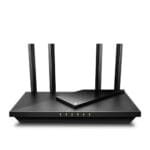
The TP-Link Deco X55 is the best router for large homes because its three-unit mesh covers wide areas with stable Wi-Fi 6.
Large homes often have weak signals, slow rooms, and dead zones far from the main router. Thick walls, busy networks, smart devices, and several floors can make the problem worse. I reviewed five popular TP-Link and NETGEAR options to find the best router for large homes in different price ranges. My top picks include mesh systems for broad coverage, affordable Wi-Fi 6 routers, and newer Wi-Fi 7 models for fast internet plans and many connected devices.
See the differences between my top picks at a glance.
TP-Link Deco X55 Mesh Wi-Fi 6 System

The TP-Link Deco X55 is my top choice for most large homes. This three-unit Wi-Fi 6 mesh system covers up to 6,500 square feet, according to the listed product details. Each unit has three gigabit Ethernet ports, so I could connect wired devices in more than one room. The system also supports Ethernet backhaul when you have network cable between the units.
Mesh Wi-Fi works better than one powerful router in many large homes. The Deco units share one network name, so phones and laptops can move between rooms with less effort. The Deco app also helps with setup and network control. Coverage still depends on walls, floors, placement, and the internet service plan, but this kit gives large homes a strong starting point.
Pros:
- Three units help cover wide homes and multiple floors
- Listed coverage reaches up to 6,500 square feet
- Wi-Fi 6 supports many newer phones, TVs, and laptops
- Three gigabit ports on each unit offer useful wired access
- Ethernet backhaul can improve mesh stability
- One network name makes room-to-room use simple
- App-based setup suits users who do not want complex controls
Cons:
- A three-pack costs more than a single router
- Wireless backhaul speed can drop when units sit too far apart
- Some advanced security and control tools may require a paid service
What Amazon Buyers Are Saying
Amazon buyer feedback commonly points to simple setup and better coverage as the main benefits. Buyers often like the clean app experience and the way the system reduces dead zones across larger homes. Many users also appreciate the Ethernet ports on each node.
Common complaints focus on setup choices, placement, and app or subscription expectations. Some buyers report that performance changes when a satellite sits behind thick walls or too far from the main unit. These comments make sense because every home has different building materials and interference.
My Recommendation
I recommend the Deco X55 for families, remote workers, and smart homes that need broad coverage without complex network work. It is worth buying when one router cannot reach the far rooms. I rate it 4.7 out of 5 overall.
| Category | Rating |
|---|---|
| Large-home coverage | 4.9/5 |
| Mesh stability | 4.6/5 |
| Ease of setup | 4.7/5 |
| Wired flexibility | 4.6/5 |
| Value | 4.6/5 |
| Overall Rating | 4.7/5 |
TP-Link Archer AX21 Wi-Fi 6 Router

The TP-Link Archer AX21 is a good low-cost choice for buyers who need Wi-Fi 6 from one main router. It uses dual-band wireless technology and offers gigabit networking for compatible wired devices. Its AX1800 class is suited to everyday work, streaming, browsing, and gaming in a moderate-size area. It also supports EasyMesh, which gives you a path to expand coverage later.
This router may work well in a large home when the modem and router sit near the center. It is less suitable for a long house, a home with several floors, or rooms separated by dense walls. In those cases, you may need a compatible mesh unit or access point. I like the AX21 because it avoids paying for features that casual users may not need.
Pros:
- Lower price than most full mesh systems
- Wi-Fi 6 helps improve efficiency with newer devices
- Gigabit wired connections suit many home internet plans
- EasyMesh support allows future coverage expansion
- Works with Alexa for supported voice controls
- Simple design fits common home office setups
- Good match for streaming, calls, and normal family use
Cons:
- One router may not remove dead zones in very large homes
- AX1800 offers less capacity than the faster models in this review
- Large homes may need an added mesh node or access point
What Amazon Buyers Are Saying
Amazon buyers often praise the Archer AX21 for its price, easy setup, and solid daily performance. Many users say it handles common tasks such as video streaming, online classes, work calls, and smart home devices well. Buyers also like having Wi-Fi 6 without moving to a premium router.
The most common concerns involve range and settings. Some buyers expect one unit to cover every room in a large or tall home, then find that walls and distance reduce the signal. Others mention that advanced network features take time to understand. These points show why placement matters as much as the router model.
My Recommendation
I recommend the Archer AX21 for a budget buyer with a central router location and moderate coverage needs. It is also a smart starting point if you may add EasyMesh hardware later. It is not my first choice for a sprawling home without expansion. My rating is 4.2 out of 5.
| Category | Rating |
|---|---|
| Wireless performance | 4.2/5 |
| Coverage potential | 3.9/5 |
| Ease of use | 4.4/5 |
| Expansion value | 4.3/5 |
| Price value | 4.5/5 |
| Overall Rating | 4.2/5 |
TP-Link Archer BE400 Wi-Fi 7 Router

The TP-Link Archer BE400 brings Wi-Fi 7 features to buyers who want newer wireless technology without choosing a large tri-band model. The listed design includes dual 2.5Gbps ports, a USB 3.0 port, and coverage up to 2,400 square feet. TP-Link also lists support for up to 90 devices, though real results depend on traffic, placement, and client hardware. Its quad-core processor helps the router manage busy home networks.
This model makes sense for a home with a fast internet plan and newer Wi-Fi 7 phones or laptops. Older devices can still connect, but they will not gain every Wi-Fi 7 benefit. The private IoT feature and HomeShield tools may help separate or manage smart home devices. For a very large home, the stated coverage may still require an added access point or mesh solution.
Pros:
- Wi-Fi 7 supports newer wireless clients
- Two 2.5Gbps ports suit faster internet and local transfers
- USB 3.0 adds storage or printer-sharing options
- Listed coverage reaches up to 2,400 square feet
- Designed for up to 90 connected devices
- Private IoT support helps organize smart home gear
- HomeShield adds useful network management and security tools
Cons:
- Wi-Fi 7 benefits require compatible client devices
- Coverage may not suit a sprawling home without extra hardware
- Some HomeShield features may depend on a subscription
What Amazon Buyers Are Saying
Amazon buyers commonly like the Archer BE400 for its modern feature set, fast wired ports, and simple setup. Users with newer devices often focus on speed and the ability to support many connected products. The USB port and IoT tools also appeal to buyers who want more than basic wireless access.
Some customer concerns center on coverage expectations and the limited value of Wi-Fi 7 for older devices. A few buyers also find the number of settings difficult at first. That is normal for a router with more advanced controls. I suggest checking your devices and internet plan before paying extra for Wi-Fi 7.
My Recommendation
I recommend the Archer BE400 for a connected home that already has fast service or several newer Wi-Fi 7 devices. It is a strong single-router choice for a medium-to-large area, but it may not replace a mesh system in a wide house. I rate it 4.4 out of 5.
| Category | Rating |
|---|---|
| Wi-Fi 7 features | 4.6/5 |
| Wired speed options | 4.7/5 |
| Device capacity | 4.5/5 |
| Coverage value | 4.1/5 |
| Future readiness | 4.5/5 |
| Overall Rating | 4.4/5 |
NETGEAR Nighthawk R6700AX Wi-Fi 6 Router

The NETGEAR Nighthawk R6700AX is a simple Wi-Fi 6 router for homes that need reliable service in a smaller area. NETGEAR lists coverage up to 1,500 square feet, speeds up to 1.8Gbps, and support for up to 20 devices. It also has four gigabit Ethernet ports, which helps when you need wired connections for a TV, desktop, game console, or printer.
This router does not cover a very large home by itself as well as the Deco X55. Still, it can work in a large home when you want to improve one section, such as a home office or apartment wing. Its dual-band design keeps the setup familiar and easy to manage. I would choose it for a smaller footprint, a basic family network, or a buyer who values a known brand and simple controls.
Pros:
- Wi-Fi 6 supports modern phones and computers
- Four gigabit LAN ports offer strong wired flexibility
- Listed speeds reach up to 1.8Gbps
- Compact single-router setup needs less hardware
- Easy setup suits first-time router buyers
- Useful for a smaller section of a large property
- Good fit for basic streaming, work, and browsing
Cons:
- Listed coverage is only up to 1,500 square feet
- Support for up to 20 devices is lower than the other picks
- One unit may leave dead zones in a multi-floor home
What Amazon Buyers Are Saying
Amazon buyers often mention the R6700AX’s easy setup and steady everyday connection. Customers like the four wired ports and the low effort needed to replace an older router. Many users see it as a practical choice for ordinary home use rather than a premium whole-home system.
Range is the main concern in buyer discussions. Some users get good results in open layouts, while others see weaker service through walls or at the far end of a home. The listed coverage makes those differences expected. Buyers should view this as a single-room or modest-area router, not a complete answer for every large property.
My Recommendation
I recommend the R6700AX for smaller homes, home offices, or buyers who need a reliable Wi-Fi 6 router at a sensible cost. It is not the best router for large homes when you need whole-home coverage from one unit. My rating is 4.0 out of 5.
| Category | Rating |
|---|---|
| Daily reliability | 4.2/5 |
| Coverage | 3.7/5 |
| Wired connections | 4.4/5 |
| Setup ease | 4.3/5 |
| Budget value | 4.1/5 |
| Overall Rating | 4.0/5 |
TP-Link Archer BE600 Tri-Band Wi-Fi 7 Router

The TP-Link Archer BE600 is the most advanced single router in this comparison. It uses tri-band Wi-Fi 7 and includes a 10G port, one 2.5G port, and three 2.5G LAN ports. TP-Link lists coverage up to 2,600 square feet and support for up to 120 devices. The 320MHz channel feature can help compatible Wi-Fi 7 devices reach higher wireless performance.
This router is a strong match for a large home with fast fiber service, a busy network, and several wired devices. The extra band can help separate traffic, but the result still depends on client support and local interference. It may cost more than a basic Wi-Fi 6 router, yet its ports can make it more useful over time. For a very wide property, I would still consider adding a wired access point or choosing a mesh kit.
Pros:
- Tri-band Wi-Fi 7 supports busy home networks
- 10G port suits high-speed fiber and local network use
- Three 2.5G LAN ports support several fast wired devices
- Listed support reaches up to 120 devices
- Coverage is listed up to 2,600 square feet
- 320MHz channel support benefits compatible clients
- HomeShield and VPN tools add useful network control
Cons:
- Wi-Fi 7 features need compatible devices to show their value
- A single router may not cover a long or multi-floor home
- Fast ports may be unnecessary for slower internet plans
What Amazon Buyers Are Saying
Amazon buyers commonly focus on the BE600’s high-speed ports, modern wireless features, and ability to handle many devices. Users with fast fiber service often see the wired ports as a major reason to choose it. Buyers also like the control offered by the TP-Link app and its added network tools.
Some buyers say the setup and settings feel more advanced than those of a basic router. Others point out that older phones and laptops cannot use every Wi-Fi 7 feature. Coverage comments also vary, which is normal for a single router. Placement near the center of the home remains important.
My Recommendation
I recommend the Archer BE600 for power users, large families, and homes with multi-gig internet. It offers the best wired connectivity here, but it is not the most economical pick for a basic plan. I rate it 4.5 out of 5.
| Category | Rating |
|---|---|
| Wireless capability | 4.7/5 |
| High-speed ports | 4.9/5 |
| Device handling | 4.7/5 |
| Large-home value | 4.2/5 |
| Future readiness | 4.7/5 |
| Overall Rating | 4.5/5 |
How to Choose the Best Router for Large Homes
Choosing the best router for large homes starts with your layout, not just the speed printed on the box. A long ranch home, a three-story house, and a home with thick brick walls all need different coverage plans. I also suggest checking your internet speed, wired devices, number of users, and future upgrade plans. The right router should solve your weak spots without making you pay for features you will not use.
1. Match the Coverage Design to Your Home
Start by measuring the areas that need service. A single router may work in a central open layout. It often struggles in long homes, homes with several floors, and buildings with concrete or brick walls. In those cases, a mesh system such as the Deco X55 can place a node closer to distant rooms.
Do not place the main router inside a cabinet or at the far end of the house. Put it in an open, central location when possible. Place mesh nodes where they still receive a good signal from the main unit. A node cannot fix a weak connection if you place it beyond the dead zone.
Ethernet backhaul gives a mesh system a wired link between units. This can improve stability and reduce the wireless work shared by the nodes. If your home has network cable in the walls, look for routers that support this setup.
2. Choose Wi-Fi Capacity for Your Devices
Wi-Fi 6 remains a strong choice for most homes. It handles many devices with better efficiency than older Wi-Fi standards. It also works with older phones, TVs, tablets, and smart devices. The Archer AX21 and Deco X55 both use Wi-Fi 6.
Wi-Fi 7 makes more sense when you own newer devices or plan to upgrade soon. The Archer BE400 and BE600 offer newer features, but older devices cannot use every benefit. A Wi-Fi 7 router will not turn an old phone into a Wi-Fi 7 device.
Count more than phones and laptops. Include cameras, speakers, smart lights, game systems, streaming boxes, thermostats, and work equipment. The BE600 lists support for up to 120 devices, while other models list lower numbers. These figures help compare products, but actual performance also depends on traffic and signal quality.
3. Check Ports, Internet Speed, and Long-Term Value
Look at the ports before you buy. Gigabit ports fit many home plans and common wired devices. A 2.5Gbps port can help with faster service or local file transfers. A 10G port makes the most sense for multi-gig fiber, a fast network storage device, or a home with serious wired traffic.
Do not pay for a 10G router if your internet plan is much slower and you do not use fast local networking. Instead, spend that money on better placement or a mesh node. Coverage often matters more than peak speed in a large home.
Also review support terms and optional security services. Some router tools work at no extra cost, while advanced features may require a subscription. Read the current product details before ordering. This step helps you compare the true long-term value of each router.
Final Verdict: Which Should You Buy?
The TP-Link Deco X55 is the best router for large homes for most buyers. Its three-unit design offers broad coverage, simple control, and useful wired ports. Choose the Archer BE600 for multi-gig internet and advanced Wi-Fi 7 needs.
For affordable Wi-Fi 6, choose the Archer AX21. For a smaller area, the NETGEAR R6700AX remains practical. Good placement and the right design matter as much as raw speed.
FAQs Of Best Router for Large Homes
What is the best router for large homes with dead zones?
The TP-Link Deco X55 is the strongest pick in this review. Its three-unit mesh design can spread Wi-Fi across a wide home and multiple floors.
Is a mesh system better than one router for a large house?
A mesh system is often better for long homes, multi-floor layouts, and homes with thick walls. It places access points closer to the rooms that need better service.
Is Wi-Fi 7 worth it for a large home?
Wi-Fi 7 is worth considering if you have fast internet and newer Wi-Fi 7 devices. Wi-Fi 6 may offer better value when most of your devices are older.
How many mesh units do I need for a large home?
Many large homes can start with a three-unit system. Your layout, wall materials, and floor plan may require fewer or more units.
Where should I place a router in a large house?
Place the main router in an open, central location. Keep mesh nodes between the router and weak areas, and avoid cabinets, corners, and locations blocked by thick walls.