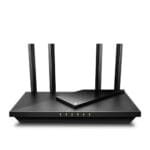
The best router for high speed internet is the Tenda BE7200 for fast plans, modern devices, and strong wired performance.
Slow video calls, frozen streams, and weak Wi-Fi can make a fast internet plan feel wasted. I know how frustrating it is to pay for high-speed service and still wait for pages to load. The right router can help by handling more devices, using newer wireless standards, and offering better coverage. I reviewed five popular options for different homes and budgets. These include Wi-Fi 7, Wi-Fi 6, Wi-Fi 5, and mesh designs. My picks below focus on speed, ports, coverage, setup, device support, and real value.
See the differences between my top picks at a glance.
Tenda BE7200 Wi-Fi 7 Router

The Tenda BE7200 is the most advanced router in this group. It uses Wi-Fi 7 and includes two 2.5G ports, which gives it a strong fit for fast fiber and cable plans. Its dual-band design keeps the setup simpler than a tri-band system. The quad-core CPU also gives the router the processing power needed for busy home networks.
This router stands out through Multi-Link Operation, or MLO. In simple terms, MLO can let compatible devices use more than one wireless link for a smoother connection. It also supports VPN features, a private IoT network, and OpenWRT support. Those tools will appeal to users who want more control than a basic plug-and-play router provides.
Pros:
- Wi-Fi 7 support for newer phones, laptops, and tablets
- Two 2.5G ports for fast wired connections
- MLO support for compatible devices
- Quad-core processing for busy networks
- Private IoT network support for smart-home devices
- VPN features and OpenWRT support for advanced users
Cons:
- Older devices cannot use every Wi-Fi 7 feature
- Advanced settings may feel complex for first-time users
- Dual-band design may not suit buyers who want a separate third band
What Amazon Buyers Are Saying
Buyer feedback for this type of router often centers on speed, modern features, and the value of 2.5G ports. Users who own newer devices tend to appreciate the extra headroom for fast plans and local file transfers. Buyers also look for stable connections across many devices.
The main concerns tend to involve setup details and feature learning. Wi-Fi 7 settings, VPN tools, and OpenWRT can take more time than a simple app-based system. Before buying, I would check current buyer comments for firmware updates, setup ease, and performance in homes like yours.
My Recommendation
I recommend the Tenda BE7200 for a home with a fast internet plan, newer client devices, or a need for advanced network control. It is more router than a small apartment needs, but it gives a strong path for future upgrades. The 2.5G ports are especially useful when your modem, switch, or wired computer can use them. It is my top pick for the best router for high speed internet in this group.
Amazon eero 6 Mesh Wi-Fi Router
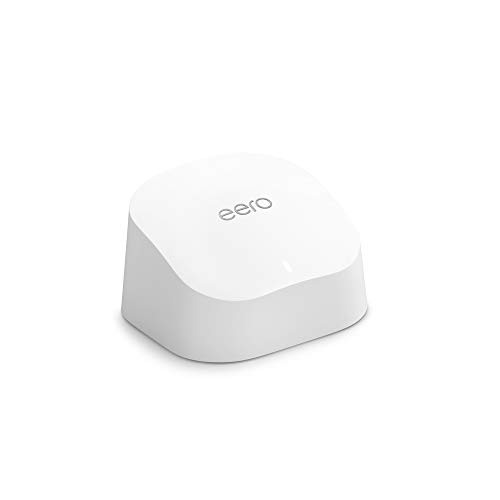
The Amazon eero 6 is a good choice for people who value simple setup over a long list of manual controls. This one-pack unit supports internet plans up to 900 Mbps, covers up to 1,500 square feet, and can connect more than 75 devices according to its product information. It uses Wi-Fi 6, which helps newer devices handle busy home networks more efficiently.
The main reason to choose eero is its mesh platform. You can add compatible eero units later if one router cannot reach every room. The system also uses an app-based setup, so it suits buyers who want guided control from a phone. A one-pack unit works well for a smaller home or as a starting point for a larger mesh network.
Pros:
- Simple app-based setup for less technical users
- Wi-Fi 6 support for compatible devices
- Supports plans up to 900 Mbps
- Rated to cover up to 1,500 square feet
- Can connect more than 75 devices
- Expandable with compatible eero units
Cons:
- A one-pack may not cover a large or multi-story home
- App-based management may not suit buyers who want many manual controls
- Full performance depends on device support, placement, and home layout
What Amazon Buyers Are Saying
Common buyer feedback about eero products often praises the quick setup and clean app experience. Many users choose eero because they want to replace an older router without spending hours on network settings. Buyers also like the option to add more nodes when coverage becomes a problem.
Some buyers have concerns about app dependence, account setup, or the limits of a single unit in a large house. Reviews can also differ based on wall materials, internet service, and node placement. I suggest checking current comments if you need advanced controls or want to manage a very large number of wired devices.
My Recommendation
I recommend the eero 6 for families that want dependable Wi-Fi 6 coverage with a simple setup. It is not the strongest choice for advanced users who need 2.5G ports or deep network control. Still, its coverage rating, device capacity, and mesh expansion make it a practical choice for many homes. It is a good pick when ease matters as much as raw speed.
TP-Link Archer A8 AC1900 Router

The TP-Link Archer A8 is a sensible router for buyers who want solid everyday wireless service without moving to Wi-Fi 6 or Wi-Fi 7. It uses an AC1900 dual-band design and supports gigabit networking. MU-MIMO helps the router serve several compatible devices at the same time, which can help in homes with phones, TVs, consoles, and laptops online together.
This router also supports guest Wi-Fi, a useful feature when visitors need internet access without joining your main network. Its design makes more sense for a moderate home than for a large property with difficult dead zones. If your plan is near gigabit speed and your devices still use Wi-Fi 5, the Archer A8 can offer good value.
Pros:
- AC1900 dual-band wireless design
- Gigabit support for fast wired connections
- MU-MIMO support for compatible devices
- Guest Wi-Fi helps separate visitor access
- Good fit for homes with many common Wi-Fi 5 devices
- Usually easier to understand than advanced Wi-Fi 7 hardware
Cons:
- Wi-Fi 5 is older than Wi-Fi 6 and Wi-Fi 7
- May not offer enough future headroom for faster plans
- Large homes may need a mesh system or added access point
What Amazon Buyers Are Saying
Buyers commonly look at the Archer A8 for its balance of price, speed, and familiar TP-Link controls. Positive comments often focus on easy installation, stable daily use, and the ability to connect several devices. Guest Wi-Fi also receives attention from households that want a simple separate network.
The usual limitations are tied to wireless range and the older Wi-Fi 5 standard. Some homes may need careful placement to avoid weak areas. I would also compare the router with your internet plan before buying, since a Wi-Fi 5 device may not be the best long-term choice for a new multi-gig service.
My Recommendation
The Archer A8 is worth considering if you want a cost-conscious gigabit router for a medium-size home. It gives you useful features without charging for newer technology that your devices may not support. I would choose it for a stable, basic network rather than a future-focused upgrade. It is one of the better value options in this review.
LNN AX3000 Wi-Fi 6 Router

The LNN AX3000 is aimed at buyers who want Wi-Fi 6 speed without relying on a phone app. Its product information lists speeds up to 1800 Mbps, support for more than 20 devices, five antennas, and a five-step setup. The no-app approach may appeal to people who prefer browser-based setup or want fewer account requirements.
Wi-Fi 6 gives this router a modern base for phones, tablets, smart TVs, and work computers. Five antennas may help with signal direction, but real coverage still depends on walls, router placement, interference, and client devices. I see this model as a straightforward home router for users who want current wireless technology and a simple setup path.
Pros:
- Wi-Fi 6 support for newer client devices
- Listed speed capacity up to 1800 Mbps
- No app required for setup
- Designed to support more than 20 devices
- Five antennas support the wireless design
- Five-step setup can help less technical buyers
Cons:
- Coverage claims cannot replace real testing in your home
- May have fewer ecosystem and mesh options than major brands
- Advanced network features may be less familiar to some buyers
What Amazon Buyers Are Saying
Buyers interested in the LNN AX3000 tend to value the no-app setup and Wi-Fi 6 support. People who do not want another mobile account often see that setup style as a benefit. Reviews may also focus on the router’s low-cost approach and its ability to serve common home devices.
As with any less established router brand, I would read current reviews with care. Look for repeated comments about firmware, range, connection stability, and the setup guide. Results can change from one home to another, so buyers with a large house or demanding internet plan should confirm the return policy before purchase.
My Recommendation
I recommend the LNN AX3000 for a small or medium home where no-app setup matters. It offers a useful mix of Wi-Fi 6, listed AX3000-class performance, and support for more than 20 devices. I would not make it my first pick for advanced networking or a large mesh system. For basic wireless access at a reasonable cost, it deserves consideration.
TP-Link Archer A6 AC1200 Router

The TP-Link Archer A6 is the most budget-friendly option in this review. It uses an AC1200 dual-band design, includes four antennas, and offers gigabit wired support. It also supports MU-MIMO, OneMesh, and access point mode. Those features make it more flexible than a basic entry-level router.
This router fits a small home, apartment, or moderate internet plan. It will not match the capacity of the Tenda BE7200, but not every household needs Wi-Fi 7. Access point mode can help users connect it to an existing network, while OneMesh may help compatible TP-Link equipment work together. I would place it in an open, central location for the best practical result.
Pros:
- Affordable dual-band AC1200 design
- Gigabit Ethernet support
- Four antennas help support wireless coverage
- MU-MIMO support for compatible devices
- OneMesh support with compatible equipment
- Access point mode adds setup flexibility
Cons:
- Wi-Fi 5 is an older wireless standard
- Less suitable for very fast multi-gig internet plans
- Small homes may still need careful placement for best coverage
What Amazon Buyers Are Saying
Budget shoppers often choose the Archer A6 because it offers familiar TP-Link features at a lower cost. Buyer comments commonly focus on easy setup, acceptable range for apartments, and useful wired ports. OneMesh and access point mode also attract users who want to build around existing equipment.
The common limitations relate to speed expectations and home size. A low-cost AC1200 router cannot deliver the same capacity as newer Wi-Fi 6 or Wi-Fi 7 hardware. Before buying, I would check your plan speed, the number of active devices, and whether you need coverage across several floors.
My Recommendation
The Archer A6 is worth buying when price matters most and your needs are modest. It works well for browsing, streaming, smart-home devices, and normal home use. I would avoid it for a new multi-gig plan or a crowded household with heavy uploads and downloads. For a small space and a basic connection, it remains a practical value pick.
How to Choose Best Router for High Speed Internet
Choosing the best router for high speed internet starts with your plan, home, and devices. A large speed number on the box does not guarantee fast Wi-Fi in every room. I look at the wired ports, wireless standard, coverage plan, device load, and setup style before I buy. These steps help you avoid paying for features that your network cannot use.
1. Match the Router to Your Internet Plan
First, check the speed from your internet provider. A router with gigabit ports may suit a plan near 1,000 Mbps, while a multi-gig plan may need 2.5G ports. The Tenda BE7200 has two 2.5G ports, so it gives high-speed fiber users more room to grow. A budget AC1200 router makes more sense for a slower plan or a small home.
Remember that advertised wireless rates are not the same as real download speed. Wi-Fi shares the air with other devices. Walls, distance, interference, and device limits also reduce results. Use Ethernet for a desktop, gaming console, or work computer when you need the most stable connection.
2. Pick Wi-Fi 6, Wi-Fi 7, or Mesh for Your Home
Wi-Fi 6 is a strong choice for homes with many newer devices. It can manage busy networks better than older Wi-Fi 5 equipment. Wi-Fi 7 adds newer tools such as MLO, but your phone or laptop must support those tools to benefit. For this reason, the Tenda BE7200 makes the most sense when you already own, or plan to buy, newer devices.
Coverage needs a separate look. A single router can work well in an apartment or open floor plan. Thick walls, several floors, and long distances may call for mesh Wi-Fi. The eero 6 is useful here because you can add compatible units later. Place the main router in an open, central area. Do not hide it inside a cabinet.
3. Compare Ports, Controls, and Long-Term Value
Count the devices that need wired connections. Smart TVs, gaming systems, computers, and network storage can use several Ethernet ports. Also check whether the router offers guest Wi-Fi, VPN support, access point mode, or a private IoT network. These tools can matter more than a higher wireless number.
Finally, choose a setup style you will actually use. App-based systems can feel simple and friendly. Browser-based routers may suit people who want more control or no mobile app. I also check firmware support, warranty details, return terms, and current buyer feedback. The best router for high speed internet should fit your real home, not just look impressive on a product page.
Final Verdict: Which Should You Buy?
The Tenda BE7200 is my top choice for the best router for high speed internet. Its Wi-Fi 7 support, two 2.5G ports, MLO, VPN tools, and IoT features give it the strongest overall performance.
Choose eero 6 for simple mesh coverage, Archer A8 for value, LNN for no-app Wi-Fi 6, or Archer A6 for a small budget setup. Match the router to your plan and home size.
FAQs Of Best Router for High Speed Internet
What is the best router for a gigabit internet plan?
The Tenda BE7200 is the strongest choice here because it includes 2.5G ports and Wi-Fi 7. The TP-Link Archer A8 can also suit a gigabit home with Wi-Fi 5 devices.
Is Wi-Fi 7 better than Wi-Fi 6 for home internet?
Wi-Fi 7 can offer newer features and more future headroom, but compatible devices are needed. Wi-Fi 6 may provide better value when most of your devices use Wi-Fi 6 or older.
Should I buy a mesh router for a large house?
A mesh system can help cover large or multi-story homes. The eero 6 is a practical starting point because you can add compatible units as needed.
Do I need 2.5G Ethernet ports?
You need 2.5G ports only when your internet plan or wired devices can use speeds above 1,000 Mbps. They also help prepare your network for future upgrades.
Can a new router increase my internet speed?
A router cannot increase the speed supplied by your provider. It can reduce Wi-Fi limits and help your devices use more of the speed you already pay for.