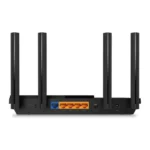
The best router for Alexa combines reliable Wi-Fi, simple setup, strong coverage, and easy smart-home control.
A smart home can feel less smart when Wi-Fi drops during a voice command, video call, or music stream. Alexa devices need a steady connection, but they do not need a special router brand. I looked at coverage, Wi-Fi generation, device capacity, setup, security tools, and value across five popular models. These picks suit small apartments, busy family homes, large houses, and newer Wi-Fi 7 devices. Each router works with Alexa, but the best choice depends on your internet plan, home size, and number of connected devices.
See the differences between my top picks at a glance.
TP-Link Archer AX21: Best Overall

The TP-Link Archer AX21 is the easiest recommendation for most Alexa homes. It uses Wi-Fi 6 and offers an AX1800 class connection through two bands. That gives phones, smart speakers, cameras, TVs, and laptops a better way to share the network. It also supports EasyMesh, so you can build a larger system later instead of replacing the whole router.
I like its balance of speed and cost. The router includes gigabit Ethernet ports for wired devices and supports Alexa voice control. It is a strong fit for a small or medium home with a normal cable or fiber plan. The Alexa link does not make your internet faster, but it makes basic control more convenient when the network stays stable.
Pros:
- Wi-Fi 6 improves handling of many connected devices
- Works with Alexa for convenient voice control
- Gigabit ports support wired TVs, consoles, and computers
- EasyMesh support allows future coverage expansion
- Simple choice for many small and medium homes
- Good value for everyday streaming and smart-home use
Cons:
- Dual-band design lacks the extra band found on tri-band routers
- Coverage may not suit a large or multi-floor home without expansion
- Advanced Wi-Fi 7 features are not available
What Amazon Buyers Are Saying
Amazon buyers commonly praise the AX21 for its simple setup, stable everyday connection, and useful range for the price. Many users like that it replaces an older router without a difficult learning curve. Buyers also often mention smooth streaming and good results with phones and smart-home devices.
Common complaints focus on setup details, app behavior, or weaker signal through thick walls. Some customers expect one router to cover a very large home and find that they need a mesh node. Results can also vary with internet service, wall materials, and router placement. Those limits are normal for a single, mid-range router.
My Recommendation
I recommend the Archer AX21 when you want dependable Alexa support without paying for features your home may not use. It is the best starting point for most buyers, especially with internet service up to the router’s practical limits and a moderate number of devices. Its EasyMesh option adds useful flexibility.
TP-Link Archer BE600: Best Wi-Fi 7 Router

The TP-Link Archer BE600 targets homes that want newer Wi-Fi 7 hardware. It has a tri-band design, a 10G port, and 2.5G ports for fast wired links. TP-Link lists coverage of up to 2,600 square feet and support for up to 120 devices. It also includes HomeShield security tools and VPN features.
This router makes sense when your home has newer phones, computers, or network storage. Its faster ports can also help buyers who already have multi-gig internet service. Alexa support adds hands-free control, while the extra wireless capacity gives busy homes more room for streaming, gaming, cameras, and smart devices. Older Alexa speakers will still connect, but they will not gain Wi-Fi 7 speed on their own.
Pros:
- Wi-Fi 7 offers a modern platform for newer client devices
- Tri-band design helps manage busy networks
- 10G and 2.5G ports support fast wired equipment
- Large listed coverage suits many medium and large homes
- Supports a high device count for connected households
- HomeShield and VPN features add useful network controls
Cons:
- Costs more than a basic Wi-Fi 6 Alexa router
- Older devices cannot use every Wi-Fi 7 feature
- Large antennas and ports may be more than a simple home needs
What Amazon Buyers Are Saying
Amazon buyers tend to like the BE600 for its speed, modern wireless standard, and strong wired connectivity. Reviews often highlight the value of its multi-gig ports and the ability to connect many devices. Buyers who upgrade from an older router commonly report a cleaner experience with newer phones and computers.
The main concerns tend to involve cost, app setup, and the learning curve of advanced settings. Some users may not see a large speed change if their internet plan or client devices remain limited. Coverage also depends on home construction, so the listed square-foot figure should serve as a guide rather than a promise.
My Recommendation
The Archer BE600 is my pick for a future-ready Alexa home. It is worth the extra cost when you own Wi-Fi 7 devices, use multi-gig internet, or run many demanding devices at once. For a basic smart speaker and standard broadband plan, the AX21 offers better value.
TP-Link Deco S4: Best Mesh System

The TP-Link Deco S4 three-pack is designed for homes where one router leaves dead spots. The system uses mesh Wi-Fi and lists coverage of up to 5,500 square feet. Each unit can help spread the network across rooms and floors, and the system replaces a traditional router and extender setup. It also includes gigabit ports and Alexa compatibility.
The biggest benefit is placement flexibility. I can put one Deco near the modem, one closer to a weak area, and another where the home needs more coverage. This approach works well for long homes, older houses, and rooms separated by dense walls. It uses an older AC1900 Wi-Fi class than the newer Wi-Fi 6 and Wi-Fi 7 picks, so coverage—not cutting-edge speed—is its main strength.
Pros:
- Three nodes help reduce dead zones across a large home
- Listed coverage reaches up to 5,500 square feet
- Works with Alexa for voice-based network control
- Gigabit ports support wired devices at each suitable unit
- Mesh design avoids the hassle of separate extenders
- Useful choice for homes with several floors or long layouts
Cons:
- AC1900 Wi-Fi is older than Wi-Fi 6 and Wi-Fi 7
- A three-pack may be unnecessary for a small apartment
- Wireless backhaul performance depends on node placement and walls
What Amazon Buyers Are Saying
Amazon customers often praise the Deco S4 for broad coverage and simple mesh setup. Many buyers choose it after dealing with weak signals in bedrooms, upstairs rooms, garages, or distant corners. Review patterns also show that users like the single-network feel, since devices can move between nodes without the separate network names often used by basic extenders.
Some complaints relate to speed loss at far nodes, setup permissions, or the need to place units carefully. A mesh system cannot defeat every wall or interference source. Buyers also note that wired backhaul can improve results when Ethernet wiring is available. The S4 is best judged as a coverage solution, not as the fastest router in this group.
My Recommendation
I recommend the Deco S4 for large homes that need consistent Alexa coverage more than the latest wireless speed. It is a practical value when one router cannot reach every room. If you have very fast internet or many new Wi-Fi 7 devices, choose a newer system instead.
NETGEAR R6700AX: Best for Small Homes

The NETGEAR Nighthawk R6700AX is a compact Wi-Fi 6 router for modest spaces. NETGEAR lists coverage up to 1,500 square feet and support for up to 20 devices. Its AX1800 dual-band design suits everyday browsing, streaming, smart speakers, and connected appliances. Four gigabit Ethernet ports give you room for wired devices.
This router is a good match for an apartment, condo, or smaller single-story home. The advertised 1.8 Gbps wireless class provides useful headroom for common home tasks, though actual speed depends on the client, plan, distance, and interference. Its simple setup also helps buyers who want to replace an aging router without building a complex network.
Pros:
- Wi-Fi 6 supports efficient connections for modern devices
- Compact coverage suits apartments and smaller homes
- Four gigabit LAN ports support several wired devices
- Easy setup helps first-time router buyers
- Works with Alexa for convenient voice management
- AX1800 performance handles normal streaming and browsing
Cons:
- Listed 1,500-square-foot coverage may not suit a large house
- Support for 20 devices is lower than the TP-Link Wi-Fi 7 options
- Dual-band Wi-Fi offers less capacity than a tri-band model
What Amazon Buyers Are Saying
Amazon buyers often like the R6700AX for its clean setup process, stable connection, and useful range in smaller homes. Many reviews focus on easy replacement of older routers and reliable service for everyday devices. The four wired ports also appeal to users with a TV, game console, desktop, or printer.
Some customers report trouble during setup or find that signal strength falls across thick walls. A few buyers also expect the router to cover more space than its listed range. These reports show why proper placement matters. Keep it in an open, central area rather than inside a cabinet or beside large electrical equipment.
My Recommendation
The R6700AX is worth buying when you want a straightforward Alexa router for a small home. It avoids the extra cost and complexity of a mesh kit. I would choose it over the AX21 only when the smaller coverage target and simple device count match your home.
TP-Link Archer BE400: Best for a Smart Home

The TP-Link Archer BE400 is a dual-band Wi-Fi 7 router built for connected homes. It includes two 2.5 Gbps ports, a USB 3.0 port, and a quad-core processor. TP-Link lists coverage up to 2,400 square feet and support for up to 90 devices. HomeShield tools and a private IoT network help organize a busy smart-home setup.
I see the private IoT network as one of its most useful features. Smart plugs, bulbs, cameras, and appliances can sit apart from primary devices when the settings support that layout. The router also works with Alexa, so it fits naturally into a voice-controlled home. Its dual-band design is simpler than the BE600, but it still offers a strong upgrade path for Wi-Fi 7 clients.
Pros:
- Wi-Fi 7 supports newer phones, laptops, and tablets
- Two 2.5 Gbps ports suit faster wired connections
- Private IoT network helps separate smart-home devices
- USB 3.0 adds flexible local network use
- Listed coverage reaches up to 2,400 square feet
- HomeShield offers useful security and management tools
Cons:
- Dual-band design has less wireless capacity than the BE600
- Wi-Fi 7 benefits depend on compatible client devices
- Advanced settings may feel excessive for a very small home
What Amazon Buyers Are Saying
Amazon buyers commonly point to the BE400’s fast ports, easy app setup, and modern Wi-Fi 7 support. Smart-home users often value the IoT network because it gives them more control over how devices connect. Reviews also show interest in the router’s ability to serve many devices without using a separate basic extender.
Some buyers find the advanced options confusing at first. Others do not see a large speed gain until they connect newer Wi-Fi hardware. As with every wireless router, walls, distance, and internet service affect the result. The BE400 makes the most sense when you plan to use its newer features rather than buy it only for a single Echo speaker.
My Recommendation
I recommend the Archer BE400 for a growing Alexa smart home with many connected devices. The private IoT option and 2.5 Gbps ports give it a clear purpose. It is a strong middle ground between a basic Wi-Fi 6 router and a higher-end tri-band Wi-Fi 7 model.
How to Choose the Best Router for Alexa
Alexa works through your home network, so the right router should offer more than a fast label on the box. I look at coverage, device load, wireless generation, ports, security, and setup. The best router for Alexa should keep voice commands, smart devices, streaming, and work devices connected at the same time. It should also match your home and internet plan instead of adding features you will never use.
1. Match Coverage to Your Home Layout
Start with the size and shape of your home. A single router may cover an apartment or small house well. A long home, multi-floor house, or building with thick walls may need mesh Wi-Fi. In that case, the Deco S4 three-pack can make more sense than placing one powerful router at one end of the house.
Router coverage numbers are estimates. They do not account for every wall, floor, appliance, or source of interference. Place the main unit in an open and central spot. Keep it off the floor and away from large metal objects. If Alexa works in one room but fails in another, improve placement before assuming that you need the fastest router.
2. Consider Alexa Devices and Total Network Load
One Echo speaker uses little bandwidth, but a smart home may include cameras, locks, bulbs, plugs, TVs, phones, tablets, and computers. Count the devices that stay online, not only the ones you use each day. The R6700AX suits a smaller device load, while the BE600 and BE400 offer more room for busy homes.
Also check the wireless standard on your main devices. Wi-Fi 6 can improve efficiency with newer phones and laptops. Wi-Fi 7 can offer more advanced performance, but compatible devices must support those features. An older Echo will connect to a newer router, yet it will not suddenly use every Wi-Fi 7 benefit.
3. Compare Ports, Security, and Long-Term Value
Check the wired ports before you buy. A smart TV, game console, desktop, or network storage device may work better over Ethernet. The BE600 adds 10G and 2.5G ports, while the BE400 offers two 2.5G ports and USB 3.0. The AX21 and R6700AX focus on standard gigabit wired links, which remain suitable for many homes.
Security tools also matter. Look for firmware updates, guest access, device controls, and an IoT network when you have many smart devices. HomeShield features on the TP-Link models can help manage a home network, but review any paid feature terms before purchase. Finally, do not pay for Wi-Fi 7 if your internet plan, home size, and devices fit an affordable Wi-Fi 6 router.
Final Verdict: Which Should You Buy?
For most buyers, the TP-Link Archer AX21 is the best router for Alexa because it offers Wi-Fi 6, simple setup, gigabit ports, and strong value. Choose the Deco S4 for broad coverage, the R6700AX for a small home, the BE400 for smart-home control, or the BE600 for maximum future-ready speed.
A reliable Alexa network starts with the right placement and realistic coverage needs. Match the router to your home, internet plan, and connected devices for smoother voice control and fewer dropouts.
FAQs Of Best Router for Alexa
Does Alexa need a special router?
No. Alexa devices need a stable Wi-Fi connection, but they do not require a special router brand. Any compatible home router with reliable wireless coverage can connect an Echo device.
What is the best router for Alexa and smart-home devices?
The TP-Link Archer AX21 is the best value for most homes. The Archer BE400 is better for a larger smart home because it adds Wi-Fi 7, a private IoT network, and faster ports.
Is Wi-Fi 6 better for Alexa devices?
Wi-Fi 6 can improve network efficiency for newer compatible devices. An older Alexa speaker will still connect, but it will not use every Wi-Fi 6 feature.
Should I buy a mesh router for Alexa?
Buy a mesh system when one router leaves dead zones. The TP-Link Deco S4 three-pack is a practical option for large homes, several floors, or rooms far from the modem.
Why does Alexa keep losing its Wi-Fi connection?
Weak signal, router placement, interference, outdated firmware, or a crowded network can cause dropouts. Move the router to an open central location and check the device connection in the Alexa app.