
A long-range WiFi router can improve weak signals, reduce dead zones, and keep more devices connected.
You may know the problem: the router works well near the living room, but the bedroom, garage, or upstairs office gets slow internet. Thick walls, busy networks, and many connected devices can make the issue worse. I reviewed six TP-Link routers for different homes and budgets. They include affordable WiFi 5 models, strong WiFi 6 choices, and newer WiFi 7 routers. The right Long Range Wifi Router depends on your home size, internet speed, device count, and need for mesh expansion.
See the differences between my top picks at a glance.
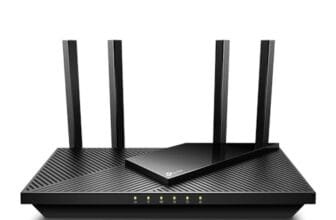
TP-Link BE6500 WiFi 7 Router

The TP-Link BE6500 is a strong pick for a modern home with many phones, laptops, TVs, cameras, and smart devices. It uses WiFi 7 and offers dual 2.5Gbps ports, so it can fit well with faster wired internet plans. TP-Link lists coverage of up to 2,400 square feet and support for up to 90 devices. Its quad-core processor also gives the router useful power for busy daily traffic.
I like the practical port mix here. The USB 3.0 port can support shared storage or a printer, depending on the setup and software support. HomeShield adds security and parental control tools, while a private IoT network can separate smart-home devices from personal devices. This is a capable Long Range Wifi Router for people who want current wireless features without moving to a much larger premium unit.
Pros:
- WiFi 7 support for newer client devices
- Dual 2.5Gbps ports for faster wired links
- USB 3.0 port adds storage and printer options
- Useful security and parental control tools
- Private IoT network helps organize smart devices
- Good fit for homes with many connected devices
Cons:
- Older devices cannot use every WiFi 7 benefit
- Some advanced security tools may require a paid plan
- Large homes may still need a mesh node
What Amazon Buyers Are Saying
Amazon buyers commonly focus on the router’s easy setup, strong speed, and modern port selection. Many owners like the app-guided installation and the ability to manage devices from a phone. Buyers also tend to value the extra control over guest and smart-home devices.
The main concerns often relate to setup choices, firmware behavior, and the limits of wireless range through thick walls. Some buyers expect one router to cover every corner of a large or multi-floor home. That is not always realistic, since building materials and router placement affect range more than the box rating suggests.
My Recommendation
I recommend the BE6500 for families that want a future-ready router with useful wired ports. It offers a good mix of coverage, speed, and home controls. It is worth buying if your internet plan and devices can use its faster standards. I would not choose it only for a small apartment with a low-speed plan.
| Category | Rating |
|---|---|
| Coverage potential | 4.5/5 |
| Device capacity | 4.5/5 |
| Ports and features | 4.5/5 |
| Ease of use | 4/5 |
| Overall Rating | 4.5/5 |
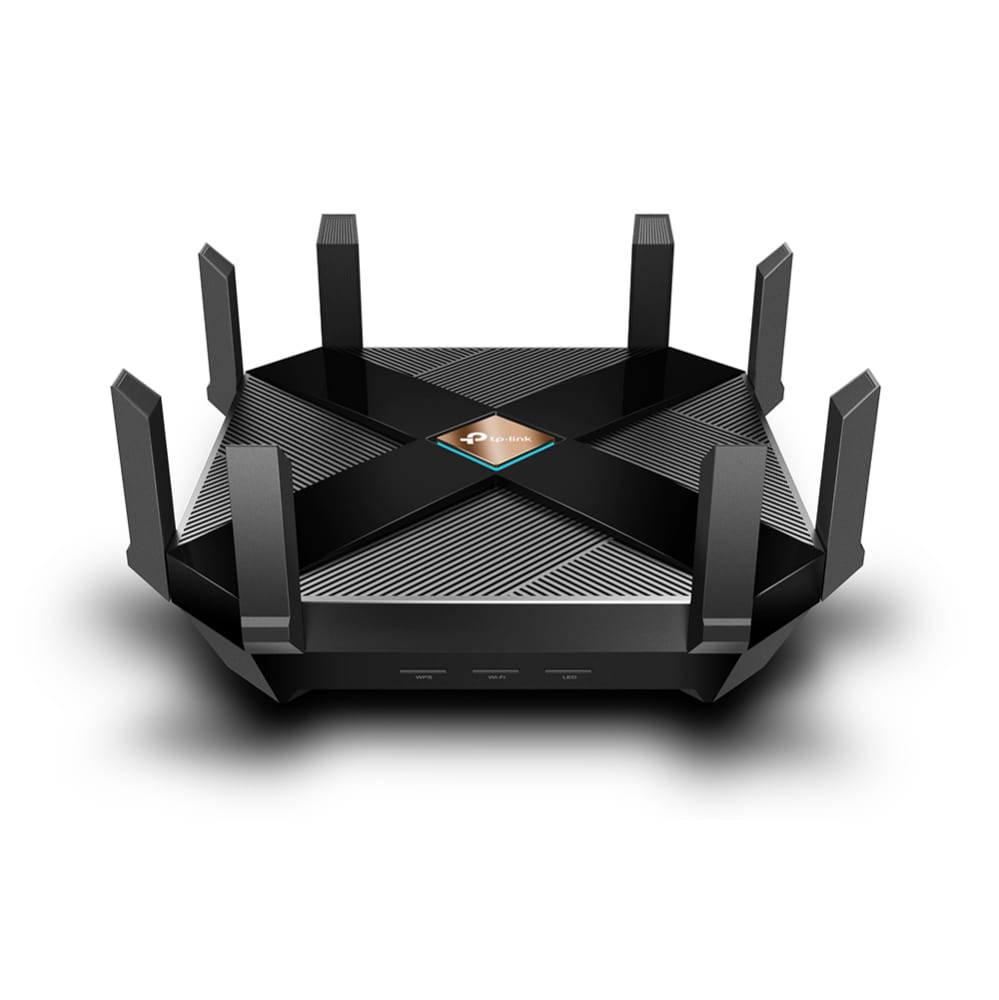
TP-Link Archer AXE75 WiFi 6E Router

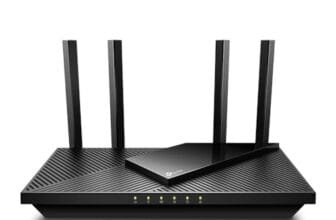
The Archer AXE75 stands out because it adds the 6GHz band to a tri-band WiFi 6E design. That extra band can reduce crowding when compatible phones, laptops, and other devices connect to it. TP-Link lists a 2.5Gbps WAN port, 160MHz channels, OneMesh support, VPN features, and WPA3 security. These features make it appealing for gaming, video calls, and high-quality streaming.
In daily use, the 6GHz band works best when the client device stays fairly close to the router. It has less wall penetration than the lower bands, so it should not be treated as a magic long-distance signal. Still, the 2.4GHz and 5GHz bands help cover rooms farther away. I see the AXE75 as a smart Long Range Wifi Router for users who want clean local connections and a strong upgrade path.
Pros:
- Tri-band design gives compatible devices a 6GHz option
- 160MHz channels can help support high throughput
- 2.5Gbps WAN port suits faster internet service
- WPA3 security supports newer protection standards
- OneMesh allows compatible expansion options
- Good match for gaming and busy streaming homes
Cons:
- 6GHz range drops faster through walls
- Older devices cannot connect to the 6GHz band
- Some users may find advanced settings less simple
What Amazon Buyers Are Saying
Amazon customers often praise the AXE75 for its speed, broad feature set, and stable performance with newer devices. Buyers who own WiFi 6E phones or computers tend to value the extra 6GHz band. Many also mention that the setup process is clear when they follow the app instructions.
Common complaints tend to involve firmware updates, app settings, or confusion about the difference between advertised speed and real-world speed. Some buyers also expect the 6GHz signal to travel as far as 2.4GHz. Walls, floors, and device placement can limit that band, so the best results come from placing the router in an open central spot.
My Recommendation
The AXE75 is worth buying for a gamer, remote worker, or streamer with WiFi 6E devices. It balances speed and coverage better than many dual-band choices. Choose it when the 6GHz band matters to you. If all your devices use older WiFi, a less costly WiFi 6 router may offer better value.
| Category | Rating |
|---|---|
| Tri-band flexibility | 4.5/5 |
| Gaming and streaming | 4.5/5 |
| Long-range balance | 4/5 |
| Value for WiFi 6E users | 4.5/5 |
| Overall Rating | 4.4/5 |
TP-Link Archer AX21 WiFi 6 Router

The Archer AX21 is a practical WiFi 6 router for a small or medium home. It uses a dual-band design and offers gigabit wireless networking for everyday tasks. The router supports OneMesh, which gives users a path to expand coverage with compatible equipment. It also works with Alexa, which can make basic network control easier for some households.
I consider this model a value-focused Long Range Wifi Router rather than a high-end speed machine. It can handle web browsing, video calls, streaming, school work, and many smart-home devices when placed well. Its simple feature set may appeal to people who want a clear setup without paying for WiFi 7 hardware they do not need.
Pros:
- Affordable entry into WiFi 6
- Simple dual-band design suits daily home use
- OneMesh support offers future coverage expansion
- Gigabit networking fits many common internet plans
- Works with Alexa for compatible voice controls
- Good choice for apartments and medium homes
Cons:
- It has fewer advanced ports than premium models
- It does not include a 6GHz band
- Large homes may need a mesh extender
What Amazon Buyers Are Saying
Amazon buyers often like the AX21 because it offers a simple setup and a noticeable improvement over older wireless routers. Many customers describe it as a good fit for normal home use. Buyers also value the app and the option to add compatible mesh equipment later.
Some reviews mention occasional connection drops or the need to restart the router. Wireless results vary by home layout, internet provider, and device mix. A few buyers also want more advanced controls or faster ports. Those concerns make sense for power users, but they matter less for a household with standard broadband needs.
My Recommendation
I recommend the AX21 for shoppers who want dependable WiFi 6 at a reasonable cost. It is worth buying for a small or medium home with ordinary streaming and work needs. I would choose a stronger model for a large home, a very fast internet plan, or a heavy gaming setup.
| Category | Rating |
|---|---|
| Everyday coverage | 4/5 |
| Ease of setup | 4.5/5 |
| Mesh flexibility | 4/5 |
| Budget value | 4.5/5 |
| Overall Rating | 4.2/5 |
TP-Link Archer BE600 WiFi 7 Router

The Archer BE600 is the most network-ready option in this group. It is a tri-band WiFi 7 router with a 10G port, a 2.5G port, and three 2.5G LAN ports. TP-Link lists coverage of up to 2,600 square feet and support for up to 120 devices. It also supports 320MHz channels, VPN features, and HomeShield security tools.
This router makes the most sense when you already use, or plan to use, multi-gigabit wired equipment. The 10G port gives a fast connection for a compatible modem, switch, or network storage device. Wireless coverage still depends on walls and placement, but the hardware gives a busy home plenty of room to grow. For a demanding household, this may be the best Long Range Wifi Router in the comparison.
Pros:
- Tri-band WiFi 7 design supports newer devices
- 10G port gives strong upgrade potential
- Three 2.5G LAN ports suit fast wired networks
- Listed support for up to 120 devices
- 320MHz channel support targets high wireless throughput
- HomeShield adds useful network management tools
Cons:
- It may cost more than most homes need
- Many current devices cannot use all its capacity
- Advanced network features may take time to learn
What Amazon Buyers Are Saying
Amazon buyers who choose the BE600 often care about its fast ports and WiFi 7 platform. Positive reviews commonly mention strong speed, good performance with many devices, and an app that makes basic management easier. Users with fast fiber service may especially appreciate the multi-gigabit design.
Some customers report that the full benefit depends on compatible hardware throughout the network. Others mention that advanced settings require patience. Buyers should also remember that a 10G port does not make a slower internet plan faster. It mainly gives the home more capacity for local traffic and future service upgrades.
My Recommendation
I recommend the BE600 for large, busy, and future-focused homes. It is worth the cost when you need several fast wired ports or own a multi-gigabit connection. For a basic broadband plan, it may be excessive. For a serious home network, it offers excellent expansion value.
| Category | Rating |
|---|---|
| Coverage potential | 4.5/5 |
| Wired network capacity | 5/5 |
| WiFi 7 features | 4.5/5 |
| Value for power users | 4.5/5 |
| Overall Rating | 4.6/5 |
TP-Link Archer AX73 WiFi 6 Router

The Archer AX73 remains a strong dual-band WiFi 6 option for streaming, work, and daily family use. Its AX5400 class gives it more wireless capacity than entry-level WiFi 6 routers. TP-Link markets it for long-range coverage, and its design suits homes that need a strong main router without moving to WiFi 7.
I like the AX73 because it focuses on useful performance instead of adding features that every buyer may not need. It can serve several streaming devices, phones, computers, and smart-home products at once. As with any wireless router, placement matters, and a second mesh unit may help in a long or multi-floor home. Still, this is one of the most balanced choices in this Long Range Wifi Router review.
Pros:
- Strong AX5400 class for dual-band WiFi 6
- Good match for streaming and family networks
- Long-range design suits larger single-router homes
- Supports gigabit wireless networking
- Useful choice when WiFi 7 is not required
- Good balance between speed and price
Cons:
- It does not include a 6GHz band
- Dual-band traffic can become busy in crowded areas
- Very large homes may need mesh expansion
What Amazon Buyers Are Saying
Amazon buyers often praise the AX73 for solid coverage and smooth streaming. Many owners say the router handles several devices well and provides a clear upgrade from older routers. Buyers also like that it offers higher capacity without the cost of a top-tier WiFi 7 model.
Negative feedback often centers on app issues, firmware changes, or signal limits in homes with many walls. A few users expect the stated coverage area to work in every building. In practice, a central location and clear space around the router can make a major difference.
My Recommendation
I recommend the AX73 for families that want strong WiFi 6 performance at a sensible price. It is a very good choice for streaming, video calls, and several connected devices. It remains worth buying when you do not need 6GHz or multi-gigabit ports.
| Category | Rating |
|---|---|
| Home coverage | 4.5/5 |
| Streaming performance | 4.5/5 |
| Ease of ownership | 4/5 |
| Overall value | 4.5/5 |
| Overall Rating | 4.4/5 |
TP-Link Archer A6 AC1200 Router

The Archer A6 is the budget choice in this review. It uses AC1200 dual-band WiFi and includes gigabit ports, four antennas, OneMesh support, and access point mode. Those features make it more flexible than many low-cost routers. It can work well in a small home, apartment, or basic home office with a modest internet plan.
This router will not match the capacity of the newer WiFi 6 and WiFi 7 models. However, it can still provide useful range when you place it in an open, central location. I see it as a sensible Long Range Wifi Router for buyers who need better coverage than an old provider gateway but want to keep spending low. It also works as an access point if you later upgrade to a stronger main router.
Pros:
- Low-cost way to replace an older router
- Gigabit ports support wired home devices
- Four external antennas help with placement flexibility
- OneMesh support allows compatible expansion
- Access point mode adds useful network flexibility
- Good fit for basic browsing and streaming
Cons:
- WiFi 5 has less capacity than newer standards
- Not ideal for a large number of active devices
- Heavy gaming and multi-gigabit plans need a stronger model
What Amazon Buyers Are Saying
Amazon buyers often choose the Archer A6 for its low price, simple setup, and gigabit ports. Many customers say it works well for apartments, small homes, and normal browsing. Buyers also appreciate access point mode when they need to extend an existing wired network.
Common limits include weaker performance with many connected devices and reduced speed at longer distances. Some customers also report that large homes need an added extender or mesh unit. These comments match the router’s older WiFi 5 platform and affordable design.
My Recommendation
I recommend the Archer A6 for buyers with a small home, moderate internet plan, and tight budget. It is worth buying as a basic replacement router or access point. Choose the AX21 or AX73 instead if you need better support for many devices and newer WiFi standards.
| Category | Rating |
|---|---|
| Basic coverage | 3.5/5 |
| Ease of use | 4/5 |
| Port flexibility | 4/5 |
| Budget value | 4.5/5 |
| Overall Rating | 4/5 |
How to Choose a Long Range Wifi Router
Choosing the right Long Range Wifi Router takes more than checking the largest speed number on the box. A router must match your home layout, internet plan, device count, and wireless needs. I suggest looking at these three points before you buy.
1. Match the Router to Your Home Layout
Start with the size and shape of your home. A compact apartment may work well with the Archer AX21 or Archer A6. A larger single-floor home may benefit from the AX73 or BE6500. A long home, multi-floor home, or house with thick brick walls may still need a mesh node, even with a powerful router.
Place the router near the center of the home. Keep it high and in the open. Do not hide it inside a cabinet or behind a television. Avoid placing it beside large metal objects, thick concrete, or appliances that can add interference. Good placement often improves coverage more than buying a faster model.
2. Check WiFi Standard, Bands, and Device Support
WiFi 5 routers can still serve basic homes, but WiFi 6 offers better efficiency with many connected devices. WiFi 6E adds a 6GHz band for compatible equipment. WiFi 7 adds newer tools and higher capacity, but your phone, laptop, and other devices must support those features before you see the full benefit.
Dual-band routers use 2.4GHz and 5GHz. The 2.4GHz band travels farther and passes through walls better, but it can be crowded. The 5GHz band often gives faster local speed. Tri-band routers add another band, which can reduce traffic between groups of devices. A 6GHz signal can be very fast at close range, but walls reduce its reach more quickly.
3. Compare Ports, Security, and Long-Term Value
Check the wired ports if you use a desktop computer, game console, smart TV, network storage, or a fast fiber plan. Gigabit ports suit many homes. A 2.5Gbps or 10Gbps port makes more sense for multi-gigabit service or fast local file transfers. The Archer BE600 offers the most wired capacity in this group.
Also review security and management tools. WPA3 can add stronger protection for compatible devices. Guest networks keep visitors separate from your main devices. A private IoT network can help isolate smart-home products. Parental controls may be useful, but some advanced tools can involve a subscription. Finally, consider firmware support, warranty terms, mesh compatibility, and the total cost. The cheapest router is not always the best value if it needs replacement soon.
Final Verdict: Which Should You Buy?
For most demanding homes, I would choose the TP-Link Archer BE600. It offers WiFi 7, tri-band capacity, a 10G port, and several 2.5G ports. For better value, the Archer AX73 is my favorite balanced Long Range Wifi Router.
Choose the AX21 for a smaller budget, the A6 for basic use, and the AXE75 for WiFi 6E gaming. Place any router well for the best signal.
FAQs Of Long Range Wifi Router
What is the best Long Range Wifi Router for a large home?
The TP-Link Archer BE600 is the strongest overall pick here for a large, busy home. Its tri-band WiFi 7 design and high-speed ports support many devices. Very large homes may still need a compatible mesh node.
Does a more expensive router always have longer range?
No. Router placement, wall materials, interference, and device antennas affect range. A premium router adds capacity and features, but it cannot remove every physical barrier.
Is WiFi 6 better than WiFi 5 for many devices?
Yes. WiFi 6 usually manages crowded networks more efficiently. It is a useful upgrade for homes with many phones, computers, cameras, and smart devices.
Should I buy a WiFi 7 router in 2026?
Buy WiFi 7 if you want newer features, own compatible devices, or plan to keep the router for many years. WiFi 6 can offer better value when your current devices and internet plan are more modest.
How can I improve my router’s WiFi range?
Place the router in a central, open, and raised location. Update its firmware, reduce nearby interference, and use a compatible mesh unit when one router cannot cover the whole home.