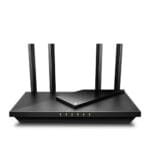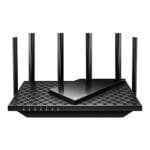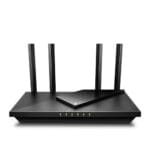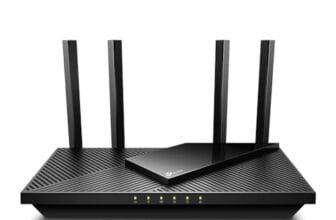

The NETGEAR Nighthawk WiFi 7 router is the best overall choice for fast, stable Android connections in busy homes.
Android phones, tablets, TVs, watches, and smart devices can slow down when a router struggles with distance, walls, or too many users. I know how annoying it feels when a video call drops, an app update takes too long, or a phone keeps switching between Wi-Fi and mobile data. The right router can improve range, reduce delay, and handle more devices at once. In this guide, I compare six useful products for Android users, including full home routers, a travel LTE router, an eSIM adapter, and a router rebooter. I focus on real use, setup, speed, coverage, ports, and value.
See the differences between my top picks at a glance.
| Product | Type | Best For | Coverage or Speed | Android Value | Amazon |
|---|---|---|---|---|---|
| NETGEAR Nighthawk WiFi 7 | Tri-band home router | Busy homes | Up to 2,500 sq. ft.; up to 9.3 Gbps | Excellent | View on Amazon |
| NETGEAR Nighthawk R6700AX | Dual-band Wi-Fi 6 router | Small and mid-size homes | Up to 1,500 sq. ft.; up to 1.8 Gbps | Very good | View on Amazon |
| LNN-AX3000 | Dual-band Wi-Fi 6 router | Simple home setup | Up to 1,800 Mbps; 20+ devices | Good | View on Amazon |
| Unlocked 4G LTE Mobile Router | Portable LTE router | Travel and backup internet | Up to 150 Mbps | Useful when traveling | View on Amazon |
| EIOTCLUB eSIM Reader | eSIM adapter and reader | Travel eSIM access | Depends on plan and network | Good for unlocked devices | View on Amazon |
| Keep Connect MAX | Router rebooter | Remote recovery | Works with an existing router | Helpful for unattended homes | View on Amazon |
NETGEAR Nighthawk WiFi 7 Router

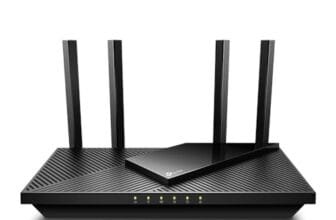
The NETGEAR Nighthawk WiFi 7 router is my top pick for Android users who want strong performance for several years. It uses tri-band Wi-Fi 7 and lists speeds up to 9.3 Gbps. Its coverage is rated for up to 2,500 square feet, and the listing supports up to 100 devices. That makes it a strong fit for families with Android phones, tablets, streaming boxes, cameras, and smart home gear.
The two 2.5G ports are useful if you own fast wired equipment or a multi-gig internet plan. The two Gigabit ports also work well for a desktop, game console, or TV. Wi-Fi 7 features can help compatible Android devices share busy wireless channels with less congestion. Older Android devices can still connect, but they will use the Wi-Fi features they support.
Pros:
- High listed wireless capacity for busy homes
- Tri-band design helps separate traffic
- Two 2.5G ports support faster wired links
- Rated for up to 2,500 square feet
- Supports up to 100 connected devices
- Good choice for newer Wi-Fi 7 Android phones
Cons:
- Costs more than a basic Wi-Fi 6 router
- Older Android phones cannot use every Wi-Fi 7 feature
- Actual speed depends on the internet plan, device, and home layout
What Amazon Buyers Are Saying
Buyer feedback for this type of Nighthawk router commonly focuses on speed, range, and the simple setup process. Users who have newer phones and many connected devices tend to value the extra wireless capacity. Some buyers also like having 2.5G ports for newer network equipment. As with most advanced routers, some complaints center on setup choices, firmware updates, or results that vary in homes with thick walls. I recommend checking the latest listing feedback for current app and firmware experiences before ordering.
My Recommendation
I recommend this router for a busy home, a fast internet plan, or a buyer who wants a long-term upgrade. It is more router than a small apartment needs, but its extra capacity can reduce wireless crowding. The NETGEAR Nighthawk WiFi 7 is worth buying when you want premium performance and your Android devices can benefit from newer wireless standards.
NETGEAR Nighthawk R6700AX WiFi 6 Router

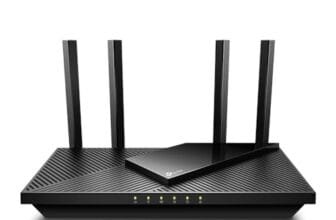
The NETGEAR Nighthawk R6700AX is a practical Wi-Fi 6 router for smaller homes and apartments. The listing gives it a range of up to 1,500 square feet and a combined speed rating of up to 1.8 Gbps. It also supports up to 20 devices, which suits many homes with a few Android phones, tablets, TVs, and smart speakers. Four Gigabit ports give you useful room for wired devices.
Wi-Fi 6 can help Android devices work more smoothly when several devices share the network. This benefit matters during video calls, streaming, downloads, and online play. The router also offers a simpler price point than many Wi-Fi 7 models. I see it as the sensible choice for users who want reliable home Wi-Fi without paying for features they may not use.
Pros:
- Good fit for apartments and smaller homes
- Wi-Fi 6 supports modern Android phones well
- Four Gigabit Ethernet ports add flexible wired use
- Listed support for up to 20 devices
- Lower cost than many Wi-Fi 7 routers
- Easy setup suits first-time router buyers
Cons:
- Coverage may not suit large or multi-story homes
- Dual-band design has less capacity than tri-band models
- It may not be the best match for multi-gig internet service
What Amazon Buyers Are Saying
Amazon buyers often look for easy installation, stable connections, and good range at this price level. Reviews for budget and mid-range Nighthawk models commonly praise the familiar setup process and the number of wired ports. Some users report that placement has a large effect on range, while others mention the need to update firmware or adjust settings. Since wireless results differ from home to home, I would read recent reviews that match your home size and internet plan.
My Recommendation
This is my value pick for a modest home with a normal broadband plan. It gives most Android users the speed and features they need without a premium Wi-Fi 7 price. Buy it if you want a dependable Wi-Fi 6 upgrade and do not need coverage for a very large home.
Unlocked 4G LTE Mobile WiFi Router

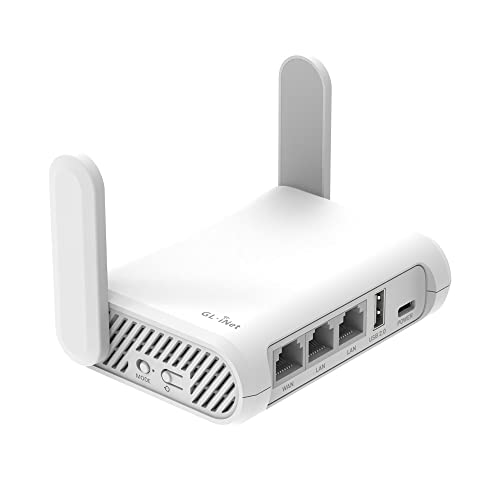
This unlocked 4G LTE mobile WiFi router serves a different purpose from a home broadband router. It uses a SIM card and creates a Wi-Fi network for Android phones, tablets, laptops, and other devices. The listing gives a speed of up to 150 Mbps. Its small design may help during travel, camping, vacations, or in a second home without fixed broadband.
Before buying, check the supported LTE bands and carrier rules. The product listing states that it is not for the Americas except in certain situations, so buyers in the United States should take extra care. A SIM card and active data plan are also required. When the network is compatible, this type of router can give several devices internet access from one cellular connection.
Pros:
- Portable alternative to fixed home internet
- Uses a SIM card instead of a cable modem
- Useful for travel, camping, and vacation homes
- Can connect multiple Wi-Fi devices
- Up to 150 Mbps listed LTE speed
- Works as a backup option where wired service is poor
Cons:
- Carrier and LTE band compatibility needs careful checking
- The listing warns about use in the Americas
- Speed depends on signal strength and network congestion
- It is not a replacement for a high-end home Wi-Fi router
What Amazon Buyers Are Saying
Buyers of unlocked LTE routers usually care most about carrier compatibility, signal strength, and ease of SIM setup. Positive feedback tends to come from people who use the device in travel or remote settings where it matches their network. Common concerns include unclear band support, SIM activation issues, and speeds below the advertised maximum. I would treat compatibility as the first buying test and read recent reviews from users on the same carrier.
My Recommendation
I recommend this only when you need portable cellular Wi-Fi and confirm that your carrier and location support it. It is not my first choice for a normal US home Android network. For the right travel use, it can be useful, but the regional warning makes careful research essential.
EIOTCLUB eSIM Reader Bundle

The EIOTCLUB eSIM Card and Reader Bundle is not a Wi-Fi router. It is a travel connectivity tool for compatible unlocked Android phones, iPhones, routers, Windows computers, and Macs. The bundle uses a physical adapter and reader to help manage eSIM access in supported devices. The listing mentions travel use in the United States, Europe, China, and Japan.
This product makes sense for buyers who need a travel data plan but lack built-in eSIM support on a device. It does not create Wi-Fi by itself, and it does not replace a home router. You still need a compatible eSIM service and a device that supports the adapter. Read the phone model list and Android version details before purchase, since compatibility can vary.
Pros:
- Useful for international travel planning
- Supports a range of device types according to the listing
- May help unlocked Android users access eSIM plans
- Can reduce the need to buy a local physical SIM
- Supports travel across several named regions
- Useful for people with older devices lacking built-in eSIM tools
Cons:
- It is not a router or Wi-Fi access point
- Compatibility depends on the exact Android device
- A separate eSIM plan and network service are required
- Setup may feel complex for first-time eSIM users
What Amazon Buyers Are Saying
Feedback for eSIM adapters usually centers on device compatibility and setup. Buyers who confirm their phone model before ordering often value the travel convenience. Complaints in this product category can involve activation steps, carrier limits, or devices that do not support the adapter as expected. I would check the newest reviews and the manufacturer compatibility details instead of assuming that every unlocked Android phone will work.
My Recommendation
This bundle is worth considering for international Android travel, but it should not appear on a normal home router shortlist. Buy it only after confirming your phone, operating system, and eSIM provider support. For home Wi-Fi, choose one of the dedicated routers reviewed above.
LNN-AX3000 WiFi 6 Router

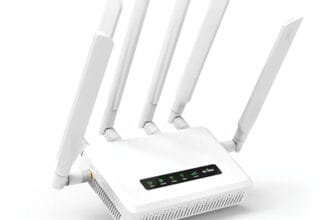
The LNN-AX3000 is a simple dual-band Wi-Fi 6 router for buyers who want a direct setup without a required app. The listing gives a combined wireless speed of up to 1,800 Mbps and support for more than 20 devices. It also lists five antennas, FCC certification, and a five-step setup process. Those features make it appealing for a small home, apartment, or basic Android network.
The no-app design can help users who prefer browser-based setup or want fewer account steps. Wi-Fi 6 gives compatible Android devices a modern connection standard for streaming, browsing, and calls. Still, the combined speed figure is not the speed of one phone, and real results depend on the internet service, band, distance, and wireless interference. I would place it in an open area rather than behind a TV or inside a cabinet.
Pros:
- No app required for setup
- Wi-Fi 6 supports current Android devices
- Listed support for 20 or more devices
- Five antennas may help with signal coverage
- Simple five-step installation process
- Good fit for basic home browsing and streaming
Cons:
- Dual-band capacity is below a premium tri-band router
- Advertised combined speed does not equal one-device speed
- Long-term software support needs confirmation
- Large homes may need a stronger or mesh-based solution
What Amazon Buyers Are Saying
Buyers who choose an affordable router often mention price, setup time, and everyday connection stability. Users who want no app setup may appreciate the browser-based approach. Common concerns for lesser-known router brands can include support quality, firmware updates, and range that differs from the advertised figure. I suggest reading the newest reviews for your internet speed and home size before making a final choice.
My Recommendation
The LNN-AX3000 is a reasonable low-cost choice when you want Wi-Fi 6 and a simple setup. It can serve many Android users well in a smaller home. I would choose NETGEAR for stronger brand support or advanced features, but this model deserves attention when price and no-app setup matter most.
Keep Connect MAX Router Rebooter

The Keep Connect MAX is not a router. It is a Wi-Fi reset device that works with an existing router or modem. The listing says it monitors connectivity and resets the equipment when needed. It can also send text alerts after a reset when you enter a phone number. This may help people who often lose internet access while away from home.
The device does not increase Wi-Fi speed, extend range, or add Wi-Fi 6 to an Android phone. Its value comes from recovery, not wireless performance. It may suit a vacation home, remote office, security camera setup, or home where the internet equipment often needs a manual restart. You still need to confirm that your modem and router setup works with the rebooter.
Pros:
- Can reset a router when the connection fails
- Useful for remote or unattended locations
- No app is required according to the listing
- Text alerts can notify you after resets
- May reduce the need for manual power cycling
- Works as an add-on to an existing network
Cons:
- It does not provide Wi-Fi by itself
- It cannot improve Android Wi-Fi speed or range
- Compatibility with every modem and router setup is not guaranteed
- It adds another device and power connection
What Amazon Buyers Are Saying
Buyers interested in router rebooters usually focus on reliability and whether the device restores service without a visit. People with remote cameras, vacation homes, or frequent modem lockups may find that function useful. Common concerns can include setup, power connections, and whether a reset solves the real cause of an outage. I would view this as a support tool, not as a replacement for a better router.
My Recommendation
I recommend the Keep Connect MAX only if you already have a dependable router but need automatic recovery. It is not a candidate for the best router for Android devices because it does not create the wireless network. However, it can be a smart add-on for remote users who need their Android-connected devices to come back online.
How to Choose the Best Router for Android Devices
Choosing the Best Router for Android Devices starts with your home, internet plan, and phone model. Android devices can use many Wi-Fi standards, but they do not all support the same bands or features. A good router should match your current needs without forcing you to pay for speed your internet plan cannot deliver.
1. Match Wi-Fi Standard to Your Android Devices
Wi-Fi 6 is a strong starting point for most homes. It can manage many connected devices more efficiently than older Wi-Fi 5 equipment. Wi-Fi 7 can offer newer features and higher capacity, but your Android phone must support those features to gain the full benefit. Check the phone specifications before paying extra for a premium router.
Also check your internet plan. A router with a very high wireless rating cannot make a slow broadband plan faster. It can still help with local traffic, but the internet connection remains the main limit.
2. Check Range, Bands, and Ethernet Ports
Think about the number of rooms, floors, and walls between the router and your Android devices. A central, open position often works better than a high-speed router hidden in a corner. Dual-band routers can suit smaller homes. Tri-band models offer more room for many devices and busy traffic.
Ethernet ports matter too. Four Gigabit ports work well for TVs, consoles, computers, and access points. A 2.5G port makes more sense when you have multi-gig internet or fast wired hardware. Do not judge a router by the advertised combined speed alone.
3. Review Setup, Security, and Long-Term Value
Android users should look for simple setup, regular firmware updates, and clear security controls. Use a strong Wi-Fi password and keep the router software current. Features such as guest Wi-Fi can protect your main devices when visitors connect.
Finally, compare the price with your real use. The Wi-Fi 7 Nighthawk offers the most capacity in this group. The R6700AX gives better value for a smaller home. The LNN-AX3000 keeps setup simple. LTE and eSIM products solve travel needs, while the Keep Connect MAX handles recovery. The right choice depends on the problem you need to solve.
Final Verdict: Which Should You Buy?
The NETGEAR Nighthawk WiFi 7 is the best overall choice for busy homes and newer Android devices. For smaller homes, the NETGEAR R6700AX offers better value. Choose the LNN-AX3000 for simple, low-cost Wi-Fi 6.
The Best Router for Android Devices should match your space, plan, and device support. Check compatibility, place the router well, and keep its software updated for a stronger daily connection.
FAQs Of Best Router for Android Devices
What is the best router for Android phones?
The NETGEAR Nighthawk WiFi 7 is the best overall pick for busy homes. The NETGEAR R6700AX is a better value for smaller homes and normal broadband plans.
Does Wi-Fi 7 work with older Android devices?
Yes. Older Android devices can connect to a Wi-Fi 7 router, but they use the Wi-Fi features and speed that their hardware supports.
Is Wi-Fi 6 enough for most Android users?
Yes. Wi-Fi 6 is enough for most homes with phones, tablets, streaming devices, and smart home products. It offers a good balance of speed, capacity, and price.
Can a 4G LTE router replace home broadband?
It can in areas with a strong compatible cellular signal and a suitable data plan. Check LTE bands, carrier rules, data limits, and local coverage before buying.
Will a router improve slow mobile data on an Android phone?
A router can improve the phone’s Wi-Fi connection, but it cannot improve the cellular signal used away from Wi-Fi. Your internet plan, router placement, and home walls also affect results.
Does the Keep Connect MAX improve Wi-Fi speed?
No. It monitors and resets an existing network. It does not add speed, increase range, or replace your current router.