
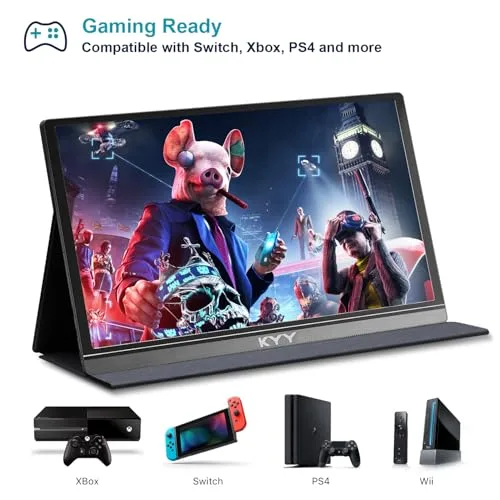
The best portable monitor adds a light, sharp second screen for work, travel, study, and play.
You know the feeling: your laptop screen fills with tabs, chat windows, notes, and a video call. Then you pack for a trip and realize a full desktop monitor will not fit. A portable monitor solves that problem like a spare pair of hands. I tested the key features that matter most, including screen size, image quality, ports, power needs, stand design, gaming speed, and travel weight. The five models below suit different needs, so you can choose the best portable monitor for your desk, hotel room, classroom, or gaming setup.
KYY Portable Monitor 15.6-inch 1080p
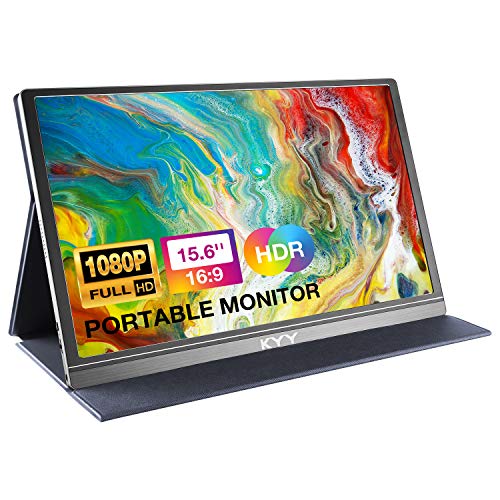
The KYY 15.6-inch portable monitor is a simple, useful second screen for daily work. Its 1080p resolution keeps text clear enough for email, documents, spreadsheets, and web pages. The larger 15.6-inch panel also feels less cramped than many small travel screens. I like this size because it gives a laptop user real room without feeling like a burden in a bag.
The included cover helps protect the display during travel and can act as a basic stand. The monitor connects with common USB-C and HDMI setups, but you should check your laptop’s port and power support before buying. Its design suits remote workers, students, and anyone who wants more space without building a permanent desk. For many buyers, this is an affordable way to enter the portable monitor market.
Pros:
- Large 15.6-inch screen for comfortable multitasking
- Full HD 1080p resolution for clear text and video
- Protective cover helps during transport
- Useful USB-C and HDMI connection options
- Good fit for work, school, and travel
- Simple setup for most compatible laptops
Cons:
- Some USB-C devices may need a separate power source
- The cover stand may move on a soft or uneven surface
- It does not target high-refresh competitive gaming
My Recommendation
I recommend the KYY to buyers who want a practical second screen at a sensible price. It works well for office tasks, online classes, writing, coding, and light media use. The 15.6-inch size gives you a true side-by-side workspace, which can reduce the need to switch between windows. That small change can make a long workday feel much less tiring.
This model is also a strong choice for frequent travelers who want a protective cover included. It may not be the best portable monitor for a serious gamer or color-critical editor, but it offers strong everyday value. If your main goal is extra screen space with a familiar 1080p image, the KYY is an easy model to consider. Check the latest listing for current accessories, price, and compatibility before ordering.
MNN 15.6-inch FHD Portable Monitor

The MNN 15.6-inch portable monitor focuses on a balanced feature set. It uses a Full HD display with a listed 60Hz refresh rate, so normal motion, scrolling, and video should look smooth for work and casual play. Its IPS panel is a useful choice for a second screen because viewing angles tend to be more forgiving than those of basic narrow-angle panels. The screen can sit beside your laptop without forcing you to face it perfectly straight.
USB-C and HDMI support make this monitor flexible across many modern devices. It can serve a laptop, mini PC, game console, or other compatible HDMI source, though cables and power needs can vary by device. The listed HDR support may improve compatible content, but results depend on source settings and real screen brightness. I see this model as a sensible middle ground for buyers who want more than a basic office display but do not need a premium gaming panel.
Pros:
- 15.6-inch Full HD screen suits side-by-side work
- 60Hz refresh rate handles everyday motion well
- IPS design supports broad viewing angles
- USB-C and HDMI inputs improve device flexibility
- HDR support adds useful media versatility
- Works for laptops, consoles, and compact computers
Cons:
- HDR performance may not match a bright full-size HDR TV
- One-cable use depends on the laptop’s USB-C features
- Built-in audio is convenient but not a replacement for speakers
My Recommendation
The MNN is best for users who want one portable screen for several jobs. A remote worker can use it for documents and meetings, while a student can keep research open beside a writing app. Casual console players may also appreciate the HDMI input and 60Hz operation. I would choose it when flexibility matters more than an ultra-light design or a very high refresh rate.
As a best portable monitor candidate, the MNN stands out for its broad use case. It offers the core features most people need without pushing into an expensive professional category. Buyers should still confirm whether their USB-C port supports video output and enough power. With that check complete, this model offers dependable value for home, office, and travel use.
cocopar 15.6-inch 1080p Travel Monitor

The cocopar 15.6-inch travel monitor brings several useful extras into one compact setup. It has a 1080p Full HD resolution, a listed 60Hz refresh rate, and 85% sRGB coverage. That combination suits office work, streaming, study, and casual gaming. It will not replace a calibrated design monitor, but it can show everyday content with a pleasant balance of detail and color.
This model includes speakers and a cover stand, which helps reduce the number of items you carry. It also supports HDMI and USB-C connections and is listed as compatible with systems such as MacBook, Surface, PC, Xbox, and PlayStation devices. The VESA-mountable design gives it more setup options than a basic travel panel. Before using USB-C alone, confirm that your source device supports DisplayPort video over USB-C and can provide suitable power.
Pros:
- Full HD resolution looks sharp for work and entertainment
- 85% sRGB coverage suits general media use
- Built-in speakers reduce the need for extra audio gear
- Cover stand protects the screen and supports desk use
- VESA mounting adds flexibility at home or in an office
- Broad compatibility with laptops and game consoles
Cons:
- Color coverage is not aimed at advanced photo or video work
- Speakers may sound modest compared with dedicated speakers
- VESA mounting may require an extra bracket or arm
My Recommendation
I would point console owners and flexible home-office users toward the cocopar. The HDMI input makes it a useful companion for a laptop, Xbox, or PlayStation, while the USB-C option keeps modern laptop setups tidy. The included audio and cover stand also make it feel ready for use right away. It is a good choice when you want one screen that can move from a desk to a hotel room. I have another suggestion that you can see this Best Computers for Home and Office Use
This could be the best portable monitor for people who value practical extras more than maximum color range. Its VESA support is especially useful if you want to mount a second screen beside a fixed monitor. The 60Hz refresh rate fits casual gaming, but competitive players may prefer a faster model. Overall, cocopar offers a well-rounded travel package with useful connection choices and solid everyday appeal.
VisionOwl 18.5-inch Portable Monitor

The VisionOwl takes the portable monitor idea in a larger direction with its 18.5-inch screen. That extra surface can make a major difference when you work with wide spreadsheets, timelines, code, or several open windows. Instead of feeling like a narrow tablet beside your laptop, it gives you a more monitor-like view. I would consider this size for people who work away from home but still want a generous second display.
The monitor includes USB-C and HDMI connectivity, built-in speakers, and a built-in kickstand. It is also listed as VESA mountable, which helps users create a more permanent setup when needed. The larger panel may take more room in a bag and on a small table, so portability here means movable rather than ultra-compact. For MacBook Pro, MacBook Air, PC, PS5, and Xbox users, it offers a broad set of possible uses, subject to device and cable compatibility.
Pros:
- 18.5-inch screen gives the most workspace in this group
- Useful for spreadsheets, coding, editing, and multitasking
- USB-C and HDMI support suit many source devices
- Built-in kickstand makes quick setup easy
- Integrated speakers help in temporary work spaces
- VESA support allows a more stable mounted arrangement
Cons:
- Larger size takes more bag and desk space
- It may be less convenient for very light travel
- Large-screen use can require more careful power planning
My Recommendation
The VisionOwl is best for users who want the biggest practical workspace while staying mobile. I would choose it for a programmer who needs a code window and a live preview, or for a spreadsheet user who dislikes constant horizontal scrolling. It can also help video editors, project managers, and remote staff who carry work between rooms. The built-in stand and speakers make setup feel less like a science project.
It may be the best portable monitor for a mobile office that values screen area above minimum weight. I would not pick it for a tiny airplane tray or a very small backpack. Instead, think of it as a travel-friendly monitor that can also serve as a useful home display. If you can accept the larger footprint, the extra workspace may repay you every day.
ARZOPA 16.1-inch 144Hz Gaming Monitor

The ARZOPA Z1FC is the performance-focused option in this review. Its 16.1-inch display lists a 144Hz refresh rate, which can make fast games feel more fluid than a standard 60Hz screen. The faster refresh can also make cursor movement and scrolling feel more responsive when the connected device can deliver enough frames. Its listed 106% sRGB color coverage adds appeal for gaming, video, and general creative work.
This monitor makes the most sense for a gaming laptop owner who wants a larger or faster screen away from home. It can also help users who spend long hours moving windows, browsing, or viewing motion-heavy content. A high refresh rate does not guarantee low input lag or better game performance by itself, so the laptop, cable, game settings, and connection type still matter. I also recommend checking power requirements before a trip, especially when using a console or a laptop with limited USB-C output.
Pros:
- 144Hz refresh rate suits fast games and smooth motion
- 16.1-inch size offers more room than a laptop panel
- Listed 106% sRGB coverage supports vivid color
- Strong match for gaming laptops and mobile play
- Useful for work when smooth scrolling matters
- More performance-focused than typical 60Hz travel monitors
Cons:
- 144Hz performance depends on the source device and connection
- Gaming features may cost more than a basic office model
- Higher refresh use can increase power demand
My Recommendation
The ARZOPA is my pick for mobile gamers who do not want to step down to 60Hz when they leave home. It suits fast games, gaming laptops, esports practice, and users who simply enjoy smoother motion. The 16.1-inch size also gives a nice balance between room and portability. Creative users may like the listed color coverage, but I would still use a calibrated professional display for color-critical final work.
For gaming, this is a strong best portable monitor contender. It gives the review a clear high-speed option instead of treating every portable screen as an office accessory. Make sure your device can output the desired refresh rate and that you have the right cable. If it can, the ARZOPA offers a more lively experience than standard travel monitors.
How to Choose the Best Portable Monitor
A portable monitor should solve a real problem, not create three new ones. I start with the user’s device, the type of work, and the way the screen will travel. A writer may need clear text and low weight, while a gamer may care more about refresh rate and response. The best portable monitor is the one that fits your daily habits, not just the one with the longest feature list.
Screen Size and Resolution
Most people feel comfortable with a 15.6-inch portable display. It gives enough room for a document, browser, or chat window without becoming too large for a bag. A 16.1-inch screen can offer a little more space, while an 18.5-inch model feels closer to a normal desktop monitor. Smaller screens save space but may force more zooming and scrolling.
Full HD, or 1920 by 1080 pixels, remains a practical choice for this class. It keeps the price and power needs reasonable while giving clear text at common sizes. A higher resolution can show more detail, but it may use more power and place more demand on the source device. For most office, school, and travel tasks, a good 1080p panel offers the best balance.
USB-C, HDMI, and Power
Port details matter more than many buyers expect. A full-featured USB-C port can carry both video and power, but not every USB-C port does this. Some ports only charge or transfer files. Look for video output support, often called DisplayPort over USB-C, in your laptop or tablet’s specifications.
HDMI provides broad compatibility with laptops, mini PCs, consoles, and other devices. It often needs a separate USB cable for power, so your travel kit may include two cables. I suggest packing a short HDMI cable, a USB-C cable, and a suitable wall charger or power bank when the monitor allows it. This small habit prevents many setup surprises.
Refresh Rate for Gaming
A 60Hz monitor refreshes the image 60 times per second. That works well for office apps, films, school work, and casual gaming. A 144Hz model can show motion more often and may feel much smoother in fast games. However, the connected computer must produce enough frames to make that benefit visible.
Do not buy a 144Hz portable monitor for a computer that struggles to reach 60 frames per second. You may still enjoy the panel, but you will not gain the full value of its speed. Competitive players should also check response time, adaptive sync support, input lag, and the correct port mode. Refresh rate is important, but it is only one piece of the gaming picture.
Color and Brightness
Color coverage tells you how much of a color space the screen can show. The sRGB space is common for web content, office work, and general media. A listed percentage can help compare models, but it does not prove factory accuracy. A creator who edits photos for print should look for calibration tools and a display designed for color work.
Brightness also affects travel use. A screen that looks fine in a dim room may seem weak near a sunny window. Portable monitors often trade some brightness for low power and a slim body. I prefer a model with a matte surface or good glare control when I expect to work in changing light. Still, a shade or better seating position can help more than a paper specification.
Stand, Cover, and Mounting
A built-in kickstand saves time and reduces the need for extra gear. A cover can protect the screen and serve as a stand, but its stability depends on the surface and viewing angle. On a hotel desk, a firm stand can feel like an anchor. On a bed or tray, almost any folding cover can shift.
VESA support is helpful if you want to mount the display beside a desktop monitor. It can also improve eye level and reduce neck strain. Check the mount size and screw pattern before buying an arm. A portable monitor is often used in temporary places, but a good mounting option lets it grow with your main setup.
Weight and Travel Use
Portability has more than one meaning. A thin 15.6-inch monitor may fit a laptop sleeve, while an 18.5-inch model may need a larger bag. Include the cover, cables, charger, and power bank when judging travel weight. The screen may be light alone but less light as a complete kit.
Think about your trip. A commuter may want a light unit that comes out at a coffee shop. A remote worker who drives to a hotel may accept a larger model for more workspace. The best portable monitor for air travel may not be the best portable monitor for a mobile home office.
Speakers and Headphone Use
Built-in speakers add convenience, especially with consoles and video calls. They can help when you do not want to carry separate speakers. Yet thin displays have limited room for deep sound. I treat built-in audio as a useful backup, not a full music system.
For meetings, headphones may still offer clearer voices. For games, external speakers can add more depth. Check whether the monitor has a headphone jack or whether your source device will handle audio. HDMI often carries sound, but device settings can affect the result.
Compatibility Checks Before Buying
Before you choose, identify the device you will connect most often. Check its ports, video output, power output, and operating system support. A USB-C port with a small lightning symbol may not carry video, while a USB-C port with a DisplayPort symbol often does. If you plan to connect a console, confirm that the monitor accepts the console’s output and that you have a way to power the display.
MacBook, Windows laptop, tablet, Chromebook, Steam Deck, Xbox, and PlayStation setups can differ. Some need an adapter. Some need a wall charger. Some may show an image but not send sound through the monitor. Taking two minutes to read the device manual can save an evening of frustration.
Best Portable Monitor Comparison
| Best for | Why |
|---|---|
| Everyday work and travel | KYY offers a roomy 15.6-inch 1080p screen with a protective cover. |
| Gaming and smooth motion | ARZOPA stands out with its listed 144Hz refresh rate and 106% sRGB coverage. |
| Maximum mobile workspace | VisionOwl provides the largest listed 18.5-inch display in this group. |
Portable Monitor Setup Tips
Place the second screen close to your laptop and keep both displays at a similar height. This reduces large head turns and makes the setup feel like one wide desk. In Windows, use the display settings to extend the desktop rather than mirror it when you need more space. On macOS, arrange the screens so the cursor moves naturally from one panel to the other.
Set the brightness to match your laptop instead of leaving both screens at full power. This helps comfort and can reduce energy use. Increase text size if small type makes you lean forward. A portable monitor should open your workspace, not turn your neck into a question mark.
For USB-C use, connect the cable before changing advanced display settings. If the screen stays dark, try another USB-C port, add external power, or use HDMI. A screen that powers on but shows no picture may be receiving electricity without receiving a video signal. This is a port issue, not always a faulty monitor.
For gaming, select the highest supported refresh rate in your computer’s display menu. Use the correct cable and avoid low-quality adapters that limit the signal. If a console only outputs 60Hz, a 144Hz monitor can still work, but the console will not create 144Hz motion. The extra speed becomes more useful with a compatible PC or gaming laptop.
FAQs Of best portable monitor
What is the best portable monitor for most people?
The KYY and MNN are strong choices for most users because both offer a 15.6-inch Full HD workspace. The right pick depends on your preferred features, connection needs, and current price. Always check USB-C video support before ordering.
Can a portable monitor work with one USB-C cable?
Yes, but only when the source USB-C port supports video output and enough power. Some laptops need a second USB cable or wall charger. Check your device specifications and the monitor instructions first.
Are portable monitors good for gaming?
Yes. A 60Hz model works for casual gaming, while a 144Hz model such as the ARZOPA is better for fast games. Your laptop or console must support the needed refresh rate and connection standard.
Can I use a portable monitor with a PS5 or Xbox?
Many models with HDMI can work with these consoles. You may need a separate power cable for the monitor. Confirm the monitor’s supported resolution, refresh rate, audio behavior, and HDMI requirements before purchase.
Is a 15.6-inch or 18.5-inch portable monitor better?
A 15.6-inch model is easier to carry and fits more bags. An 18.5-inch model gives you more room for large spreadsheets, code, and multitasking. Choose based on your travel space and how much screen area you need.
Final Verdict: Which Should You Buy?
For most buyers, the MNN is the best portable monitor because it balances a 15.6-inch Full HD IPS screen, 60Hz motion, USB-C, HDMI, and HDR support. Choose ARZOPA for gaming, or VisionOwl for the largest work area.
Before you buy the best portable monitor, check your device ports, power needs, and travel plans. A well-matched screen can turn a crowded laptop into a calm, flexible mobile workstation.