
Finding the best router for smart lighting means balancing strong 2.4 GHz coverage, stable connections, and easy device control.
A weak router can make smart bulbs vanish, delay voice commands, or break lighting scenes at the worst time. I have compared the networking gear and lighting hubs below with real home use in mind. I looked at Wi-Fi bands, wired ports, smart-home support, setup, range, and value. One important note: not every item here is a router. Some are hubs, lighting controllers, or smart lights that may improve a lighting setup but cannot replace a home router. That difference matters when you build a reliable smart home.
See the differences between my top picks at a glance.
| Product | Product type | Smart-light fit | Key strength | Best for | Buy |
|---|---|---|---|---|---|
| Tenda AC6 | AC1200 Wi-Fi router | Strong for basic 2.4 GHz devices | Simple app and dual-band Wi-Fi | Budget smart homes | View on Amazon |
| YEELIGHT E1 | Matter hub and Thread border router | Excellent for supported Yeelight devices | Matter and Thread support | Yeelight ecosystems | View on Amazon |
| WILAWELS 60W | Outdoor lighting transformer | Useful for outdoor Wi-Fi lighting | Weatherproof low-voltage power | Landscape lighting | View on Amazon |
| SikSog 4-inch | Bluetooth smart downlight | Good for local room control | Color and white-light control | Small ceiling projects | View on Amazon |
| SikSog 6-inch | Bluetooth smart downlight | Good for larger room installs | Higher light output | Large ceiling projects | View on Amazon |
| PLERY AX3000 | Wi-Fi 6 router | Best overall router choice | Gigabit ports and EasyMesh | Busy smart homes | View on Amazon |
Tenda AC1200 Smart Router

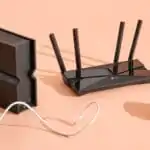
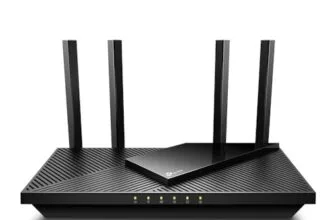
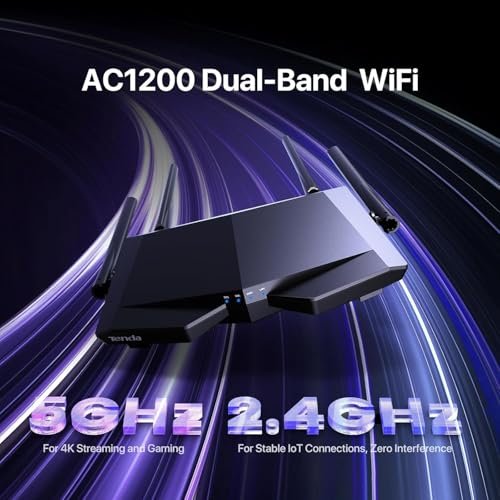
The Tenda AC6 is a low-cost dual-band router aimed at homes that need simple wireless coverage. It supports AC1200-class Wi-Fi and includes a 2.4 GHz band for many smart bulbs, plugs, and switches. That band matters because many smart-light products still use 2.4 GHz rather than 5 GHz. The router also offers four 100 Mbps Ethernet ports for wired devices.
I like the AC6 for a small apartment or a modest smart-light setup. Its app, guest Wi-Fi, access point mode, IPv6 support, and parental controls give it more range than a basic modem-router. Still, it is not a high-end choice for a home with many cameras, streaming devices, and lights running at once. The 100 Mbps ports also limit wired speed. For simple lighting control, that may not matter.
Pros:
- Affordable entry point for smart-home Wi-Fi
- Includes both 2.4 GHz and 5 GHz bands
- Easy app-based setup and management
- Guest Wi-Fi helps separate visitors from smart devices
- Access point mode adds placement flexibility
- Four wired Ethernet ports support basic home equipment
Cons:
- Ethernet ports are limited to 100 Mbps
- May feel limited in a large or crowded home
- Does not provide modern Wi-Fi 6 capacity
What Amazon Buyers Are Saying
Buyer feedback commonly focuses on the low price and simple setup. People who need basic coverage often like the compact design and the useful app. Some buyers report good results in apartments and smaller homes. Common concerns include range limits in larger layouts and slower wired speeds. As with any router, wall material, placement, internet speed, and nearby networks can change results.
My Recommendation
The Tenda AC6 is worth considering when you want a cheap router for a small smart-light network. I would place it in a central, open spot and keep the 2.4 GHz network name easy to recognize during setup. It is a practical budget pick, but not my first choice for a busy modern home.
YEELIGHT E1 Smart Home Hub

The YEELIGHT E1 is not a traditional internet router. It is a smart-home hub, Matter controller, and Thread border router. It connects by Wi-Fi or Ethernet and is designed for Yeelight Matter devices. Thread is a low-power smart-home network that can help supported devices communicate without placing every bulb directly on Wi-Fi.
This device makes sense when your lighting system centers on Yeelight products. It can also work with platforms such as Apple Home, Alexa, Google Home, and SmartThings, as listed for the product. I would not buy it as the only router in a home. Instead, I would pair it with a capable Wi-Fi router. Its value comes from device control and protocol support, not from replacing your internet gateway.
Pros:
- Adds Matter controller support to a compatible setup
- Works as a Thread border router for supported devices
- Offers Wi-Fi and Ethernet connection options
- Fits several major smart-home platforms
- Can reduce direct Wi-Fi load from supported Thread devices
- Useful for Yeelight-focused lighting systems
Cons:
- It cannot replace a normal home Wi-Fi router
- Product support is focused on Yeelight Matter devices
- Compatibility depends on the chosen smart-home platform
What Amazon Buyers Are Saying
Buyers who already use Yeelight products tend to focus on the hub’s role in linking devices and platforms. The small size and wired option can also appeal to people who want a tidy installation. The main concern is scope: this is not a general-purpose router, and buyers must check device compatibility before purchase. Matter and Thread support can improve flexibility, but only when the lights and control platform support the same standards.
My Recommendation
I recommend the YEELIGHT E1 for a Yeelight-centered smart-light system, especially if Matter or Thread is part of your plan. I do not recommend it for someone searching for a replacement Wi-Fi router. As a lighting hub, it earns a strong score when used with compatible Yeelight devices.
WILAWELS Smart Landscape Transformer

The WILAWELS unit is a 60-watt smart landscape lighting transformer. It converts 120V AC input to 12V DC output and uses 2.4 GHz Wi-Fi. It is designed for low-voltage outdoor lighting rather than indoor bulbs or general home networking. The listing also notes Alexa and Google Home support, weather resistance, and ETL listing.
This product solves a different problem from a router. It supplies power and smart control for compatible outdoor lighting. A stable 2.4 GHz signal near the yard is important because outdoor walls, metal, soil, and distance can weaken Wi-Fi. I would check the total wattage of every connected light before installation. I would also follow local electrical rules and use a qualified installer when needed.
Pros:
- Designed for low-voltage landscape lighting
- Uses the common 2.4 GHz Wi-Fi band
- Supports voice control through Alexa and Google Home
- 60-watt capacity suits many small outdoor projects
- Weatherproof design supports outdoor placement
- ETL-listed design adds an important safety reference
Cons:
- It is not a Wi-Fi router
- 60 watts may not suit a large lighting run
- Outdoor Wi-Fi strength still depends on the main router
- Electrical installation needs careful planning
What Amazon Buyers Are Saying
Feedback for products in this class usually centers on simple app control, voice commands, and outdoor use. Buyers often value the ability to schedule landscape lights without a separate timer. The most important concerns involve Wi-Fi range, load limits, and installation. Before buying, I would read current reviews for reports on app pairing, weather exposure, and the exact lights used with the transformer.
My Recommendation
The WILAWELS transformer is a useful add-on for a smart landscape lighting project. It is not a candidate for the best router for smart lighting, but it can work well with one. Buy it only after checking wattage, cable layout, outdoor placement, and 2.4 GHz coverage. Professional installation is wise for uncertain wiring.
SikSog 4-Inch Smart Downlights

The SikSog 4-inch pack includes twelve RGBCW recessed downlights with junction boxes. Each light is listed at 12 watts and 1,080 lumens. RGBCW means the lights offer red, green, blue, and white-light control. The product uses Bluetooth control and works with Alexa according to the listing.
These lights do not need a special router in the same way Wi-Fi bulbs do. Bluetooth can handle local control, while Alexa features may depend on the wider smart-home setup and device support. A strong router still helps the phone, voice assistant, and other home devices stay connected. I see this pack as a room renovation choice, not network equipment.
Pros:
- Twelve lights suit multi-room or large ceiling projects
- 4-inch size fits many common recessed-light layouts
- RGBCW control offers color and white-light options
- Listed 1,080-lumen output per light is useful for general rooms
- Includes junction boxes for a cleaner installation plan
- Dimming and voice control add daily convenience
Cons:
- Bluetooth control is not the same as Wi-Fi control
- Installation may require electrical work and ceiling access
- Alexa features may vary by setup and compatibility
- A twelve-pack may be too large for a small room
What Amazon Buyers Are Saying
Buyers shopping for multi-pack recessed lights often care about brightness, color effects, dimming, and installation parts. The 4-inch format can appeal to people replacing several ceiling fixtures at once. Common points to check in current buyer feedback include Bluetooth range, group control, color consistency, and junction-box fit. Because room wiring differs, customers should confirm cutout size and local electrical requirements before ordering.
My Recommendation
I recommend this pack for a homeowner who wants many color-changing recessed lights and accepts Bluetooth control. It is not a router and should not be judged by router speed. For a smart-light project, it works best with a reliable phone, voice assistant, and home network. I would verify installation details before buying all twelve.
SikSog 6-Inch Smart Downlights

The 6-inch SikSog pack targets larger recessed-light openings and includes twelve RGBCW downlights. Each light is listed at 16 watts and 1,350 lumens. That higher listed output can suit living rooms, kitchens, halls, and other spaces that need broad light. The lights include junction boxes and support dimming through Bluetooth control.
This pack has the same network lesson as the 4-inch version. The lights are Bluetooth devices, so buying a powerful router will not directly increase their Bluetooth range. However, a stable home network can help with phone access, Alexa routines, and other connected equipment. I would choose the 6-inch model only after measuring the existing openings.
Pros:
- Twelve-light pack suits broad ceiling installations
- Higher listed output fits larger rooms
- RGBCW color control supports flexible room moods
- Bluetooth dimming offers local control
- Junction boxes support a planned installation
- Alexa compatibility can add hands-free control
Cons:
- It is a lighting kit, not a router
- 6-inch openings may not fit every ceiling
- Bluetooth limits the role of the Wi-Fi network
- Electrical installation can take time and skill
What Amazon Buyers Are Saying
People who choose larger downlights often look for strong brightness, easy grouping, and a complete multi-light package. Buyer feedback should be checked for comments about color control, dimming behavior, app pairing, and physical fit. Some users may prefer 6-inch lights for open rooms, while others may find the size too large for a smaller ceiling. Measure first and confirm the control method before purchase.
My Recommendation
This is a good lighting option for a large room with existing 6-inch openings. I would choose it over the 4-inch pack when higher listed output and larger trim fit the space. It does not replace the best router for smart lighting, but it may pair well with one in a wider smart-home plan. My rating favors its lighting value, not its networking ability.
PLERY AX3000 Wi-Fi 6 Router

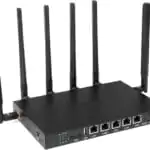
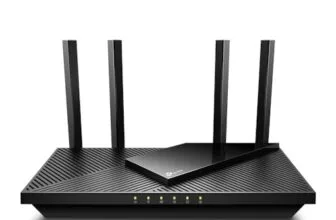
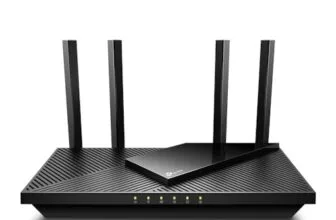
The PLERY AX3000 is the strongest traditional router in this comparison. It uses Wi-Fi 6 and includes dual-band wireless networking, six high-gain antennas, EasyMesh support, five Gigabit ports, OFDMA, and MU-MIMO. These features target homes with many connected devices. Smart bulbs use little bandwidth, but they still need a steady connection and a router that can handle phones, TVs, cameras, speakers, and computers at the same time.
For most smart-light homes, I prefer a router with extra capacity rather than one that only meets today’s small needs. The PLERY’s Gigabit ports also avoid the wired limit found on the Tenda AC6. EasyMesh may help expand coverage if compatible units are added. I would still place the router in a central location and keep smart devices on the correct band during setup.
Pros:
- Wi-Fi 6 suits homes with many connected devices
- Five Gigabit ports support fast wired connections
- Six high-gain antennas may help broad coverage
- OFDMA helps manage many small device connections
- MU-MIMO supports several active clients
- EasyMesh offers a path to wider coverage
- Strong choice for smart lights plus streaming and cameras
Cons:
- May cost more than needed for a small apartment
- Wi-Fi 6 does not guarantee better range through thick walls
- Mesh expansion requires compatible equipment
- Some older smart bulbs may need manual 2.4 GHz setup
What Amazon Buyers Are Saying
Buyers of AX3000 routers often look for better range, simple setup, and enough capacity for many home devices. Positive feedback commonly centers on Wi-Fi 6 performance, wired ports, and the value of a feature-rich router. The points worth checking in current reviews include firmware behavior, app quality, coverage in multi-level homes, and setup with older 2.4 GHz smart devices. Results vary with building size and router placement.
My Recommendation
The PLERY AX3000 is my top router pick in this group. It offers the best balance of current wireless features, wired speed, and room for a growing smart home. It is especially suitable for homes with many lights, cameras, speakers, and streaming devices. I would choose it over the Tenda when the budget allows and the home needs more than basic coverage.
How to Choose Best Router for Smart Lighting
Choosing the best router for smart lighting takes more than looking at the highest speed number. Smart bulbs send small amounts of data, but they need steady access for commands, schedules, scenes, and voice control. I focus on band support, device capacity, placement, security, and future expansion. I also separate a true router from a smart hub, transformer, or light fixture.
1. Check 2.4 GHz Support and Device Setup
Many smart bulbs, plugs, switches, and outdoor controllers use 2.4 GHz Wi-Fi. This band travels farther and passes through walls better than 5 GHz, though it can face more interference. A good router should let you control both bands with clear settings. Some older devices pair more easily when the phone joins the 2.4 GHz network during setup.
Do not assume a Matter hub or Thread border router replaces Wi-Fi. Thread is a separate low-power mesh network. It can help supported devices, but your home still needs a normal router for internet access and app control. Always check the product protocol before you buy.
2. Match Router Capacity to Your Smart Home
A small apartment with ten bulbs does not need the same router as a large home with lights, cameras, TVs, speakers, laptops, and game consoles. Wi-Fi 6 models can manage busy networks more efficiently. Features such as OFDMA and MU-MIMO can help when many devices share the wireless connection.
Ethernet ports also matter. Gigabit ports suit fast internet plans, wired access points, smart hubs, and network storage. A router with 100 Mbps ports may still control lights well, but it can limit other wired devices. Choose more capacity when you plan to expand.
3. Consider Placement, Security, and Long-Term Value
Place the router in a central, open area. Do not hide it in a cabinet, behind a TV, or on the floor. Keep it away from thick metal, large appliances, and dense walls. Outdoor lights may need a closer access point or mesh node because the signal must cross exterior walls.
Use a strong administrator password and install firmware updates. A guest network can separate visitors from smart devices. Some homes also benefit from a dedicated smart-home network, but check that your phone and hub can still reach the lights. In value terms, the PLERY AX3000 offers more headroom, while the Tenda AC6 makes sense for basic needs.
Final Verdict: Which Should You Buy?
The PLERY AX3000 is my best router for smart lighting because it combines Wi-Fi 6, Gigabit ports, EasyMesh, and strong capacity. Choose the Tenda AC6 for a small budget setup. Choose the YEELIGHT E1 only as a compatible lighting hub.
Buy based on your device count, home size, and lighting protocol. A stable 2.4 GHz network remains the key to fast, reliable smart-light control.
FAQs Of Best Router for Smart Lighting
What is the best router for smart lighting?
The PLERY AX3000 is the best overall choice here. It offers Wi-Fi 6, Gigabit ports, EasyMesh, and enough capacity for a busy smart home.
Do smart bulbs need a 2.4 GHz router?
Many smart bulbs need 2.4 GHz Wi-Fi. Check each bulb’s specifications, then use the router band required during setup.
Can a smart-home hub replace my Wi-Fi router?
No. A hub such as the YEELIGHT E1 controls compatible devices, but it does not replace a normal internet router.
Is Wi-Fi 6 useful for smart lights?
Wi-Fi 6 can help a busy home manage many devices. Smart lights use little data, but the extra capacity benefits cameras, phones, TVs, and other equipment.
Why do my smart lights keep disconnecting?
Weak 2.4 GHz coverage, router placement, interference, old firmware, or an incorrect setup band can cause drops. Move the router to an open central spot and check compatibility.
Can a router control Bluetooth smart lights?
Not directly. Bluetooth lights use Bluetooth control, though your phone, hub, or voice assistant may connect them to a wider smart-home system.